Getting started with BAM 12c by Waslley Souza
November 19, 2015 Leave a comment
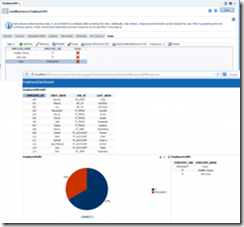 Business Activity Monitoring (BAM) 12c monitors your business processes in real time to help you make informed tactical and strategic business decisions. In this post we will create a simple Dashboard with three Business Views, two of them to monitor the employees added, simulating real time data, and another one to monitor the EMPLOYEES table.
In the BAM Composer, go to Administrator page and create two new Data Objects: EmployeeDO and EmployeeHRDO.
Add two columns to EmployeeDO: EMPLOYEE_NAME and EMPLOYEE_JOB.
Inform the table EMPLOYEES in EmployeeHRDO. Read the complete article here.
For regular information on Oracle SOA Suite become a member in the SOA & BPM Partner Community for registration please visit www.oracle.com/goto/emea/soa (OPN account required) If you need support with your account please contact the Oracle Partner Business Center.


![image[7][2][2][2]](https://paascommunity.com/wp-content/uploads/2013/04/image7222.png?w=20&h=20 "image[7][2][2][2]")
![clip_image002[8][4][2][2][2]](https://paascommunity.com/wp-content/uploads/2013/04/clip_image00284222.jpg?w=26&h=23 "clip_image002[8][4][2][2][2]")
 About Jürgen Kress

 PaaS Community Blog