SOA 12c QuickTip: Enable Servicebus message tracing in DefaultDomain by Sven Bernhardt
August 3, 2016 Leave a comment
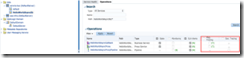 Messsage or execution tracing in Servicebus (SB) allows insight into the message exchange between Servicebus and it’s communication partners (Client applications and Service providers) as well as the message processing within a pipeline. Informations about incoming and outgoing messages, the corresponding headers, the course of variable manipulations and other things are written to the diagnostic logs and can be inspected there, when the tracing is active. By default the message and execution tracing are disabled, due to performance reasons and so it should only be enabled in development environments for debugging purposes.
Enablement of message tracing for proxy or business service or execution tracing on the pipeline level, can be done using Fusion Middleware Control (Enterprise Manager).Under a specific SB project, the corresponding services and pipelines can be found. Enabling the tracing can be simply done by checking the options for message tracing respectively execution tracing in the Operations tab. Read the complete article here.
For regular information on Oracle SOA Suite become a member in the SOA & BPM Partner Community for registration please visit www.oracle.com/goto/emea/soa (OPN account required) If you need support with your account please contact the Oracle Partner Business Center.
 Blog
Blog  Twitter
  LinkedIn
 ![image[7][2][2][2]](https://paascommunity.com/wp-content/uploads/2013/04/image7222.png?w=20&h=20 "image[7][2][2][2]") Facebook
Facebook ![clip_image002[8][4][2][2][2]](https://paascommunity.com/wp-content/uploads/2013/04/clip_image00284222.jpg?w=26&h=23 "clip_image002[8][4][2][2][2]") Wiki
Wiki
 About Jürgen Kress

 PaaS Community Blog