SOA Suite 12.2.1 VirtualBox Image available for download
September 12, 2016 1 Comment
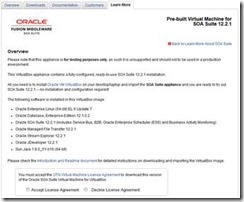
Thanks to the product management team the latest SOA Suite 12.2.1 VirtualBox image is available for download here.
Overview
Please note that this appliance is for testing purposes only, as such it is unsupported and should not to be used in a production environment.
This VirtualBox appliance contains a fully-configured, ready-to-use SOA Suite 12.2.1 installation.
All you need is to install Oracle VM VirtualBox on your desktop/laptop and import the SOA Suite appliance and you are ready to try out SOA Suite 12.2.1 — no installation and configuration required!
The following software is installed in this VirtualBox image:
- Oracle Enterprise Linux (64-bit) EL 6 Update 7
- Oracle Database, Enterprise Edition 12.1.0.2
- Oracle SOA Suite 12.2.1 (includes Service Bus, B2B, Oracle Enterprise Scheduler (ESS) and Business Activity Monitoring)
- Oracle Managed File Transfer 12.2.1
- Oracle Stream Explorer 12.2.1
- Oracle JDeveloper 12.2.1
- Sun Java 1.8.0_51-b16 (64-bit)
Please check the Introduction and Readme document for detailed instructions on downloading and importing the VirtualBox image. Get the VirtualBox image here.
For regular information on Oracle SOA Suite become a member in the SOA & BPM Partner Community for registration please visit www.oracle.com/goto/emea/soa (OPN account required) If you need support with your account please contact the Oracle Partner Business Center.
 Blog
Blog  Twitter
  LinkedIn
 ![image[7][2][2][2]](https://paascommunity.com/wp-content/uploads/2013/04/image7222.png?w=20&h=20 "image[7][2][2][2]") Facebook
Facebook ![clip_image002[8][4][2][2][2]](https://paascommunity.com/wp-content/uploads/2013/04/clip_image00284222.jpg?w=26&h=23 "clip_image002[8][4][2][2][2]") Wiki
Wiki
 About Jürgen Kress

 PaaS Community Blog
which networking option is recommended for the prebuilt VM? I am having issue with starting BAM when I use ‘bridged adapter’option. I think the bam coherence cluster configuration might be the issue. I had this issue in 12.1.3 and 12.2.1 VMs.