Connecting Stream Explorer and BAM by Waslley Souza
September 26, 2016 Leave a comment
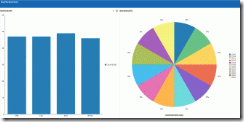
When you are working with Oracle Stream Explorer and you need analytical data about the events, the easiest way is using Oracle BAM. The connection between the Oracle Stream Explorer and Oracle BAM is simple to create. In this post we will learn how to do this connection using JMS.
This is the structure of my CSV file.
In the Oracle Stream Explorer, go to the Exploration that you want to use.
Click Configure a Target.
Complete the form with information about your BAM server and click Finish.
This is the necessary setting in Oracle Stream Explorer.
Now, go to Oracle WebLogic Server and navigate to JMS Modules.
Click BAMJMSSystemResource, and then click New.
Create a new Queue with the same information you entered in Oracle Stream Explorer and click Next. Read the complete article here.
For regular information on Oracle SOA Suite become a member in the SOA & BPM Partner Community for registration please visit www.oracle.com/goto/emea/soa (OPN account required) If you need support with your account please contact the Oracle Partner Business Center.
 Blog
Blog  Twitter
  LinkedIn
 ![image[7][2][2][2]](https://paascommunity.com/wp-content/uploads/2013/04/image7222.png?w=20&h=20 "image[7][2][2][2]") Facebook
Facebook ![clip_image002[8][4][2][2][2]](https://paascommunity.com/wp-content/uploads/2013/04/clip_image00284222.jpg?w=26&h=23 "clip_image002[8][4][2][2][2]") Wiki
Wiki
 About Jürgen Kress

 PaaS Community Blog