Create an Integration on ICS to expose a REST API for a SOAP Connection for an external web service by Lucas Jellema
October 21, 2016 Leave a comment
In this article, I will show a little bit more of ICS – the Integration Cloud Service. In a previous article, I have introduced some concepts – such as Connection, Integration, Business Identifier. I have shown how to create an integration connecting two connections – an inbound and an outbound one (both of type SOAP).
In picture, that looks like this:
In this article, I will create a new connection (REST API style) and create an integration to expose this connection, leveraging the same outbound connection:
After creating the integration, I will activate it and invoke the new REST API from a web browser and from SOAP UI.
The steps are:
- Create REST Connection
- Create and activate the Integration (with the mappings for request and response and the business identifiers for tracking)
- Invoke the REST API
Configure REST Connection
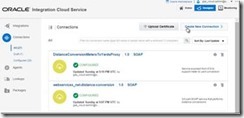
Go to the ICS Home Page and navigate to the Connections page.
Create a New Connection. Read the complete article here.
For regular information on Oracle SOA Suite become a member in the SOA & BPM Partner Community for registration please visit www.oracle.com/goto/emea/soa (OPN account required) If you need support with your account please contact the Oracle Partner Business Center.
 Blog
Blog  Twitter
  LinkedIn
 ![image[7][2][2][2]](https://paascommunity.com/wp-content/uploads/2013/04/image7222.png?w=20&h=20 "image[7][2][2][2]") Facebook
Facebook ![clip_image002[8][4][2][2][2]](https://paascommunity.com/wp-content/uploads/2013/04/clip_image00284222.jpg?w=26&h=23 "clip_image002[8][4][2][2][2]") Wiki
Wiki
 About Jürgen Kress

 PaaS Community Blog