Leveraging the Twitter Adapter in ICS – Tweeting through Oracle Integration Cloud Service by Lucas Jellema
October 22, 2016 Leave a comment
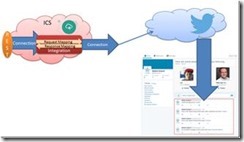
The Oracle Integration Cloud Service – ICS – comes loaded with a rich collection of Cloud Adapters. These adapters facilitate the integration with SaaS applications and internet services of various natures. These include Oracle SaaS applications (such as RightNow, Eloqua, ECommerce Cloud, ERP Cloud, HCM Cloud), on premises ERP applications (SAP, EBusiness Suite, Siebel) and assorted third party applications such as SalesForce, Facebook, Google Mail and Task, LinkedIn and Evernote. Through these adapters, interacting with said applications and services becomes a simple, declarative operation instead of a custom programming effort.
In this article, I will use the Twitter Adapter to create a connection to a Twitter Account (leveraging the Twitter API under the covers). The Twitter Adapters exposes over a dozen operations. I will use just the operation to publish a message (aka Tweet) in this example. From ICS, I will expose an integration through a simple REST connection. This allows trusted consumers to publish Tweets in a very easy way – leaving the authorization details and the API intricacies to ICS.
The steps I went through:
- Grant access to [ICS Connection] app in the Twitter developer page and generate API Key and Consumer Key
- Create a new ICS Connection based on Twitter Adapter; set up the API Key and Consumer Key
- Create an ICS REST Connection (to expose)
- Create an integration – between REST Connection as inbound (source) to Twitter Connection (as outbound destination); configure the endpoint (inbound) and operation (inbound and outbound)
- Create the mappings for request and response
- Define the tracking – business identifiers
- Activate the integration
- Test the exposed REST connection from any REST client, for example SoapUI, to Tweet a message through a simple REST POST call
Most of these steps are explained by the screenshots you will find below. Read the complete article here.
For regular information on Oracle SOA Suite become a member in the SOA & BPM Partner Community for registration please visit www.oracle.com/goto/emea/soa (OPN account required) If you need support with your account please contact the Oracle Partner Business Center.
 Blog
Blog  Twitter
  LinkedIn
 ![image[7][2][2][2]](https://paascommunity.com/wp-content/uploads/2013/04/image7222.png?w=20&h=20 "image[7][2][2][2]") Facebook
Facebook ![clip_image002[8][4][2][2][2]](https://paascommunity.com/wp-content/uploads/2013/04/clip_image00284222.jpg?w=26&h=23 "clip_image002[8][4][2][2][2]") Wiki
Wiki
 About Jürgen Kress

 PaaS Community Blog