Accessing and Analyzing Twitter Feeds with Oracle Stream Analytics (Part 2) by John Featherly
March 17, 2017 Leave a comment
In Part 1 of this series we saw how to setup a connection in Oracle Stream Analytics to Twitter and create a Tweet stream. In this part we will investigate using the OSA map and geo-spatial exploration features to display the tweet point of origin on a map.
Location Aware Tweets
Notice that tweets do not by default include the location information (latitude and longitude) of the post. Missing location data is set to minus one on the tweet as shown below.
In order to include location information, post from a mobile device that has location (GPS) hardware. Enable location on the tweet and turn on “Share precise location” as shown below.
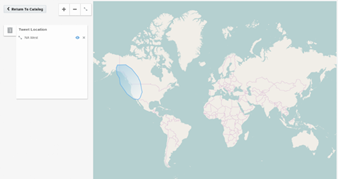
Now that we have tweets with location information the next step is to create a map display in OSA to get visual display of point of origin.
OSA Maps and Patterns
The map item allows you to set a rectangular region of the globe and “geo fences” which will display highlighted markers if location data in the stream is contained within the fence. Start by creating a new Map item. Read the complete article here.
For regular information on Oracle SOA Suite become a member in the SOA & BPM Partner Community for registration please visit www.oracle.com/goto/emea/soa (OPN account required) If you need support with your account please contact the Oracle Partner Business Center.
 Blog
Blog  Twitter
  LinkedIn
 ![image[7][2][2][2]](https://paascommunity.com/wp-content/uploads/2013/04/image7222.png?w=20&h=20 "image[7][2][2][2]") Facebook
Facebook ![clip_image002[8][4][2][2][2]](https://paascommunity.com/wp-content/uploads/2013/04/clip_image00284222.jpg?w=26&h=23 "clip_image002[8][4][2][2][2]") Wiki
Wiki
Technorati Tags: SOA Community,Oracle SOA,Oracle BPM,OPN,Jürgen Kress
 About Jürgen Kress

 PaaS Community Blog