Process Cloud Service Connectors (Part 1 of 2): Web Service Connector by Antonis Antoniou
April 8, 2017 Leave a comment
Oracle Process Cloud Service applications can communicate and exchange data with external applications that are exposed as either REST or Web Services.
In this first part of a two part series on connectors we will explore the Web Service Connector in Oracle Process Cloud Service to exchange data with an external application using the SOAP protocol.
To create a Web Service (SOAP) connection in Oracle Process Cloud Service, you need the following information:
- WSDL file (upload from file or remove via URL)
- The WSDL file should include a port type and a callback port type
- If the service you are trying to invoke is secure, then you will need the username and password required to access the service
So let’s see how you can create a Web Service Connector in Oracle Process Cloud Service. The scenario will be quite simple.
We will have a process that will invoke a publicly available web service, GeoIPService to lookup countries by IP address. The process will start with a form pattern, where the user will type in the IP address. The process will then invoke the GeoIPService, passing it the IP address typed in by the user and using a second human task, it will display the country where that IP address is.
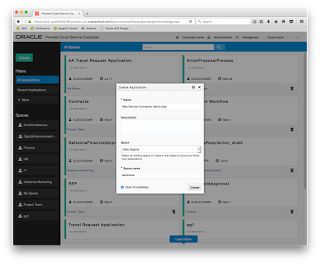
First thing that we will do is to create a new application in Oracle Process Cloud Service. I’ve named it "Web Service Connector Demo App" and created a new space (aantoniou) to file this new application under. Read the complete article here.
For regular information on Oracle SOA Suite become a member in the SOA & BPM Partner Community for registration please visit www.oracle.com/goto/emea/soa (OPN account required) If you need support with your account please contact the Oracle Partner Business Center.
 Blog
Blog  Twitter
  LinkedIn
 ![image[7][2][2][2]](https://paascommunity.com/wp-content/uploads/2013/04/image7222.png?w=20&h=20 "image[7][2][2][2]") Facebook
Facebook ![clip_image002[8][4][2][2][2]](https://paascommunity.com/wp-content/uploads/2013/04/clip_image00284222.jpg?w=26&h=23 "clip_image002[8][4][2][2][2]") Wiki
Wiki
Technorati Tags: SOA Community,Oracle SOA,Oracle BPM,OPN,Jürgen Kress
 About Jürgen Kress

 PaaS Community Blog