BAMCommand by Marcel van de Glind
October 20, 2017 Leave a comment
Recently I did a POC with BAM 12c at the customer. In a series of post’s I will describe my findings/experiences.
In the first post of this series I described the initial situation (Impact of ACM Implementation on BAM). This post ended up with the following challenge.
We have a ACM Case consisting of about thirty Case Activities. The Case and the individual Case Activities are housed in a private composite (1 + ~30 composites).
Challenge: How can we group/filter in BAM by ‘specific’ metrics that are present in each Composite. For example ‘Department’.
In the second post Filtering/grouping in BAM by ‘specific’ metrics (explored solutions) I have 10 recognized/examined solutions appointed for this challenge.
In this post I will cover the functionalities of BAMCommand that I have used in the implementation/rollout of the EMS configuration (Populating BAM using JMS).
But first, what is BAMCommand?
BAMCommand is the command-line utility to export, import, migrate, clear, and delete BAM metadata, data, and project artifacts.
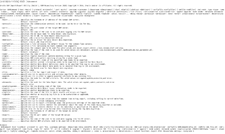
You can find BAMCommand in the directory ‘FMW_HOME/STD/bam/bin’. By calling BAMCommand without parameters gives you an overview of the possibilities. This overview is shown below: Please read the complete the article here.
For regular information on Oracle SOA Suite become a member in the SOA & BPM Partner Community for registration please visit www.oracle.com/goto/emea/soa (OPN account required) If you need support with your account please contact the Oracle Partner Business Center.
 Blog
Blog  Twitter
  LinkedIn
 ![image[7][2][2][2]](https://paascommunity.com/wp-content/uploads/2013/04/image7222.png?w=20&h=20 "image[7][2][2][2]") Facebook
Facebook ![clip_image002[8][4][2][2][2]](https://paascommunity.com/wp-content/uploads/2013/04/clip_image00284222.jpg?w=26&h=23 "clip_image002[8][4][2][2][2]") Wiki
Wiki
Technorati Tags: SOA Community,Oracle SOA,Oracle BPM,OPN,Jürgen Kress
 About Jürgen Kress

 PaaS Community Blog