Understanding the Enterprise Scheduler Service in ICS by Sherwood Zern
January 14, 2018 Leave a comment
Introduction
In many enterprise integration scenarios there is a requirement to initiate tasks at scheduled times or at user defined intervals. The Oracle Integration Cloud Service (ICS) provides scheduling functionality via the Oracle Enterprise Scheduler to satisfy these types of requirements. The Oracle Enterprise Scheduler Service (ESS) is primarily a Java EE application that provides time-based and schedule-based callbacks to other applications to run their jobs. Oracle ESS applications define jobs and specify when those jobs need to be executed and then gives these applications a callback at the scheduled time or when a particular event arrives. Oracle ESS does not execute the jobs itself, it generates a callback to the application and the application actually executes the job request. This implies that Oracle Enterprise Scheduler Service is not aware of the details of the job request; all the job request details are owned and managed by the application.
What follows will be a discussion as to how ICS utilizes the ESS feature. The document will cover how the ESS threads are allocated and the internal preparation completed for file processing.
Quick ICS Overview
The Integration Cloud Service deployment topology consists of one cluster. The cluster has two managed servers along with one administration server. This bit of information is relevant to the discussion of how the Enterprise Scheduler Service works and how it is used by applications like an ICS flow that runs in a clustered HA environment.
A common use case for leveraging ESS is to setup a schedule to poll for files on an FTP server at regular intervals. At the time files are found and then selected for processing, the ESS does some internal scheduling of these files to ensure the managed servers are not overloaded. Understanding how this file processing works and how throttling might be applied automatically is valuable information as you take advantage of this ICS feature.
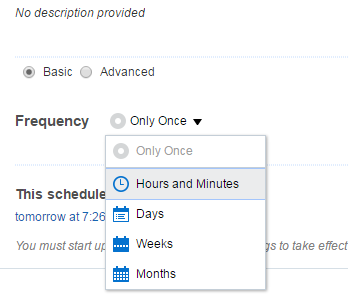
An integration can be scheduled using the ICS scheduling user interface (UI). The UI provides a basic and an advanced option. The basic option provides UI controls to schedule when to execute the integration. Read the complete article here
For regular information on Oracle SOA Suite become a member in the SOA & BPM Partner Community for registration please visit www.oracle.com/goto/emea/soa (OPN account required) If you need support with your account please contact the Oracle Partner Business Center.
 Blog
Blog  Twitter
  LinkedIn
 ![image[7][2][2][2]](https://paascommunity.com/wp-content/uploads/2013/04/image7222.png?w=20&h=20 "image[7][2][2][2]") Facebook
Facebook ![clip_image002[8][4][2][2][2]](https://paascommunity.com/wp-content/uploads/2013/04/clip_image00284222.jpg?w=26&h=23 "clip_image002[8][4][2][2][2]") Wiki
Wiki
Technorati Tags: SOA Community,Oracle SOA,Oracle BPM,OPN,Jürgen Kress
 About Jürgen Kress

 PaaS Community Blog