Continuous Integration with Apiary, Dredd, and Wercker by Nick Montoya
January 19, 2019 Leave a comment
There are many tools in the market to design, develop, and test API’s. Some of these tools could be used separately. Some others could be combined. Every time a change is introduced in the design or implementation of an API, it would be nice to have tests and builds run automatically. Continuous Integration (CI) is a software development practice that allows builds and tests to be triggered every time new code is pushed to the repository. There are may tools that could be used to build this CI pipeline. This blog will share the experience of building a CI pipeline using Apiary (bought by Oracle in January 2017) for API Design and Wercker (bought by Oracle in April 2017) to help achieve this CI goal.
- 1. Create an API definition in Apiary
Apiary (apiary.io) improves API development by promoting a documentation first approach. It is a platform for designing HTTP based web APIs. It starts with API documentation, then Apiary creates mock services and tests. Apiary support two formats for API description: API Blueprint and Swagger.
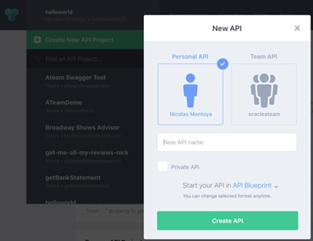
In Apiary, from the API dropdown select “Create New API Project” and the “New API” screen will popup. Read the complete article here.
For regular information on Oracle PaaS become a member in the SOA & BPM Partner Community for registration please visit www.oracle.com/goto/emea/soa (OPN account required) If you need support with your account please contact the Oracle Partner Business Center.
 Blog
Blog  Twitter
  LinkedIn
 ![image[7][2][2][2]](https://paascommunity.com/wp-content/uploads/2013/04/image7222.png?w=20&h=20 "image[7][2][2][2]") Facebook
Facebook ![clip_image002[8][4][2][2][2]](https://paascommunity.com/wp-content/uploads/2013/04/clip_image00284222.jpg?w=26&h=23 "clip_image002[8][4][2][2][2]") Wiki
Wiki
Technorati Tags: SOA Community,Oracle SOA,Oracle BPM,OPN,Jürgen Kress
 About Jürgen Kress

 PaaS Community Blog