Process Cloud Service: new features! By Lykle Thijssen

image

During Oracle Open World 2016, the latest release of Oracle Process Cloud Service got presented. The product has been making huge progress in all aspects, so here’s an overview of all the new and improved features.

Oracle Process Cloud Service

For those of you unfamiliar with the product: Oracle Process Cloud Service (PCS) is Oracle’s BPM solution for the cloud. While development on Oracle BPM Suite has pretty much come to an end, Oracle Process Cloud Service is the way forward and the platform for all new features related to Business Process Management. This meant that the product that was originally positioned as BPM for the citizen developer had to improve and mature to a full-blown BPM solution. It needs to support long running processes, improve its integration strategy and support case management, to mention some important subjects. While case management is not there yet, it will certainly come to Oracle Process Cloud Service and many other features are already there with the latest release.

Modelling Processes

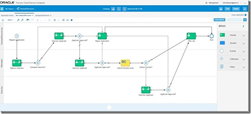
As it used to be, modelling processes is done in the browser. This makes it easy for business and IT to collaborate on processes, because you only need an internet connection to get access. No need for development tools, code repositories and a powerful work station to get started. The main improvement in the process modelling is that Oracle has abandoned the usage of Flash. This makes the process modeller faster and easier to use, creating a far more pleasant and performant development experience.

Selecting integrations

When creating a Service Call, whether it’s synchronous or asynchronous, you can now select an Integration from Oracle Integration Cloud Service. Obviously, this is much more practical than dealing with WSDL imports and all the technical stuff related to that, but it also has a bigger meaning. It’s clearly showing that Integration Cloud Service has been strategically positioned as the way to go for process integrations. It’s putting the technical know-how of integration where it belongs, so you will no longer feel tempted to take that kind of complexity into a business process. Therefore, I strongly recommend following this approach as suggested by Oracle, instead of trying to work out your own integrations in PCS. Use these products for their purpose. Read the complete article here.

SOA & BPM Partner Community

For regular information on Oracle SOA Suite become a member in the SOA & BPM Partner Community for registration please visit www.oracle.com/goto/emea/soa (OPN account required) If you need support with your account please contact the Oracle Partner Business Center.

Blog Twitter LinkedIn image[7][2][2][2] Facebook clip_image002[8][4][2][2][2] Wiki

Technorati Tags: SOA Community,Oracle SOA,Oracle BPM,OPN,Jürgen Kress
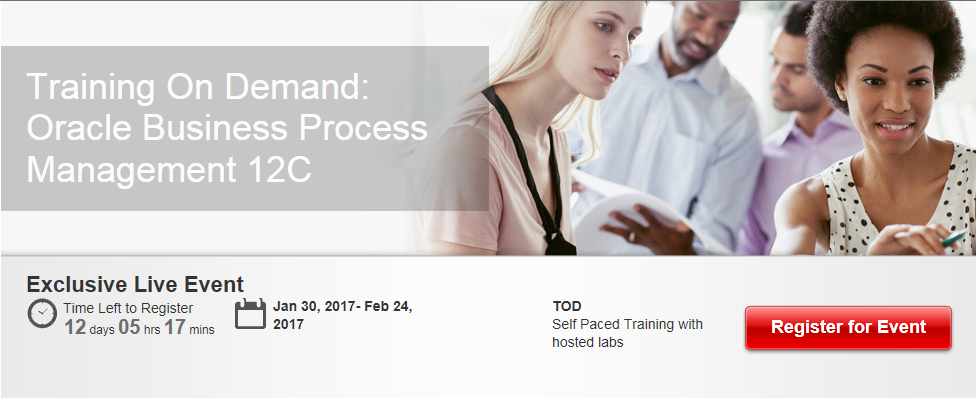
Oracle Business Process Management Bootcamp 12c 30 Jan – 24 Feb 2017– free on-demand training and certification

Training On Demand: Oracle Business Process Management 12C

  • This Boot Camp is now open for registration to all partners taking specialist certification exams in the next 90 days. Please DO NOT REGISTER, if you are not taking a certification exam.
  • All registrations must be done using a company email. Personal emails will be rejected
  • In order to submit your registration you will be asked to login using your OPN (Oracle PartnerNetwork) account credentials. In case you do not have an OPN account please see the Profile badging step-by-step guide for partners on how to create the account. This process will also ensure your certifications are aligned to your company ID. All registrants must be badged and aligned to their company ID

For details please visit the registration page here.

image

SOA & BPM Partner Community

For regular information on Oracle SOA Suite become a member in the SOA & BPM Partner Community for registration please visit www.oracle.com/goto/emea/soa (OPN account required) If you need support with your account please contact the Oracle Partner Business Center.

Blog Twitter LinkedIn image[7][2][2][2] Facebook clip_image002[8][4][2][2][2] Wiki

What’s New for Process Cloud Service 16.4.5

image

Learn More: More details on what’s new is available here. Learn more about Oracle Process Cloud Service at http://cloud.oracle.com/process

Want to try Process Cloud Service? Get access here.

Partner Resources (community membership required):

Sales kit for partners: Digital Engagement

Marketing kit for partners: BPM Campaigns

Learn about the new and changed features of Oracle Process Cloud Service.

Feature

Description

Documents and Conversations

On the Workspace Tracking page, administrators can now click the Conversations icon in addition to the Documents icon and view conversations associated with a selected instance.

On the Configure UI Customizations page, an option that lets you hide comments displayed on the Tasks page and Tracking page has been added. This option is valid only if you integrated Oracle Documents Cloud Service with Oracle Process Cloud Service, and you enabled conversations.

QuickStart Master

On the Personalize page, the options for the Item field have been improved.

· You can now customize the activities in a subprocess.

· The list is now organized by swimlane followed by all the activities for that lane. If there is a subprocess, then the list expands to show all activities for the subprocess as well. An option to search the list has also been added. These new features make it easier to find the element you want to customize.

See Decide What Settings Users Can Customize in Using Oracle Process Cloud Service.

Embeddable Process UI Components

The embeddable UI components feature includes several enhancements:

· Reorganized the toolbar and grouped UI components into cookbook.

· Added support for web forms in task details.

· Added support for conversations.

· Added the DevTool option, which lets you bring up the REST API in an interactive format so you can enter and test your code. Read the complete article here.

SOA & BPM Partner Community

For regular information on Oracle SOA Suite become a member in the SOA & BPM Partner Community for registration please visit www.oracle.com/goto/emea/soa (OPN account required) If you need support with your account please contact the Oracle Partner Business Center.

Blog Twitter LinkedIn image[7][2][2][2] Facebook clip_image002[8][4][2][2][2] Wiki

Business Rules: Sums and Averages in Test Conditions by Jaideep


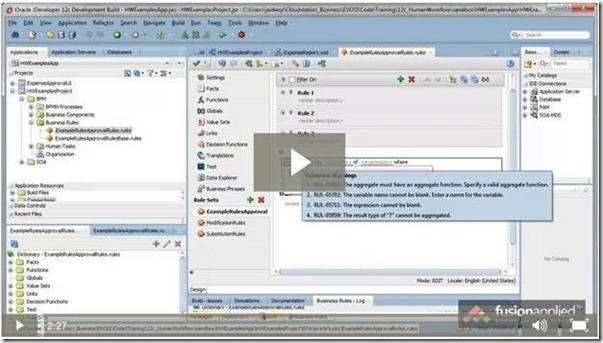
Sometimes in test conditions in rules, there may be a need to test for sums or averages of a collection of values, and these kinds of aggregated values may not be directly available as input facts. For example, in an expense report, you may want to test if the total expenses are above a certain value and then take some action. This is easy if the total value is available directly in the expense report header. What if the total value is not available in the expense report directly and you have to do a sum of all the expense lines in the rule…before you can test for the total value?  How do you do aggregation of fact values in the rule? Watch this quick tip video to see how to do this. Aggregation in Oracle Business Rules in Two Minutes Watch the video here

clip_image002

SOA & BPM Partner Community

For regular information on Oracle SOA Suite become a member in the SOA & BPM Partner Community for registration please visit www.oracle.com/goto/emea/soa (OPN account required) If you need support with your account please contact the Oracle Partner Business Center.

Blog Twitter LinkedIn image[7][2][2][2] Facebook clip_image002[8][4][2][2][2] Wiki

BPM/SOA Human Task: Java code in jsp source files is not allowed in ojsp.next mode by Antonis Antoniou

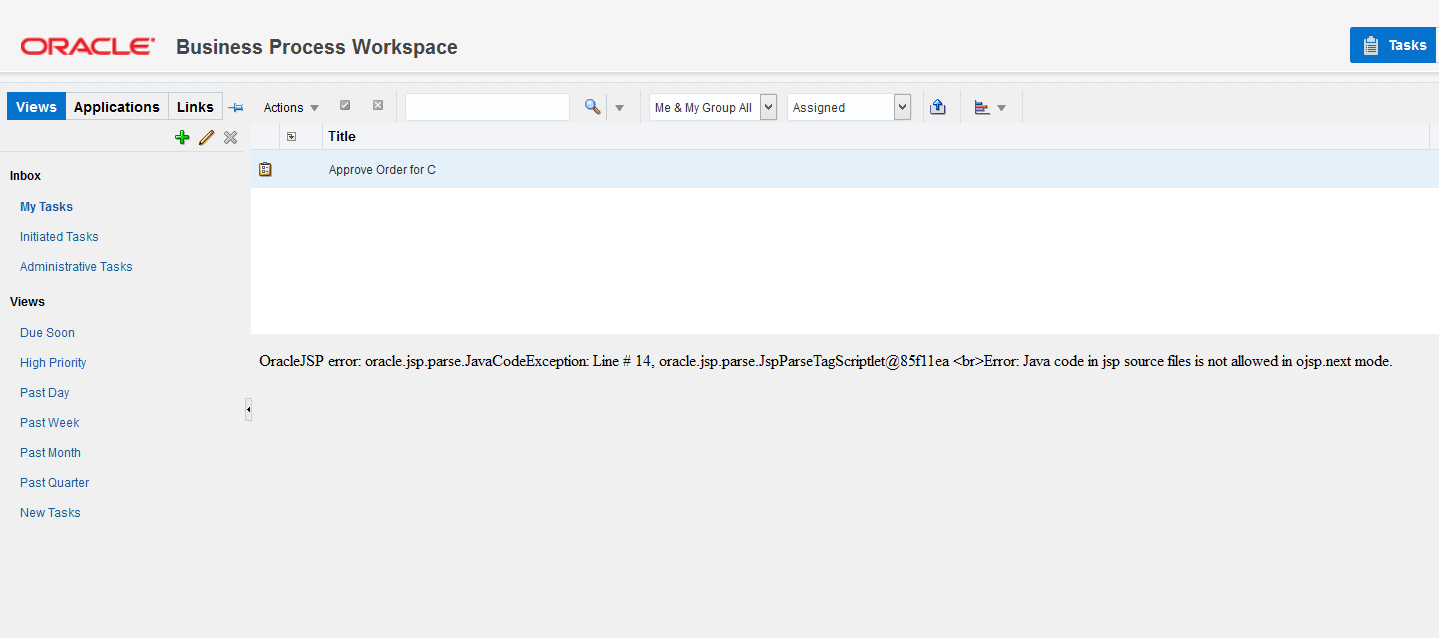
clip_image002Today I came across an exception while trying to load one of my task details (v12.2.1).

Error: OracleJSP error: oracle.jsp.parse.JavaCodeException: Line # 14, oracle.jsp.parse.JspParseTagScriptlet@66e50889
Error: Java code in jsp source files is not allowed in ojsp.next mode

What was really strange to me was that I did not do anything different from what I used to do with previous versions.
After some research I found out that this was a known issue for 12.2.1. There are two possible causes for getting this error.
a) Either you are not using the fully qualified host name  (including domain name) for the forms to render properly. Read the complete article here.

SOA & BPM Partner Community

For regular information on Oracle SOA Suite become a member in the SOA & BPM Partner Community for registration please visit www.oracle.com/goto/emea/soa (OPN account required) If you need support with your account please contact the Oracle Partner Business Center.

Blog Twitter LinkedIn image[7][2][2][2] Facebook clip_image002[8][4][2][2][2] Wiki

Best practice for calling web services from Oracle Process Cloud Service by Lykle Thijssen

clip_image002


More often than not, you will want your processes to interact with other services or processes inside or outside your enterprise. Since integration options are rather typical in Oracle Process Cloud Service, this article will help you to apply best practices for creating and managing your connections in a sustainable fashion.

Process Cloud integration points

Let’s say you have modelled a process in Oracle Process Cloud Service (PCS) for a private home loan application. Chances are quite high that this process will need some extra information to make the right decisions, like a credit check or a risk assessment and you will want to store the result of the application somewhere, for example in a database.
This requires several integration points in your PCS application. Now if you would directly import the WSDLs of those web services that you need to integrate with, it’s most likely not going to work. For example, Oracle Policy Automation, which you can use for risk assessment, has a highly generic interface and without XSLT support in PCS, you can’t make a proper request. Other services might require WS-Addressing or other technical aspects that PCS doesn’t support, so you need to put something in between. For this something, you can use various SOA and Service Bus products or Oracle’s Integration Cloud Service, once it has matured some more to deal with web services properly.

Creating the interface – challenges

So, you have decided to put one or more layers of services between PCS and the web services that you need to invoke. Regardless of your architecture, you need to keep some considerations in mind: Read the complete article here.

SOA & BPM Partner Community

For regular information on Oracle SOA Suite become a member in the SOA & BPM Partner Community for registration please visit www.oracle.com/goto/emea/soa (OPN account required) If you need support with your account please contact the Oracle Partner Business Center.

Blog Twitter LinkedIn image[7][2][2][2] Facebook clip_image002[8][4][2][2][2] Wiki

Customer Appreciation 80% Discount get the Best Practices for Knowledge Workers and Thriving on Adaptability books on Monday November 28th 2016


Best Practices for Knowledge Workers (Digital)
Download ALL our Digital Editions at HUGE 80% discount.
24 hours only at this price. Sale ends midnight EST
Indulge your book-self and your digital bookshelf at the same time.


This is a once-in year chance (for ONE DAY only!) to download as many books as you can on Business Process Management (BPM), Process Modelling, BPMN, Business Architecture and Adaptive Case Management (ACM).

Join us in celebrating Cyber Monday at http://bpm-books.com/

· Get a stunning 80% discount on ALL our Digital Edition books.

· Download as many as you want,Thriving On Adaptability (Digital Edition) no limit.

· Discount applies to already-reduced prices.

· Complete books (retail up to $60) start as low as $1.99.

· Includes our newest titles released this year.

Digital BENEFITS:

· Enjoy immediate download, live URLs, searchable text, color graphics and charts

· No shipping charges.

· No taxes

· Many delivered in unzipped PDF

· Mobile device-friendly.

Click on the tab: Download Digital Books

Use discount code: Cyber16

BE QUICK: Sale runs to Monday midnight EST. Download these quickly while you can, read at leisure.

Go here and start downloading immediately: http://bpm-books.com

For additional BPM and ACM books please visit our wiki here.

SOA & BPM Partner Community

For regular information on Oracle SOA Suite become a member in the SOA & BPM Partner Community for registration please visit www.oracle.com/goto/emea/soa (OPN account required) If you need support with your account please contact the Oracle Partner Business Center.

Blog Twitter LinkedIn image[7][2][2][2] Facebook clip_image002[8][4][2][2][2] Wiki

How to Auto Dismiss an Oracle BPM FYI Task by Vikram

clip_image002

The  FYI Task in Oracle BPM 12c can be used to notify a task recipient by displaying a task on the  BPM worklist without holding up the business process, it just continues to the next activity in the process flow. But for the task to go away, it has to be specifically dismissed by the task recipient by clicking on the “Dismiss” button under the Actions menu.

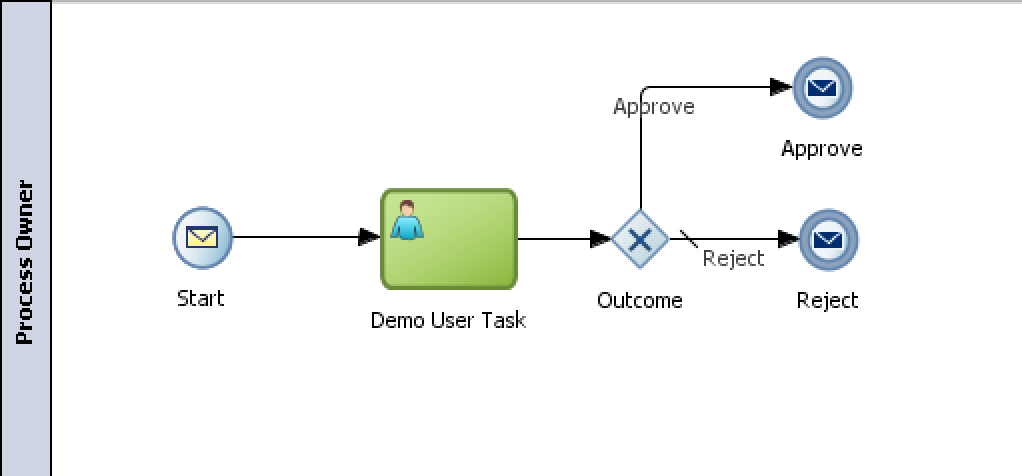
But what if we wanted these tasks to go away automatically or be auto-dismissed by the system? To Demonstrate this we created a simple BPM process that contains an FYI Task and a second task.

The human tasks are assigned to swim lane roles “FYIRole” and “ReviewerRole”. After deploying this BPM process, we startup an instance using the Test feature in Enterprise Manager to invoke the message start.

When we startup the process instance, we can login as a member of the “FYIRole” to see that the task exists in the Swim Lane role inbox. Read the complete article here.

SOA & BPM Partner Community

For regular information on Oracle SOA Suite become a member in the SOA & BPM Partner Community for registration please visit www.oracle.com/goto/emea/soa (OPN account required) If you need support with your account please contact the Oracle Partner Business Center.

Blog Twitter LinkedIn image[7][2][2][2] Facebook clip_image002[8][4][2][2][2] Wiki

SOA & BPM Partner Community Webcast – November 29th 2016 SOA Suite 12c and BPM Suite 12c roadmap and journey to the Cloud.

image

Attend our November edition of the SOA & BPM Partner Community Webcast live on November 29th 2016 at 16:00 CET.

imageVikas Anand

Vice President Product Management

LinkedIn & Twitter

Visit the registration page here.

Call ID: 4070776 Call Passcode: 333111

Austria: +43 (0) 192 865 12
Belgium: +32 (0) 240 105 28
Denmark: +45 327 292 22
Finland: +358 (0) 923 193 923
France: +33 (0) 15760 2222
Germany: +49 (0) 692 222 161 06
Ireland: +353 (0) 124 756 50
Italy: +39 (0) 236 008 198

Netherlands: +31 (0) 207 143 543
Spain: +34 914 143 755
Sweden: +46 (0) 856 619 465
Switzerland: +41 (0) 445 804 003
UK: +44 (0) 208 118 1001
United States: 140 877 440 73
More Local Numbers

Schedule:

November 29th 2016 at 16:00-17:00 CET

Visit the registration page here.

Missed our SOA & BPM Partner Community Webcast? – watch the on-demand versions:

· Microservices October 25th 2016

· Oracle OpenWorld 2016 update September 27th 2016

· API Cloud Platform Service August 30th 2016

· BPM Suite & PCS Update July 26th 2016

· Integration Cloud Service June 28th 2016

· Sales Plays Webcast June 9th 2016

· Real-Time Integration Business Insight May 31st 2016

· Integration Strategy sales and marketing campaign update

· Microservices

· Stream Explorer

· Process Cloud Service V2

· SOA Suite 12.2.1

· Oracle OpenWorld 2015 update

· SOA & API Cloud Service

· Solutions Catalog & Cloud Marketplace

· GSE demo systems

· Hybrid sales plays

For the latest information please visit Community Updates Wiki page (SOA Community membership required).

SOA & BPM Partner Community

For regular information on Oracle SOA Suite become a member in the SOA & BPM Partner Community for registration please visit www.oracle.com/goto/emea/soa (OPN account required) If you need support with your account please contact the Oracle Partner Business Center.

Blog Twitter LinkedIn image[7][2][2][2] Facebook clip_image002[8][4][2][2][2] Wiki

Correlations in Oracle BPM 12c by Antonis Antoniou

clip_image001


Correlations in Oracle Business Process Management (BPM) is a special mechanism used to associate a message with a conversation between different partners in a business process.

There are two types of correlations:

  • Automatic: This is the default and out-of-the-box correlation used between two business partners which makes use of a special token called "Conversation Id" to uniquely associate a message with a conversation via Web Service Addressing (WS-Addressing) to correlate a callback message using the "Conversation Id".
  • Message Based: This type of correlation enables the definition and use of "business-friendly" information carried as part of the message payload to be used to uniquely identify and associate a message with a conversation (for example, OrderId, CustomerId, etc.). This type of correlation enables the definition of multiple attributes referred to as "Correlation Properties" into various correlation sets know as "Correlation Keys".

So let’s see how you to use the two correlation types in a demo scenario. The simulated process will invoke an asynchronous process first by using the default correlations and then by using message-based correlations.
Create the basic BPM application and BPM project (I named it OracleBPM12cCorrelationsDemoApp and OracleBPM12cCorrelationsDemo respectively) and choose "Composite with BPMN Process" in step 3 of the "Create BPM Application" and click “Finish”. Read the complete article here.

SOA & BPM Partner Community

For regular information on Oracle SOA Suite become a member in the SOA & BPM Partner Community for registration please visit www.oracle.com/goto/emea/soa (OPN account required) If you need support with your account please contact the Oracle Partner Business Center.

Blog Twitter LinkedIn image[7][2][2][2] Facebook clip_image002[8][4][2][2][2] Wiki