How to install the Oracle Integration Cloud on premises connectivity agent (18.1.3) by Jacco Cijsouw
January 22, 2019 1 Comment
Recapitulation on how to install the Oracle Integration Cloud on premises connectivity agent
Recently (april 2018) I gained access to the new Oracle Integration Cloud (OIC), version 18.1.3.180112.1616-762, and wanted to make an integration connection to an on-premise database. For this purpose, an on premise connectivity agent needs to be installed, as is thoroughly explained by my colleague Robert van Mölken in his blog prepraring-to-use-the-ics-on-premises-connectivity-agent.
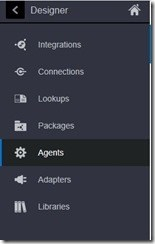
With the (new) Oracle Integration Cloud environment the installation of the connectivity agent has slightly changed though, as shown below. It gave me some effort to get the new connectivity agent working. Therefore I decided to recapture the steps needed in this blog. Hopefully, this will give you a headstart to get the connectivity agent up and running.
Prerequisites
Access to an Oracle Integration Cloud Service instance.
Rights to do some installation on a local / on-premise environment, Linux based (eg. SOA virtual box appliance). Read the complete article here.
For regular information on Oracle PaaS become a member in the SOA & BPM Partner Community for registration please visit www.oracle.com/goto/emea/soa (OPN account required) If you need support with your account please contact the Oracle Partner Business Center.
 Blog
Blog  Twitter
  LinkedIn
 ![image[7][2][2][2]](https://paascommunity.com/wp-content/uploads/2013/04/image7222.png?w=20&h=20 "image[7][2][2][2]") Facebook
Facebook ![clip_image002[8][4][2][2][2]](https://paascommunity.com/wp-content/uploads/2013/04/clip_image00284222.jpg?w=26&h=23 "clip_image002[8][4][2][2][2]") Wiki
Wiki
Technorati Tags: SOA Community,Oracle SOA,Oracle BPM,OPN,Jürgen Kress