Cloud Integration Part 4: Design Patterns by Joel Perez and Arturo Viveros

clip_image002

In this fourth and last chapter of the Oracle Cloud Integration Series, we will go through a series of design patterns, which should facilitate the implementation of scenarios similar to those explained in chapters 2 and 3.

These patterns are proven solutions to the multiple challenges posed by Cloud Integration requirements. Besides explaining them, we’ll also attempt to establish a relationship between them and the toolset provided by the Oracle stack.

We’ll review the following patterns:

Multi-Device Broker

  • Service State Management
  • Service Agent Architecture

All of these patterns also support and comply with the characteristics, deployment and delivery models mentioned in the first chapter, so let’s describe them one by one:

Multi-Device Broker

Cloud integration will most likely require our services, whether they are cloud-based or on-premise, to interact with multiple devices, components, channels and protocols. This can automatically lead to lack of inter-operability among the various elements of such scenarios, necessitating conversion/transformation logic as part of our integration workflows, and surfacing hidden integration costs–and, in some cases, tight coupling and vendor lock-in.

Take a look at the following interface-enabled, Enterprise Application Integration(EAI) style architecture for a cloud integration scenario: Read the complete article here.

SOA & BPM Partner Community

For regular information on Oracle SOA Suite become a member in the SOA & BPM Partner Community for registration please visit www.oracle.com/goto/emea/soa (OPN account required) If you need support with your account please contact the Oracle Partner Business Center.

Blog Twitter LinkedIn image[7][2][2][2] Facebook clip_image002[8][4][2][2][2] Wiki

Integration Cloud Service (ICS) – How to use Upsert Operation by Shalindra Singh

clip_image001

Oracle launches ICS around April, 2015 and is being accepted by customer well. As customers started using ICS for  Salesforce Integration,  one question was observed and asked by lots of customers, is related to Upsert operation usage. We will dig deep into this in this blog.

Salesforce to ERP Integration common scenarios are –

  1. Account and Contact Sync
  2. Product and Price Sync
  3. Opportunity or Quote to Order (Sales Order)
  4. Order Status Update back to Salesforce.com
  5. Invoice Data Transfer to Salesforce.com

Other Integration flows include, History, Attachments,  Warranty, Cases, etc…

In most of the scenarios where data needs to be inserted or updated into Salesforce.com, recommended operation is Upsert to be used. When Upsert Operation is leveraged, Salesforce SOAP API automatically check based on external Id defined whether incoming record exists or not; if it does exist then record gets updated or else inserted. Click here for more information on upsert operation.

But when you start using Upsert operation with any standard or custom objects from Salesforce.com, by default, external id is not defined in Salesforce.com. So if you have decided to use upsert operation in an integration flow, first thing to do is to define / create external id in the object(s) you are planning to use with upsert operation.

Creation of External ID:

External Id is important parameter for upsert operation. To avoid data duplication external id should be created with utmost care. Best practice suggests to use foreign key (unique key) as an external key. if foreign key is composite key, external key should also be composite. It allows you to create or update a record and relate it to another existing record in a single step instead of querying the parent record ID first.

Let’s take an example here. consider I am working on Account Sync and I am bringing customers master data from ERP to Salesforce.com. So to create external id in Account object, login to Salesforce.com and then navigate to setup -> App Setup -> Customize -> Account -> Fields. To create a new fields, click on new button on this page. Select the data type (for example Text) and click to Next. Provide name for this external id field (appending ext_id in the name is considered best practice) and select external id check box on this page as shown in the below diagram. Read the complete article here.

SOA & BPM Partner Community

For regular information on Oracle SOA Suite become a member in the SOA & BPM Partner Community for registration please visit www.oracle.com/goto/emea/soa (OPN account required) If you need support with your account please contact the Oracle Partner Business Center.

Blog Twitter LinkedIn image[7][2][2][2] Facebook clip_image002[8][4][2][2][2] Wiki

Integration Cloud Service (ICS) Security & Compliance by Greg Mally

clip_image002

The attached white paper is the product of a joint A-Team effort that included Deepak Arora, Mike Muller, and Greg Mally.  Oracle Integration Cloud Service (ICS) runs within the Oracle Cloud where the architecture is designed to provide customers with a unified suite of Cloud Services with best-in-class performance, scalability, availability, and security. The Cloud Services are designed to run on a unified data center, hardware, software, and network architecture. This document is based on the Cloud Security Assessment section of the Security for Cloud Computing: 10 Steps to Ensure Success V2.0 document, which is produced by the Cloud Standards Customer Council where Oracle is a member. Read the complete article here.

SOA & BPM Partner Community

For regular information on Oracle SOA Suite become a member in the SOA & BPM Partner Community for registration please visit www.oracle.com/goto/emea/soa (OPN account required) If you need support with your account please contact the Oracle Partner Business Center.

Blog Twitter LinkedIn image[7][2][2][2] Facebook clip_image002[8][4][2][2][2] Wiki

Integration Cloud Service: How to keep all data residing in your applications in sync? by Philipp Langer

clip_image002


Because things in IT change fast, it’s sometimes difficult to distinguish the important trends from the less important. And that’s true for Oracle as well. It’s not that long ago when Oracle CEO Larry Elisson thought of Cloud Computing as just another short-living fashion trend (great audio by the way). But that began to change soon. And at least since Oracle OpenWorld 2015 we know for sure how serious Oracle became about Cloud Computing.

“The computer industry is the only industry that is more fashion-driven than women’s fashion.” – Larry Ellison, chairman, Oracle

Today, Oracle’s stack on the Cloud is complete. From infrastructure as a service (IaaS) to software as a service (SaaS) there is everything. But especially with all those wonderful SaaS products being available (and probably being used by your line of businesses) new challenges arise: How to keep all the data residing in those applications in sync? In other words: How to integrate those products? A neat way to address this is the Oracle Integration Cloud Service (ICS) which I would like to introduce to you in this blog post.

Besides ICS I’m also going to mention two other integration services provided by Oracle namely SOA Suite Cloud Service (SSCS) and Process Cloud Service (PCS). Though for this blog post I won’t go into much detail there.

Integration Cloud Service

The main reason to use Oracle ICS is to map and synchronize data between all different kinds of SaaS applications. For example, you might use Salesforce as your primary CRM application but another one for ERP activities such as order and invoice tracking. In such a case, if a new customer is created in Salesforce it should be created in the ERP application as well – automatically and immediately.

The attentive reader might be wondering whether Oracle ICS is limited to cloud integrations. The answer is no. Hybrid integrations are supported as well but more on this later.

ICS Components

Based on the main menu, functionality in ICS is organized into four main views: home page, designer portal, monitoring (dashboard) and administration. Before going into detail of monitoring functionality and administration, let’s have a look at the Designer.

As you can see, the designer portal in turn is organized into five views: Integrations, Connections, Lookups, Packages and Agents. You might notice as well how clear and simple the UI appears. That clearly indicates the target audience of ICS: not only developers and IT but LOB users as well. Read the complete article here.

SOA & BPM Partner Community

For regular information on Oracle SOA Suite become a member in the SOA & BPM Partner Community for registration please visit www.oracle.com/goto/emea/soa (OPN account required) If you need support with your account please contact the Oracle Partner Business Center.

Blog Twitter LinkedIn image[7][2][2][2] Facebook clip_image002[8][4][2][2][2] Wiki

Introduction to IaaS for Middleware solutions by Niall Commiskey

clip_image002


So why would the SOA/ BPM community be interested in such? Read on and you will find out.

IaaS offers us elastic compute, elastic storage and network services. This allows you to run any workload in the cloud, cheaply and performantly. Essentially what we are offering is a software defined virtualized data center in the Oracle cloud. I have begun a series of blog posts to introduce this service to the community.

The first post introduces IaaS and its terminology

It also introduces Oracle’s Public Cloud Machine, which gives you all the advantages of Oracle Public Cloud, albeit behind your firewall. After reading this post, you will be generally au fait with the concepts.

The second post details how to create IaaS resources

Here we see how easy it is to do this with the Compute Cloud console. Effectively, all we need to do is reserve an ip address, create storage and finally the Linux vm. All of the steps covered can, of course, be automated – a feature covered later.

Posts three and four cover Networking. The former,

goes through the basics of configuring network access to a vm. The latter, covers setting up networking between two vms. Here I detail how to open port 23 for tcp communication.

The fifth post, details how to add additional storage to a running instance, while the sixth post, details the rapid provisioning of IaaS resources through orchestration. Essentially, I show how to script the whole setup, covered in the previous posts.

So, again, why is this interesting for the SOA/BPM community? Because you can offer your customers many services around IaaS.
From lift and shift, to run and manage, there are many opportunities for you out there.
So, as the Romans were wont to say, Carpe Diem!

SOA & BPM Partner Community

For regular information on Oracle SOA Suite become a member in the SOA & BPM Partner Community for registration please visit www.oracle.com/goto/emea/soa (OPN account required) If you need support with your account please contact the Oracle Partner Business Center.

Blog Twitter LinkedIn image[7][2][2][2] Facebook clip_image002[8][4][2][2][2] Wiki

PCS, MCS and MAF Integration by Rubén Rodríguez Santiago


clip_image002I have just published my first OTN Tech Article where I present a use case that demonstrates how Oracle Process Cloud Service (Oracle PCS), Oracle Mobile Cloud Service (Oracle MCS) and Oracle Mobile Application Framework (Oracle MAF) can be use together to expose  an Oracle PCS process instance as a web service and consume it clip_image003from an external system, web application or mobile application.
"Oracle Process Cloud Service is a Platform as a Service (PaaS) provided by Oracle Cloud, allows you to rapidly design, automate, and manage business processes in the cloud."

clip_image004"Oracle Mobile Cloud Service is Oracle’s Mobile Backend as a Service (MBaaS) and enables companies to create and deploy scalable, robust, and secure mobile applications quickly and easily."

"Oracle Mobile Application Framework is a hybrid mobile framework that provides a visual and declarative development experience for the rapid development of multi-platform applications" You can check the full article here.

SOA & BPM Partner Community

For regular information on Oracle SOA Suite become a member in the SOA & BPM Partner Community for registration please visit www.oracle.com/goto/emea/soa (OPN account required) If you need support with your account please contact the Oracle Partner Business Center.

Blog Twitter LinkedIn image[7][2][2][2] Facebook clip_image002[8][4][2][2][2] Wiki

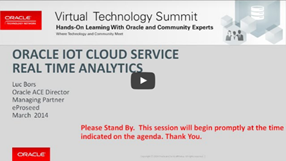
Internet of Things OTN VTS free on-demand training by Bob Rhubart

clip_image002


Before you dive into this edition, a reminder that while the Spring 2016 OTN Virtual Technology Summit is history, you can still access all of the Middleware Track session videos in the OTN VTS Middleware Replay Library:

Call for Papers: Session proposals are being accepted for future OTN Virtual Technology Summit events. Submit your proposal for Middleware track sessions in the OTN Virtual Technology Summit Middleware Ideas Space, part of the OTN Community Platform.

Watch the Twitter hashtag #OTNVTS for the latest information.

We’re listening! Your feedback is essential to the success of this publication and of OTN in general. If you have comments or suggestions regarding this newsletter or any of the resources for middleware pros available on OTN, please share your thoughts: bob.rhubart@oracle.com.

Bob Rhubart, Manager, OTN Architect/Middleware Community

SOA & BPM Partner Community

For regular information on Oracle SOA Suite become a member in the SOA & BPM Partner Community for registration please visit www.oracle.com/goto/emea/soa (OPN account required) If you need support with your account please contact the Oracle Partner Business Center.

Blog Twitter LinkedIn image[7][2][2][2] Facebook clip_image002[8][4][2][2][2] Wiki

PCS 16.4.5 New Features incl. Quickstart Masters, Automated Archive & Purge, REST connectors… by Niall Commiskey

imageLots of great new features, just in time for the Holiday Season.
Thanks to my colleague Kathryn L.
I will be adding to this post over time, so, currently, it is not an exhaustive list.

1. Ability to see Conversations in Tracking

Note: the second icon on the right, under the docs icon.

2. Quickstart Master new functionality

For those of you who have yet to meet a Quickstart Master – here’s a quick intro.

I take an existing process and convert it to a Quickstart Master. Read the complete article here.

SOA & BPM Partner Community

For regular information on Oracle SOA Suite become a member in the SOA & BPM Partner Community for registration please visit www.oracle.com/goto/emea/soa (OPN account required) If you need support with your account please contact the Oracle Partner Business Center.

Blog Twitter LinkedIn image[7][2][2][2] Facebook clip_image002[8][4][2][2][2] Wiki

Oracle buys Apiary

On January 19, 2017, Oracle announced that it signed an agreement to acquire Apiary, which creates the most comprehensive API Integration Cloud by adding the leading API design and governance solution. The proposed transaction is subject to customary closing conditions. Until the transaction closes, each company will continue to operate independently.

Apiary’s pioneering APIFlow solution provides the framework and tools for developing application programming interfaces (APIs) that share enterprise services and data and help create modern, cloud-based applications and experiences. APIFlow spans the API creation lifecycle, including design, governance, testing, and documentation, while supporting API Blueprint and OpenAPI industry standards. Apiary has helped companies create hundreds of thousands of APIs and products that their customers and partners love to use.

Together, Oracle and Apiary will help companies thrive in the digital economy by comprehensively managing connectivity complexity and API proliferation. Oracle’s existing API Integration Cloud already enables companies to secure, consume, monetize, and analyze APIs. Apiary provides the front-end solution for designing, creating and governing APIs and the combination will deliver the most complete API creation and management platform in the cloud.

Read the press release here.

Get API hands-on trained at the PaaS Partner Community Forum here.


image

SOA & BPM Partner Community

For regular information on Oracle SOA Suite become a member in the SOA & BPM Partner Community for registration please visit www.oracle.com/goto/emea/soa (OPN account required) If you need support with your account please contact the Oracle Partner Business Center.

Blog Twitter LinkedIn image[7][2][2][2] Facebook clip_image002[8][4][2][2][2] Wiki

What’s New for Process Cloud Service 16.4.5

image

Learn More: More details on what’s new is available here. Learn more about Oracle Process Cloud Service at http://cloud.oracle.com/process

Want to try Process Cloud Service? Get access here.

Partner Resources (community membership required):

Sales kit for partners: Digital Engagement

Marketing kit for partners: BPM Campaigns

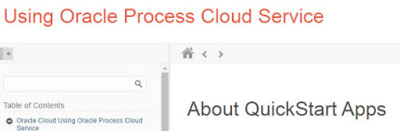
Learn about the new and changed features of Oracle Process Cloud Service.

Feature

Description

Documents and Conversations

On the Workspace Tracking page, administrators can now click the Conversations icon in addition to the Documents icon and view conversations associated with a selected instance.

On the Configure UI Customizations page, an option that lets you hide comments displayed on the Tasks page and Tracking page has been added. This option is valid only if you integrated Oracle Documents Cloud Service with Oracle Process Cloud Service, and you enabled conversations.

QuickStart Master

On the Personalize page, the options for the Item field have been improved.

· You can now customize the activities in a subprocess.

· The list is now organized by swimlane followed by all the activities for that lane. If there is a subprocess, then the list expands to show all activities for the subprocess as well. An option to search the list has also been added. These new features make it easier to find the element you want to customize.

See Decide What Settings Users Can Customize in Using Oracle Process Cloud Service.

Embeddable Process UI Components

The embeddable UI components feature includes several enhancements:

· Reorganized the toolbar and grouped UI components into cookbook.

· Added support for web forms in task details.

· Added support for conversations.

· Added the DevTool option, which lets you bring up the REST API in an interactive format so you can enter and test your code. Read the complete article here.

SOA & BPM Partner Community

For regular information on Oracle SOA Suite become a member in the SOA & BPM Partner Community for registration please visit www.oracle.com/goto/emea/soa (OPN account required) If you need support with your account please contact the Oracle Partner Business Center.

Blog Twitter LinkedIn image[7][2][2][2] Facebook clip_image002[8][4][2][2][2] Wiki