Database Xpath-extension Functions in SOA 12 by Pranav Davar

image

In SOA, we can connect with databases using a database jca adapter and configuring the data source and connection factory in the WebLogic server. Sometimes, we may want to query the database directly within the BPEL component or XSLT without configuring a database jca adapter. For such use cases, we can take leverage of database functions that can be used within BPEL Assign Activity or XSLT transformations.

We have 3 different database functions available, that can be used in different use cases.

  1. oraeext:sequence-next-val()
  2. oraext:lookup-table()
  3. oraext:query-database()

1. oraext:sequence-next-val()

Syntax:

oraext:sequence-next-val(sequence as string, dataSource as string)
sequence: Specify the sequence available in the database for which the next value needs to be extracted.

dataSource: Specify the Data source JNDI name as configured in WebLogic server or JDBC string in the format jdbc:oracle:thin:username/password@host:port:sid

Note: Only oracle thin driver is supported if used as JDBC string.

This function is used when we want to fetch the next value of defined sequence in the database. It can be used in cases where we want each request to adhere with a particular sequence id which can be used to identify each unique record where using a db adapter might create overhead and extra transformation. This function is basically an alternative to the below SQL statement. Read the complete article here.

PaaS Partner Community

For regular information on Oracle PaaS become a member in the PaaS (Integration & Process) Partner Community please register here.

clip_image003 Blog clip_image005 Twitter clip_image004 LinkedIn image[7][2][2][2] Facebook clip_image002[8][4][2][2][2] Wiki

Technorati Tags: SOA Community,Oracle SOA,Oracle BPM,OPN,Jürgen Kress

OIC: How to perform FBDI GL File Upload by Deb Mukherjee

imageThat FBDI file upload was kind of Straight forward.

However now we will see how to load a FBDI file where the Process expect some Extra Parameters.

Example : The Import Journal process.

The best way to do this is to Generate the FBDI file manually and then load it in Oracle Fusion.

Followed by that we can try automating the process.

Highlights of Manual Upload

Now Go to TOOLS > JOURNALS > TASKS > Manage Journals and locate any existing period.

Click and open any Journal to get an idea of it.

Now we can download the template file and generate the sample data file to load.

The template file for Journal Import can be downloaded from here Read the complete article here.

PaaS Partner Community

For regular information on Oracle PaaS become a member in the PaaS (Integration & Process) Partner Community please register here.

clip_image003 Blog clip_image005 Twitter clip_image004 LinkedIn image[7][2][2][2] Facebook clip_image002[8][4][2][2][2] Wiki

Technorati Tags: SOA Community,Oracle SOA,Oracle BPM,OPN,Jürgen Kress
Integration & Process Partner Community Newsletter September 2021

Dear Partner Community

It is time for the August quarterly update to Oracle Integration. With Summer in the Northern Hemisphere, we are excited publish the latest edition of the quarterly integration customer newsletter. This newsletter is distributed to OIC customers & prospects around the world. Read the Summer Edition 2021 here and subscribe to the newsletter here. It’s your opportunity to share your success stories and events with the Oracle customer base, message us via LinkedIn or twitter using hashtag #OracleIntegration.

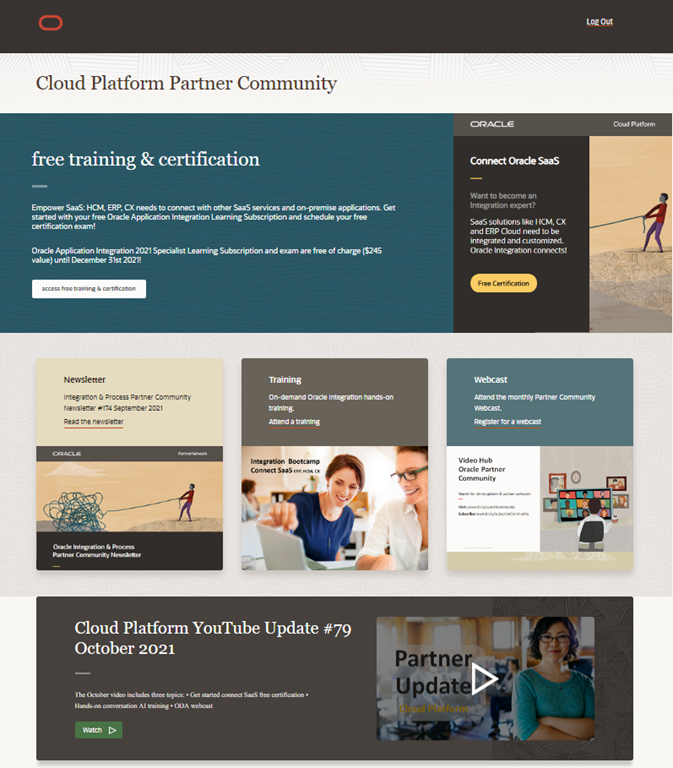
For an Oracle Integration overview watch the Oracle Integration Cloud 2022 Sales Specialist online learning path. Want to become an Integration expert? Attend our upcoming hands-on virtual integration trainings. Registration is open for EMEA October 2021, US & Canada October 2021, Asia September 2021 and South America September 2021. Thanks to the community for sharing all the integration articles: Integration Cloud or SOA Suite? & Create Free Trial OIC Instance for one Month | Oracle Integration Cloud & Basic Knowledge About Oracle Integration Cloud Service | Oracle Integration Cloud Tutorial & Migrate Your Oracle Integration Cloud Classic Services to Oracle Cloud Infrastructure (OCI) & Oracle Digital Assistant – Backend Integration with the Oracle Integration Cloud & Oracle Assistant for OIC & OIC Integration Lifecycle Using REST Endpoints & OIC Scheduling for End of Month style processes – Tip #11 & OIC and Blue Prism RPA & OIC & Blue Prism part 2 & Business Identifiers in Oracle Integration & OIC Activity Stream to OCI Log analytics & Ways to download connectivity agent Oracle Integration & Leverage Oracle MySQL Database Service (MDS) with Oracle Integration Cloud & Convert JSON to String Oracle Integration & Tips and Tricks for handling numbers in BPEL or OIC & Free Webinar: CI and CD for Oracle SOA and OIC & Use Oracle Integration to Connect E-Business Suite with Financials Cloud & CI/CD for Oracle Integrations with Visual Builder Studio & Updating SOA Polling Frequency through WLST.

In the process & innovation section Mani explains how to extend HCM Cloud with workflow processes and Siming how to embed a process workspace application.

For a short summery of our monthly key information watch the PaaS Partner Updates on YouTube. The September edition highlights marketing resources for partners to promote Your service offerings and run join campaigns. In this month’s community webcast David Bain will present how innovate PeopleSoft with an Intelligent Chat Assistant. Please join the Partner Community Webcast September 28th 2021. On-demand webcast recordings are available at the Oracle Video Hub.

Want to publish your best practice article & news in the next community newsletter? Please feel free to send it via Twitter @soaCommunity #PaaSCommunity.

To read the newsletter please visit https://bit.ly/paasnewsseptember2021

Please like and share the newsletter at Twitter and LinkedIn.

Integration newsletter logo

PaaS Partner Community

For regular information on Oracle PaaS become a member in the PaaS (Integration & Process) Partner Community please register here.

clip_image003 Blog clip_image005 Twitter clip_image004 LinkedIn image[7][2][2][2] Facebook clip_image002[8][4][2][2][2] Wiki

Technorati Tags: newsletter,SOA Community newsletter,SOA Community,Oracle,OPN,Jürgen Kress

Innovate PeopleSoft with an Intelligent Chat Assistant- – PaaS Partner Community Webcast September 28th 2021

imagePeopleSoft is the first Oracle packaged application to build and deliver chatbots using the Oracle Digital Assistant Skill Store. The PeopleSoft digital assistant, PICASO, now supports skills from several different business areas and PeopleSoft pillars. You’ll see a demo, hear what it takes to license and deploy to customers, and what the plans are going forward. It comprises of:

  • Absence Skill
  • Benefits Skill
  • Payroll for North America Skill
  • Requisition Inquiry Skill
  • Expense Inquiry Skill

Speaker: David Bain

Schedule: September 28th 2021 16:30-17:30 CET (Berlin time)

For details please visit the registration page here.

Take the opportunity to watch our community webcasts on-demand:

· Adapters Oracle Integration & Advantco

· How to connect your B2B ecosystem using Oracle Integration

· Connect, Innovate & Extend SaaS Partner Launch

· Oracle Cloud Platform Partner Launch Webcast on-demand

· Oracle Visual Builder What’s New

· Accelerate your chatbot projects with Oracle Digital Assistant Templates

· Identity Propagation call from Integration Cloud to Oracle SaaS Applications

· Connect Opera with Oracle SaaS

· Extreme Scalability and Enhanced Resilience for OIC

· SOA Modernization

· Cloud Native and Serverless SaaS Extensions

· How Process Workflow can extend the role of Integration

· Innovate Service Cloud with Chatbots

· Integration Update & New Features

· Chatbot Design best practices for Conversational UX

· Cloud Platform KickOff Webcast 2020

· NetSuite Integration

· Integration Insight

· Innovate HCM with Chatbots

· ERP Integration with Application Adapters

· HCM Integration with Application Adapters

· Extend SaaS with Visual Builder Cloud Service

· Integration Adapters

· Integrate SaaS

For the latest information please visit Community Website (Community membership required).

PaaS Partner Community

For regular information on Oracle PaaS become a member in the PaaS (Integration & Process) Partner Community please register here.

clip_image003 Blog clip_image005 Twitter clip_image004 LinkedIn image[7][2][2][2] Facebook clip_image002[8][4][2][2][2] Wiki

Technorati Tags: SOA Community,Oracle SOA,Oracle BPM,OPN,Jürgen Kress

Business Identifiers in Oracle Integration by Ankur Jain

image

A Business identifier in Oracle Integration helps you to track the messages from the monitoring dashboard quickly and easily.

Without enabling the Business identifiers, you can not activate the integrations.

Max 3 business identifiers can be assigned during the design time. One is primary and the other two are secondary. Read the complete article here.

PaaS Partner Community

For regular information on Oracle PaaS become a member in the PaaS (Integration & Process) Partner Community please register here.

clip_image003 Blog clip_image005 Twitter clip_image004 LinkedIn image[7][2][2][2] Facebook clip_image002[8][4][2][2][2] Wiki

Technorati Tags: SOA Community,Oracle SOA,Oracle BPM,OPN,Jürgen Kress

My private corner – onto a new workflow!

imageSince many years Ralf is the tall person behind the process in the background. For both Oracle Process architecture and during the Summer Camps and Community Forums. Your excellent understanding of architecture combined with outstanding product knowledge is guidance for the Oracle Cloud and the community. Thanks for presenting keynotes, webcasts and hands-on trainings. My university adventures would not have been possible without you! Looking forward to continue the workflow of personal advice – maybe on another swimlane. Success and fun in the APEX community #PaaSCommunity!

PaaS Partner Community

For regular information on Oracle PaaS become a member in the PaaS (Integration & Process) Partner Community please register here.

clip_image003 Blog clip_image005 Twitter clip_image004 LinkedIn image[7][2][2][2] Facebook clip_image002[8][4][2][2][2] Wiki

Technorati Tags: SOA Community,Oracle SOA,Oracle BPM,OPN,Jürgen Kress

Enable Business Events for Payables Business Events/Payments in Oracle Fusion Finance Cloud by Deb Mukherjee

image

For Expenses / Financial Common Module / GL / Receivable / Revenue Management Business events are enabled using Rest API , but for Payables and Payments there is a facility to do it from Front end.

Go to Setup and Maintenance > Find Manage Administrator Profile Values > Search Enable Business Events

Toggle this value from NO to YES :-

Roles needed :-

  • Application Implementation Consultant
  • Financial Administrator

Oracle OIC ERP Adapter Supported Events list Check Subscription like below :-https://<Your_fusion_host_name>/soa-infra/PublicEvent/subscriptions Now it shows empty subscription. We will check the same again once the process is over. Read the complete article here.

PaaS Partner Community

For regular information on Oracle PaaS become a member in the PaaS (Integration & Process) Partner Community please register here.

clip_image003 Blog clip_image005 Twitter clip_image004 LinkedIn image[7][2][2][2] Facebook clip_image002[8][4][2][2][2] Wiki

Technorati Tags: SOA Community,Oracle SOA,Oracle BPM,OPN,Jürgen Kress

OIC Monitoring and Logging Analytics – adding Business Data to Dashboards by Niall Commiskey

imageIntegration Insight is THE solution for business user facing Dashboards on top of your integrations and processes. However, you can also surface business / payload data in Logging analytics. The example below is again based on the OIC Activity Stream logs.

Now we do suggest turning off logging for your production integrations, however, there may be reasons for logging, such as for compliance purposes e.g. I need to prove when order nr 123 was processed. The OIC LOG action will still write to the OIC Activity Stream, even when flow logging has not been enabled.

Here is my simple order processing integration -  Read the complete article here.

PaaS Partner Community

For regular information on Oracle PaaS become a member in the PaaS (Integration & Process) Partner Community please register here.

clip_image003 Blog clip_image005 Twitter clip_image004 LinkedIn image[7][2][2][2] Facebook clip_image002[8][4][2][2][2] Wiki

Technorati Tags: SOA Community,Oracle SOA,Oracle BPM,OPN,Jürgen Kress
OIC Monitoring and Logging Analytics – more steps towards Fleet Management by Niall Commiskey

imageThe previous post mentioned 2 OIC instances in two different regions. A typical fleet management requirement would be to check whether both OIC instances are up and running. Here’s where OCI APM – Application Performance Management can help -.

It contains a feature called Synthetic Monitoring -  The APM docs tells us that Synthetic Monitoring helps in simulating a path in the application that a user would normally take, and ensure that the user can transition through the different web pages in the path smoothly. This helps is recognizing application performance issues before the end user experiences it. I created 2 simple ping-style integrations, one in my London and one in my Phoenix OIC instance. These can then be called by APM – Read the complete article here.

PaaS Partner Community

For regular information on Oracle PaaS become a member in the PaaS (Integration & Process) Partner Community please register here.

clip_image003 Blog clip_image005 Twitter clip_image004 LinkedIn image[7][2][2][2] Facebook clip_image002[8][4][2][2][2] Wiki

Technorati Tags: SOA Community,Oracle SOA,Oracle BPM,OPN,Jürgen Kress
OIC and Logging Analytics – steps towards fleet management by Niall Commiskey

image

This post covers the scenario of aggregating the logs of OIC instances from different regions within the one tenancy. In my case, OIC1 is in UK South(London) and OIC2 is in US West(Phoenix). So how best to approach this?

We’ve seen in a previous post how easy it is to push the OIC Activity Stream logs to OCI Logging Service. That is the starting point for us.

So back to our use-case – this is the high level flow – OIC1 London Activity Stream Logs to OCI Logging – Read the complete article here.

PaaS Partner Community

For regular information on Oracle PaaS become a member in the PaaS (Integration & Process) Partner Community please register here.

clip_image003 Blog clip_image005 Twitter clip_image004 LinkedIn image[7][2][2][2] Facebook clip_image002[8][4][2][2][2] Wiki

Technorati Tags: SOA Community,Oracle SOA,Oracle BPM,OPN,Jürgen Kress