Top tweets PaaS Partner Community January 2021

imageJanuary top tweets by PaaSCommunity

Send your tweets @soacommunity #PaaSCommunity and follow us at http://twitter.com/soacommunity. Make sure you share your content with the community!

PaaS Partner Community

For regular information on Oracle PaaS become a member in the PaaS (Integration & Process) Partner Community please register here.

clip_image003 Blog clip_image005 Twitter clip_image004 LinkedIn image[7][2][2][2] Facebook clip_image002[8][4][2][2][2] Wiki

Technorati Tags: SOA Community,Oracle SOA,Oracle BPM,OPN,Jürgen Kress, Twitter

Integration & Process Partner Community Newsletter January 2021

Dear Partner Community

Every day we publish a blog post with the latest integration and process automation news. Subscribe to our blog to receive the updates. You want to share your best practices and success stories? Please send them via twitter #PaaSCommunity. We will like and retweet and promote them here in our monthly newsletter. Thanks for all your excellent contributions in 2021! In total we had 161.096 views in 2020. Congratulations to the top blog post in 2020:

1. Change date time format in Oracle Integration Cloud by Ankur Jain

2. Oracle Fusion Middleware 12c (12.2.1.4.0) Released

3. Oracle SOA Suite on Kubernetes by Michel Schildmeijer

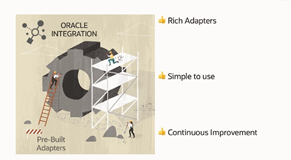
The quarterly release Oracle Integration Update February 2021 features API led integration, connectivity and developer productivity enhancements. OIC accelerates SaaS connectivity with pre-build adapters for Oracle SaaS like HCM, ERP and CX. Additional OIC offers pre-build third party adapters e.g. for SAP integration.

Thanks to the community for sharing all the integration articles: Oracle Integration Playground permanent service for Partners free of charge! & Insight –> embeddable Dashboards & Protecting your OIC apis with OCI API Gateway & OIC Backups & Invoking Oracle Functions from OIC & Data Stitch Append for Complex Content Elements & Twilio Adapter – send SMS / WhatsApp from Oracle Integration & Oracle SOA Modernization – Move and Improve Oracle SOA Suite – Webcast #1 Recap & New Release of Oracle SOA Suite Docker Image & On-demand Webinar: Maximize the Potential of Oracle Integration Cloud with FlexDeploy & Identity Propagation – VBCS > IC > Fusion Apps by Greg Mally & Create Delimited String from XML Nodes and Vice Versa in SOA 12c & Import and Export MDS artifacts in SOA 12c.

In the process & innovation section Jan published a micro process article and the consequences of this new architecture. Large volumes of data are generated during the life of each process instance. This data needs to be archived and purged.

For a short summery of our monthly key information watch the PaaS Partner Updates on YouTube. The January edition highlights the top 2020 blog posts and our social media channels. In this month’s community webcast Sandhya Lakshmi Gopalan and Ravi Pinto Angelo Santagata will present and update on Oracle SOA Suite. Please join the SOA Suite Modernization Partner Community Webcast January 27th 2021.

Want to publish your best practice article & news in the next community newsletter? Please feel free to send it via Twitter @soaCommunity #PaaSCommunity.

To read the newsletter please visit www.tinyurl.com/PaaSNewsJanuary2021

Please like and share the newsletter at Twitter and LinkedIn.

PaaS Community Newsletter small January 2021

PaaS Partner Community

For regular information on Oracle PaaS become a member in the PaaS (Integration & Process) Partner Community please register here.

clip_image003 Blog clip_image005 Twitter clip_image004 LinkedIn image[7][2][2][2] Facebook clip_image002[8][4][2][2][2] Wiki

Technorati Tags: newsletter,SOA Community newsletter,SOA Community,Oracle,OPN,Jürgen Kress

OIC REST API for Lookups by Niall Commiskey

imageAbove, my lookup. Here are the Lookup REST APIs – Retrieve is easy –

Per default, retrieve does not show me the row values e.g. USD, GBP etc.

I just need to add the following query parameter, in order to retrieve the contents – Update – let’s add a couple of new entries. So what does my request look like? Now let’s check the Lookup in OIC -  As you can see, the original entries have been overwritten. In this case, update means essentially replace..

So how can I have a scenario where I just want to augment the lookup list? Simple enough with OIC – I create a REST connection in OIC – Read the complete article here.

PaaS Partner Community

For regular information on Oracle PaaS become a member in the PaaS (Integration & Process) Partner Community please register here.

clip_image003 Blog clip_image005 Twitter clip_image004 LinkedIn image[7][2][2][2] Facebook clip_image002[8][4][2][2][2] Wiki

Technorati Tags: SOA Community,Oracle SOA,Oracle BPM,OPN,Jürgen Kress
My private Corner – top blog posts

image

Thanks to the community for your wonderful contribution in 2020. Every day we publish a blog post with your best practices articles & customer success. Subscribe to our blog to receive the latest integration & process automation updates. Want to share & promote your posts? Please send them via twitter at #PaaSCommunity!

PaaS Partner Community

For regular information on Oracle PaaS become a member in the PaaS (Integration & Process) Partner Community please register here.

clip_image003 Blog clip_image005 Twitter clip_image004 LinkedIn image[7][2][2][2] Facebook clip_image002[8][4][2][2][2] Wiki

Technorati Tags: SOA Community,Oracle SOA,Oracle BPM,OPN,Jürgen Kress

Create an XML file in Oracle Integration Cloud by Ankur Jain

image

Let’s see how to achieve this use case

  • Create a FTP connection: Please go through the article to see how to create FTP connection
  • Create a REST connection. Please go through the article to see how to create REST connection
  • Go the the Integrations and click on the Create button from the upper right coner and select “App Driven Orchestration
  • Enter the Integration name as “WriteXMLFile” and click on the Create button.
  • Select inline drag REST connection on the Integration canvas as a Trigger point
  • Enter below information and click on the Next button
    • Name of the end point: WriteXML
  • Enter below information and click on the Next button
    • What is the endpoint’s relative resource URI: /create
    • What action do you want to perform on the endpoint: POST
    • Select Configure a request payload for this endpoint checkbox- This option allows us to assign payload in the next step. Read the complete article here.

PaaS Partner Community

For regular information on Oracle PaaS become a member in the PaaS (Integration & Process) Partner Community please register here.

clip_image003 Blog clip_image005 Twitter clip_image004 LinkedIn image[7][2][2][2] Facebook clip_image002[8][4][2][2][2] Wiki

Technorati Tags: SOA Community,Oracle SOA,Oracle BPM,OPN,Jürgen Kress

Integration, Process & Insight – Netsuite Data Sync Use Case by Niall Commiskey

image

OIC is a toolkit – 4 main tools:

· Integration – connect your apps

· Process – intelligent human workflows – can be used to extend apps or for your own custom processes.

· Insight – analyze what’s going on in Integration and Process, but this from a business user perspective. More details below.

· Visual Builder – create net new apps on top of your apis.

For those who haven’t seen Insight before – the OraDocs provide the following succinct description of what it offers – Integration Insight in Oracle Integration provides a business-friendly experience, allowing users to model, collect, and monitor business-level metrics using web-based dashboards. Integration Insight works with business processes that are implemented using the Integrations or Processes features in Oracle Integration. At a high level, Integration Insight provides:• A web-based interface to:
– Model business processes, including milestones
– Map models to a business processes implementation
– Monitor business progress through dashboards
• Efficient workflow requiring no development effort and minimal impact to runtime.
• Advanced analytics presented in both preconfigured and custom dashboards.
The following example leverages 3 of the OIC tools – Integration, Process and Insight in the context of a Netsuite data synchronisation use case. Please see my previous post here, for details of leveraging Visual Builder on top of Netsuite. Read the complete article here.

PaaS Partner Community

For regular information on Oracle PaaS become a member in the PaaS (Integration & Process) Partner Community please register here.

clip_image003 Blog clip_image005 Twitter clip_image004 LinkedIn image[7][2][2][2] Facebook clip_image002[8][4][2][2][2] Wiki

Technorati Tags: SOA Community,Oracle SOA,Oracle BPM,OPN,Jürgen Kress

OIC Connectivity Agent by Daniel Teixeira

Timagehe OIC connectivity agent is the answer for a secure hybrid deployment, where you have a mix of cloud and on-premise applications and need to ensure a secure communication.

The agent is the handler/listener that manages both inbound/outbound communication. This ensures that there is no need to open a port in the on premise firewall.

Fortunately Mordac is not a Product Manager for OIC:)

1. Create an Agent Group
The agent group is a logical group to which we can associate the physical agents installed on premise. Very simple to create one – Just provide a name and a description.

2. Download and Run the Connectivity Agent Installer

On the same place where you created the agent group, download the connectivity agent. Let’s stop for a second and look to the system requirements. Read the complete article here.

PaaS Partner Community

For regular information on Oracle PaaS become a member in the PaaS (Integration & Process) Partner Community please register here.

clip_image003 Blog clip_image005 Twitter clip_image004 LinkedIn image[7][2][2][2] Facebook clip_image002[8][4][2][2][2] Wiki

Technorati Tags: SOA Community,Oracle SOA,Oracle BPM,OPN,Jürgen Kress

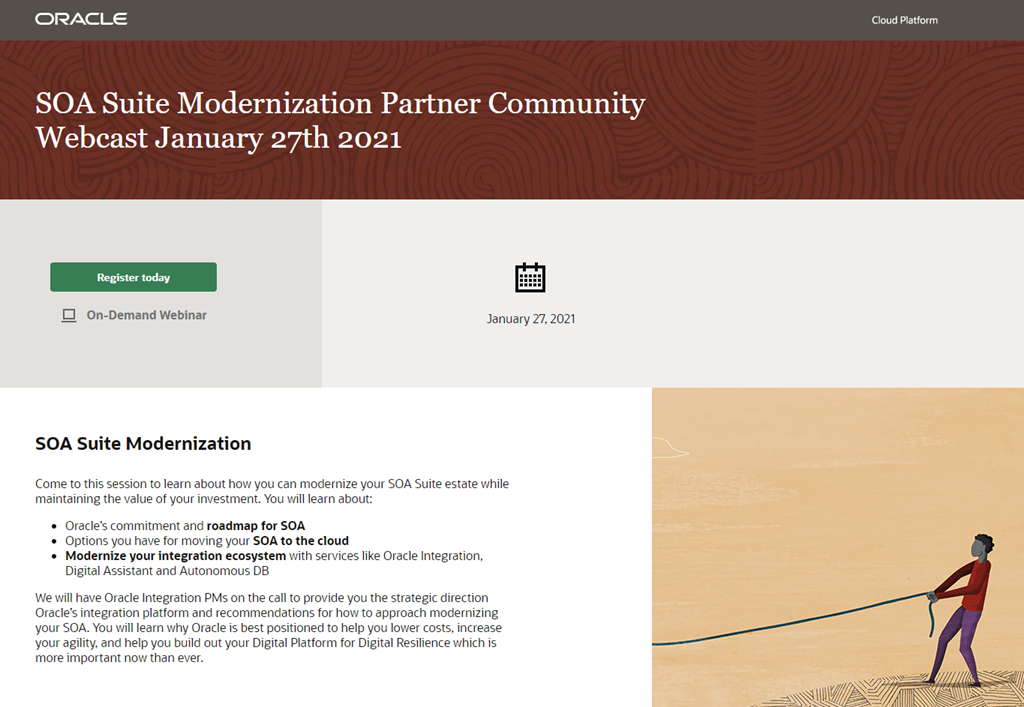
SOA Suite Modernization Partner Community Webcast January 27th 2021

SOA Modernization PaaS Partner Community Webcast January 2021Oracle SOA Suite Modernization

Come to this session to learn about how you can modernize your SOA Suite estate while maintaining the value of your investment. You will learn about:

  • Oracle’s commitment and roadmap for SOA
  • Options you have for moving your SOA to the cloud
  • Modernize your integration ecosystem with services like Oracle Integration, Digital Assistant and Autonomous DB

We will have Oracle Integration PMs on the call to provide you the strategic direction Oracle’s integration platform and recommendations for how to approach modernizing your SOA. You will learn why Oracle is best positioned to help you lower costs, increase your agility, and help you build out your Digital Platform for Digital Resilience which is more important now than ever.

Schedule:  January 27, 2021 16:30 – 17:30 CET (Berlin Time)

Featured speakers:

Sandhya Lakshmi Gopalan Ravi Pinto
Sandhya Lakshmi Gopalan

Senior Product Manager
Oracle HQ
LinkedIn

Ravi Pinto

Director Product Management
Oracle HQ
LinkedIn

For details please visit the registration page here.

For more information watch our free on-demand webcasts:

Integration Update & New Features
ERP Integration with Application Adapters
HCM Integration with Application Adapters
Connect, Innovate, Extend SaaS Kickoff Webcast
Cloud Platform Kickoff Webcast

PaaS Partner Community

For regular information on Oracle PaaS become a member in the PaaS (Integration & Process) Partner Community please register here.

clip_image003 Blog clip_image005 Twitter clip_image004 LinkedIn image[7][2][2][2] Facebook clip_image002[8][4][2][2][2] Wiki

Technorati Tags: SOA Community,Oracle SOA,Oracle BPM,OPN,Jürgen Kress
Automating, Migrating and Upgrading Oracle eBusiness Suite R12 into the Cloud–Webcast February 11th 2021

Automating, Migrating and Upgrading Oracle eBusiness Suite into the Cloud v1Discover how to transform your Finance Team by migrating, upgrading, and enhancing Oracle eBusiness Suite with automation and utilising the cloud to realise the full potential and power of your application.

Join the experts from Arcivate and Data Intensity for a webinar on upgrading and migrating Oracle E-Business Suite to the cloud. You’ll also discover how to realise further efficiencies by automating your supplier invoice processes which will truly empower you to transform the way your Finance team operates.

Join us on the 11th February at 11:00am GMTJoin us on the 11th February at 11:00am GMT 
In this webinar, we will explain how upgrading and migrating eBusiness Suite to the Cloud and enhancing with automation can optimise your end-to-end processes to deliver on key business objectives.

Data Intensity will cover the challenges you face in moving to the cloud by identifying the right cloud technologies to deliver faster time-to-value, reduced costs, and a predictable path to achieve your business outcomes.

Arcivate will demonstrate automation of the Accounts Payable data entry process with its Mi Invoices SaaS solution and the business benefits of automated invoice processing, including lowering costs and minimising manual inputs.

For details please visit the registration page here. 

Additional webinars are available here and on-demand webinars here.

PaaS Partner Community

For regular information on Oracle PaaS become a member in the PaaS (Integration & Process) Partner Community please register here.

clip_image003 Blog clip_image005 Twitter clip_image004 LinkedIn image[7][2][2][2] Facebook clip_image002[8][4][2][2][2] Wiki

Technorati Tags: SOA Community,Oracle SOA,Oracle BPM,OPN,Jürgen Kress
A Simple Guide to Oracle HCM Data Loader (HDL) Job Support in Oracle HCM Cloud Adapter by Prakash Masand, and Asawari Pawar

image

Oracle Integration continues to simplify integrations with Oracle HCM Cloud by adding native support to more and more Oracle HCM integration touch points. Oracle Integration now supports Oracle HCM Data Loader (HDL) jobs, a powerful tool for bulk loading data through integrations. Using Oracle HDL, you can load business objects for most Oracle HCM Cloud products into Oracle Integration. For example, you can load new hires from Oracle Talent Acquisition Cloud (Taleo EE) as workers into Oracle HCM Cloud using an Oracle HDL job. To learn more about Oracle HDL jobs, refer to this blog.

The Oracle HCM Cloud Adapter in Oracle Integration simplifies the way an integration specialist invokes an Oracle HDL job process and monitors the status of the job. The Oracle HDL job can load data into business object from delimited data (.dat) files. Integration architect can generate the delimited data files in Oracle Integration using business object template files provided by Oracle HCM Cloud. Read the complete article here.

PaaS Partner Community

For regular information on Oracle PaaS become a member in the PaaS (Integration & Process) Partner Community please register here.

clip_image003 Blog clip_image005 Twitter clip_image004 LinkedIn image[7][2][2][2] Facebook clip_image002[8][4][2][2][2] Wiki

Technorati Tags: SOA Community,Oracle SOA,Oracle BPM,OPN,Jürgen Kress