BPM 12c Migration – A Deep Dive into a Simple 10g Process Migration by Aaron Dolan


clip_image002Since Oracle BPM 12c was released this summer, many of our legacy BPM 10g customers have begun to ask what to expect from the migration path.  As my colleague Suyash Khot discussed in his article Oracle BPM 12c Migration – A Hand of Friendship to Oracle BPM 10g, Oracle has luckily given us a migration utility to kick-start the process of moving code from Oracle BPM 10g to Oracle BPM 12c.  While this utility is incredibly valuable and indeed very easy to use, it is well worth discussing the advantages and challenges this conversion presents us with.

This is the first in a series of articles where I’ll explore how various 10g coding patterns are translated into 12c and how we might overcome some of the issues this presents us with.  While in many cases the conversion is clean and maintenance-free, in other cases there is work to be done and issues to be on the lookout for.

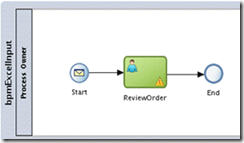
In preparation for this article, I created a very simple, happy path Order Entry process in Oracle BPM 10g: Read the complete article here.


SOA & BPM Partner Community

For regular information on Oracle SOA Suite become a member in the SOA & BPM Partner Community for registration please visit www.oracle.com/goto/emea/soa (OPN account required) If you need support with your account please contact the Oracle Partner Business Center.

Blog Twitter LinkedIn image[7][2][2][2] Facebook clip_image002[8][4][2][2][2] Wiki

BPM 12c Migration – A Hand of Friendship to Oracle BPM 10g by Suyash Khot


There are a lot of benefits to be reaped by migrating a BPM 10g project to 12c. For one, Oracle BPM 12c is built on a Service Component Architecture (SCA) runtime. SCA is an industry standard architecture that provides a model for composing applications that follow SOA principles, like component reuse, OOTB error handling and transaction management, and flexible development to name a few.

With the introduction of Oracle BPM Suite 12c (12.1.3), one of the key features introduced is a migration path for Oracle BPM 10g projects to 12c. Such a feature was not available in 11g and there was little to no hope for BPM 10g projects to be migrated to 11g. That hope has come alive with the introduction of 12c and so I decided to give it a shot. Below I have listed the steps to follow to do a 10g to 12c migration and summarized by findings.

1) Install Oracle BPM Suite 12c

First off, download the Oracle BPM Suite 12c quick start installer from Oracle’s website here. This installer includes JDeveloper 12c with SOA and BPM extensions. The installer also includes the migration utility, which is an ANT task.

2) Install ANT

The migration utility readme.txt recommends to use ANT version 1.8.4.

3) Execute the ANT task

The migration utility can be found under $JDEV_HOME\soa\plugins\jdeveloper\bpm. The build.xml file has all the ANT tasks. The ANT task for the migration from 10g to 12c is “migrate10-12”, where source is the folder location of the 10g project and target is the folder location where the 12c project export will be created. Replace source and target appropriately and execute the below command.

ant migrate10-12 -DprojectLocation=source -Ddestination=target

4) Analyze the ANT task execution

Once the ANT task execution completes successfully, it creates the 12c project export in the target folder specified. This folder contains the following:

  • The exported version of the 12c project (.exp).
  • The migration report (.xml) and its stylesheet (.xsl). Best when viewed via a browser.
  • The 10g project artifacts list (.csv).
  • The folder with 12c project SOA components.
5) Import the 12c project

To import the exported version of the 12c project into JDeveloper, open the 12c JDeveloper. Create a BPM Application. Go to File -> Import  -> Import BPM Project. Browse to the target folder and select the .exp file. This is a list of some of the artifact mappings: Read the complete article here.

SOA & BPM Partner Community

For regular information on Oracle SOA Suite become a member in the SOA & BPM Partner Community for registration please visit www.oracle.com/goto/emea/soa (OPN account required) If you need support with your account please contact the Oracle Partner Business Center.

Blog Twitter LinkedIn image[7][2][2][2] Facebook clip_image002[8][4][2][2][2] Wiki

BPM 10g-12c Migration: Handling Excel Files as Input by Mark Foster

clip_image002Introduction

With the introduction of BPM 12c comes the long-awaited migration tool to migrate BPM 10g projects to BPM 12c.

The A-Team have been heavily involved with the effort to create collateral around this tool – patterns, approaches, samples, tutorials, labs etc.

One of the common patterns in BPM 10g is using an Excel spreadsheet as input to a process which led me to investigate how this could be replicated in 12c. What follows is a step-by-step guide to achieving an example of this. Note that this blog will not deliver an enterprise production solution but will at least provide a working example which can be built upon as required.

Approach

Handling files in SOA Suite 11g & 12c is standard functionality with the file and ftp adapters… so we’ll use the file adapter for this example.

Handling CSV files is also straightforward, they can be specified as input in the file adapter wizard… so we can use a CSV file as input to the process.

Apache POI is a standard open source approach to converting Excel to a.n.other file format…. so we can use this to convert the Excel to CSV.

The file adapter and FTP adapter in 12c (and 11g) provide a feature known as “pipelines and valves” for pre-processing (and post-processing) of files prior to delivery to the composite…. so we can use this as the point of conversion for our file.

Given we now know the approach we can begin to build the example….

The Example Project

Examine the Input Spreadsheet / CSV File

We’ll be using a simple excel spreadsheet of orders….

Read the complete article here.

SOA & BPM Partner Community

For regular information on Oracle SOA Suite become a member in the SOA & BPM Partner Community for registration please visit www.oracle.com/goto/emea/soa (OPN account required) If you need support with your account please contact the Oracle Partner Business Center.

Blog Twitter LinkedIn image[7][2][2][2] Facebook clip_image002[8][4][2][2][2] Wiki