Stream Explorer – configuring REST target By Jernej Kaše
November 4, 2015 Leave a comment
 I’ve blogged about how to consume REST with Oracle Stream Explorer in previous posts Exploring data streams with Oracle Stream Explorer – part 1 and Exploring data streams with Oracle Stream Explorer – part 2.
This time we are going to take a look how to configure stream explorer to send events to a REST service.
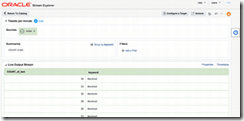
We’ll start by creating an exploration which summarizes tweets per minute per each of the keywords we have: Configuring a REST target
Configuring a target is as simple as a few clicks. Just click the "Configure a target" button, select REST from the dropdown and enter your REST service url. Note that building the service is not in the scope of this blog, suffice to say it should expect parameters which your exploration emits. Read the complete article here.
For regular information on Oracle SOA Suite become a member in the SOA & BPM Partner Community for registration please visit www.oracle.com/goto/emea/soa (OPN account required) If you need support with your account please contact the Oracle Partner Business Center.
 Blog
Blog  Twitter
  LinkedIn
 ![image[7][2][2][2]](https://paascommunity.com/wp-content/uploads/2013/04/image7222.png?w=20&h=20 "image[7][2][2][2]") Facebook
Facebook ![clip_image002[8][4][2][2][2]](https://paascommunity.com/wp-content/uploads/2013/04/clip_image00284222.jpg?w=26&h=23 "clip_image002[8][4][2][2][2]") Wiki
Wiki


 PaaS Community Blog