Automate SOA Installation Using FlexDeploy by Dan Reynebeau

image

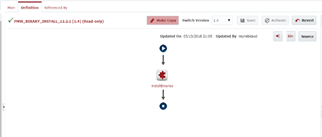
In this blog, I will show how to automate the installation of SOA, BPM, OSB and/or B2B using FlexDeploy. For 12c, there is only one installation jar file that you can download to install WebLogic.
First we need to create  and configure a Workflow within FlexDeploy.  Download the workflow source. Read the complete article here.

PaaS Partner Community

For regular information on Oracle PaaS become a member in the SOA & BPM Partner Community for registration please visit www.oracle.com/goto/emea/soa (OPN account required) If you need support with your account please contact the Oracle Partner Business Center.

Blog Twitter LinkedIn image[7][2][2][2] Facebook clip_image002[8][4][2][2][2] Wiki

Technorati Tags: SOA Community,Oracle SOA,Oracle BPM,OPN,Jürgen Kress
SOA Skills Have Value in a Microservice World by Rolando Carrasco


image

SOA architect Rolando Carrasco explains why SOA is alive and well in the age of microservices, and why your SOA skills are more valuable than ever. Watch the video here.


PaaS Partner Community

For regular information on Oracle PaaS become a member in the SOA & BPM Partner Community for registration please visit www.oracle.com/goto/emea/soa (OPN account required) If you need support with your account please contact the Oracle Partner Business Center.

Blog Twitter LinkedIn image[7][2][2][2] Facebook clip_image002[8][4][2][2][2] Wiki

Technorati Tags: SOA Community,Oracle SOA,Oracle BPM,OPN,Jürgen Kress

Creating REST APIs with Oracle Service Bus by Lykle Thijssen

image

When you think of Oracle Service Bus, you probably think about integration with SOAP and XML messages. However, since the introduction of REST adapters, it’s also possible to offer RESTful APIs with JSON messages to your service consumers. Since RESTful APIs tend to be more light-weight than SOAP services, they have certain advantages in performance, especially for mobile usage, while also simplifying the interaction with your service. In this blog, I will show you how to create such an API based on an XSD for internal XML processing and what things to pay specific attention to. In Github I have provided a sample application created in version 12.2.1.2.0: https://github.com/lthijssen/MyMusic

Step 1: create your project and XSD

First of all, you will need to create a Service Bus Application in JDeveloper and a project within that. From there, create a Schemas folder and within that folder a MyMusic.xsd XML Schema with the following content: Read the complete article here.


PaaS Partner Community

For regular information on Oracle PaaS become a member in the SOA & BPM Partner Community for registration please visit www.oracle.com/goto/emea/soa (OPN account required) If you need support with your account please contact the Oracle Partner Business Center.

Blog Twitter LinkedIn image[7][2][2][2] Facebook clip_image002[8][4][2][2][2] Wiki

Technorati Tags: SOA Community,Oracle SOA,Oracle BPM,OPN,Jürgen Kress

Extending analytics for Integration cloud using Elastic stack by Mani Krishnan

image

Introduction

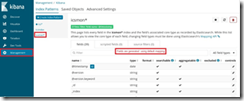
Oracle Integration Cloud (OIC) offers industry-leading SaaS integration capabilities.  It provides extensive monitoring, tracking and reporting features out-of-the-box. Occasionally, enterprises do have reporting and analysis needs those are better met by additional reporting and analytics products. This article discusses couple of such use cases and describes how to implement one of them using Elastic stack. Information in this article is applicable to release 18.1.3 of integration cloud.

Main article

Let’s consider these scenarios:

  • Customer’s integrations are deployed to multiple instances of OIC. Customer wants a consolidated view of all integrations on single dashboard.
  • Customer needs to customize several aspects of reporting such as type of charts and data retention.
  • Customer wants end-to-end view of transactions across multiple applications, including those deployed to OIC.

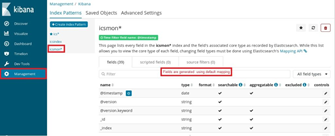
Use cases represented by these scenarios can be met by externalizing integration metrics from OIC into another platform specializing on analytics.  Let’s look at some recommended ways to extract metrics from OIC and importing them into ELK (Elastic-LogStash-Kibana). Elastic stack is a widely-used opensource platform for analytics and dashboards. Jump to one of the sections by click the link.

Why Elastic stack?

Elastic is among products that allow infinite scaling and support map-reduce for efficient distributed queries. Note that other products such as Oracle big-data analytics cloud service or Oracle log analytics can also meet aforementioned requirements.  Elastic is used in this blog for its simplicity for demonstration purposes.

For sake of simplicity, the post does not address deployment of ELK stack. Refer to Elastic web site for instructions. A simple installation could run on a laptop. More complex, distributed deployments will require careful planning of compute, storage resources and indexes. Read the complete article here.

PaaS Partner Community

For regular information on Oracle PaaS become a member in the SOA & BPM Partner Community for registration please visit www.oracle.com/goto/emea/soa (OPN account required) If you need support with your account please contact the Oracle Partner Business Center.

Blog Twitter LinkedIn image[7][2][2][2] Facebook clip_image002[8][4][2][2][2] Wiki

Technorati Tags: SOA Community,Oracle SOA,Oracle BPM,OPN,Jürgen Kress
AVIO Releases an ICS Maven Plugin by Kevin King

image

Released today, the AVIO ICS Maven plugin has been released to Maven Central.

Oracle ICS (Integration Cloud Service) is a cloud platform with a web-based interface used to quickly build integrations between cloud and on-premise applications.

The ICS Maven plugin helps make the software development lifecycle simpler by scripting exports, imports, activation and more, allowing developers to easily store their code in source control, and automate the promotion to other cloud environments. Read the complete article here.

PaaS Partner Community

For regular information on Oracle PaaS become a member in the SOA & BPM Partner Community for registration please visit www.oracle.com/goto/emea/soa (OPN account required) If you need support with your account please contact the Oracle Partner Business Center.

Blog Twitter LinkedIn image[7][2][2][2] Facebook clip_image002[8][4][2][2][2] Wiki

Technorati Tags: SOA Community,Oracle SOA,Oracle BPM,OPN,Jürgen Kress

Oracle Integration Cloud: Customer Managed & Patching by Jan Kettenis

image

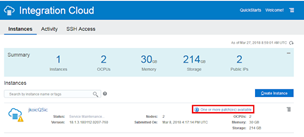
Currently the Oracle Integration Cloud (OIC) only comes as "customer managed". Among others this means that you as a customer have access to management consoles. It also means that you determine when to apply patches, as Oracle does not do that for you. The following describes how easy that is.
Oracle Cloud solutions can come in two flavors: Oracle Managed and Customer Managed. The first means that maintenance, including patching is done by Oracle. You don’t have to ask for nor to initiate it as it all happens "automatically", typically during non-business hours (like Friday evening). It also means that you don’t have any control over it. Now that probably is exactly what you want. However, in case of OIC that currently only comes as Customer Managed. This means that you have access to the Weblogic Service Console and the Fusion Middleware Console (although not with all the features that you for example would have with the on-premise version of the BPM Suite). I expect these consoles not to be available in the Oracle Managed flavor to come soon. Read the complete article here.


PaaS Partner Community

For regular information on Oracle PaaS become a member in the SOA & BPM Partner Community for registration please visit www.oracle.com/goto/emea/soa (OPN account required) If you need support with your account please contact the Oracle Partner Business Center.

Blog Twitter LinkedIn image[7][2][2][2] Facebook clip_image002[8][4][2][2][2] Wiki

Technorati Tags: SOA Community,Oracle SOA,Oracle BPM,OPN,Jürgen Kress
Continued Evolution of OIC and this site By Phil Wilkins

image

The transformation of Oracle Integration Cloud Service (ICS) into Oracle Integration Cloud (OIC) continues to progress. If you’ve read our earlier posts (such as this) on the subject you’ll remember that ICS becomes part of OIC, and depending on which version of OIC you take you will also see other components including:

  • Visual Builder Cloud Service (VBCS)
  • Process Cloud Service (PCS)
  • Insights

Whilst the product is evolving, the heart of  our book remains very relevant to the integratiobn capabilities of OIC, even if the screen shots have changed a little.  But what does this all mean to this website?  As authors we’ve been a bit preoccupied with our current writing projects as they come to a close (Implementing API Platform and Blockchain Across Oracle). But worry not, we will be adding content.  At the very least in the immediate time we have continued to capture and maintain the list of external articles we think are helpful and informative here.

On the subject of the of this catalogue, as the scope of OIC has grown and we’ll start to see lots of material around the PCS capabilities under the OIC title, and of course PCS in its pre-OIC form are still very relevant.  In the coming days we’ll incorporate into the catalogue an additional filter to separate sections to cover the different underlying products/capabilities and add start to pickup related content. it maybe necessary to go as far as plitting the catlogue as we already have over 100 referenced entries. Read the complete article here.

PaaS Partner Community

For regular information on Oracle PaaS become a member in the SOA & BPM Partner Community for registration please visit www.oracle.com/goto/emea/soa (OPN account required) If you need support with your account please contact the Oracle Partner Business Center.

Blog Twitter LinkedIn image[7][2][2][2] Facebook clip_image002[8][4][2][2][2] Wiki

Technorati Tags: SOA Community,Oracle SOA,Oracle BPM,OPN,Jürgen Kress
Continuous Integration with Apiary, Dredd, and Wercker by Nick Montoya

image 

There are many tools in the market to design, develop, and test API’s. Some of these tools could be used separately. Some others could be combined. Every time a change is introduced in the design or implementation of an API, it would be nice to have tests and builds run automatically. Continuous Integration (CI) is a software development practice that allows builds and tests to be triggered every time new code is pushed to the repository. There are may tools that could be used to build this CI pipeline. This blog will share the experience of building a CI pipeline using Apiary (bought by Oracle in January 2017) for API Design and Wercker (bought by Oracle in April 2017) to help achieve this CI goal.

  1. 1. Create an API definition in Apiary

Apiary (apiary.io) improves API development by promoting a documentation first approach. It is a platform for designing HTTP based web APIs. It starts with API documentation, then Apiary creates mock services and tests. Apiary support two formats for API description: API Blueprint and Swagger.

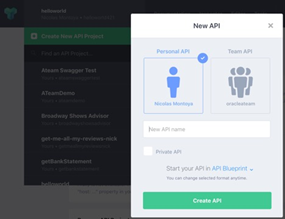
In Apiary, from the API dropdown select “Create New API Project” and the “New API” screen will popup.

Find below an example of an API Blueprint description as displayed in the Apiary Editor.

  • The FORMAT keyword shows this API description document is API Blueprint.
  • The name following the first level heading “#” is the API name.
  • The “hola” resource follows the second level sub-heading “##”. The “/hola” URI is inside of the square brackets.
  • The “hola” action follows the third level sub-heading “###”.  The “GET” HTTP method is inside of the square brackets. It returns a 200 status code and a JSON. Read the complete article here.

PaaS Partner Community

For regular information on Oracle PaaS become a member in the SOA & BPM Partner Community for registration please visit www.oracle.com/goto/emea/soa (OPN account required) If you need support with your account please contact the Oracle Partner Business Center.

Blog Twitter LinkedIn image[7][2][2][2] Facebook clip_image002[8][4][2][2][2] Wiki

Technorati Tags: SOA Community,Oracle SOA,Oracle BPM,OPN,Jürgen Kress
My private Corner – Merry Christmas

image

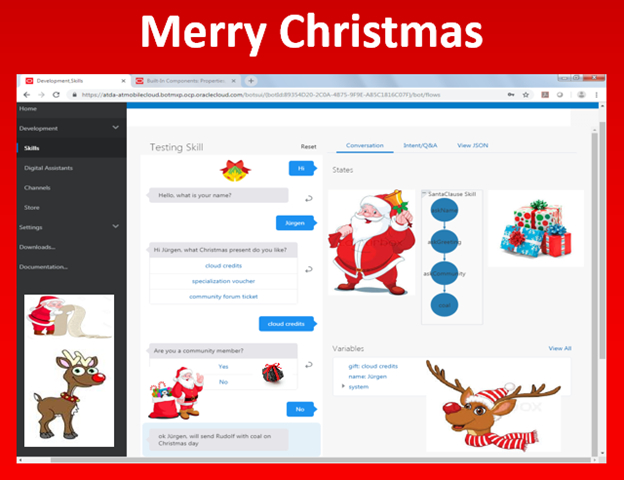
Since a few years we create a special Christmas card for the community. In 2015 we started with a Christmas delivery process implemented in Oracle Process Cloud Service. In 2016 multiple SaaS services have been integrated by drag and drop to process the Christmas presents. Last year Santa Claus handled the Christmas wish list as a dynamic case. This year you can talk to our Santa Claus Chatbot. Make sure you submit your wish list to Santa Claus and Rudolph to bring you the PaaS Forum tickets! #jkwc


PaaS Partner Community

For regular information on Oracle PaaS become a member in the SOA & BPM Partner Community for registration please visit www.oracle.com/goto/emea/soa (OPN account required) If you need support with your account please contact the Oracle Partner Business Center.

Blog Twitter LinkedIn image[7][2][2][2] Facebook clip_image002[8][4][2][2][2] Wiki

Technorati Tags: SOA Community,Oracle SOA,Oracle BPM,OPN,Jürgen Kress
Packt $5 eBook promotion

Packt offers eBooks and Videos for $5 Get the latest Oracle related books please see the community wikis: Integration, Process, Developer tools, Application Development.

image

PaaS Partner Community

For regular information on Oracle PaaS become a member in the SOA & BPM Partner Community for registration please visit www.oracle.com/goto/emea/soa (OPN account required) If you need support with your account please contact the Oracle Partner Business Center.

Blog Twitter LinkedIn image[7][2][2][2] Facebook clip_image002[8][4][2][2][2] Wiki

Technorati Tags: SOA Community,Oracle SOA,Oracle BPM,OPN,Jürgen Kress