Process Cloud Service: new features! By Lykle Thijssen

image

During Oracle Open World 2016, the latest release of Oracle Process Cloud Service got presented. The product has been making huge progress in all aspects, so here’s an overview of all the new and improved features.

Oracle Process Cloud Service

For those of you unfamiliar with the product: Oracle Process Cloud Service (PCS) is Oracle’s BPM solution for the cloud. While development on Oracle BPM Suite has pretty much come to an end, Oracle Process Cloud Service is the way forward and the platform for all new features related to Business Process Management. This meant that the product that was originally positioned as BPM for the citizen developer had to improve and mature to a full-blown BPM solution. It needs to support long running processes, improve its integration strategy and support case management, to mention some important subjects. While case management is not there yet, it will certainly come to Oracle Process Cloud Service and many other features are already there with the latest release.

Modelling Processes

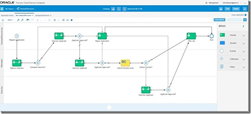
As it used to be, modelling processes is done in the browser. This makes it easy for business and IT to collaborate on processes, because you only need an internet connection to get access. No need for development tools, code repositories and a powerful work station to get started. The main improvement in the process modelling is that Oracle has abandoned the usage of Flash. This makes the process modeller faster and easier to use, creating a far more pleasant and performant development experience.

Selecting integrations

When creating a Service Call, whether it’s synchronous or asynchronous, you can now select an Integration from Oracle Integration Cloud Service. Obviously, this is much more practical than dealing with WSDL imports and all the technical stuff related to that, but it also has a bigger meaning. It’s clearly showing that Integration Cloud Service has been strategically positioned as the way to go for process integrations. It’s putting the technical know-how of integration where it belongs, so you will no longer feel tempted to take that kind of complexity into a business process. Therefore, I strongly recommend following this approach as suggested by Oracle, instead of trying to work out your own integrations in PCS. Use these products for their purpose. Read the complete article here.

SOA & BPM Partner Community

For regular information on Oracle SOA Suite become a member in the SOA & BPM Partner Community for registration please visit www.oracle.com/goto/emea/soa (OPN account required) If you need support with your account please contact the Oracle Partner Business Center.

Blog Twitter LinkedIn image[7][2][2][2] Facebook clip_image002[8][4][2][2][2] Wiki

Technorati Tags: SOA Community,Oracle SOA,Oracle BPM,OPN,Jürgen Kress
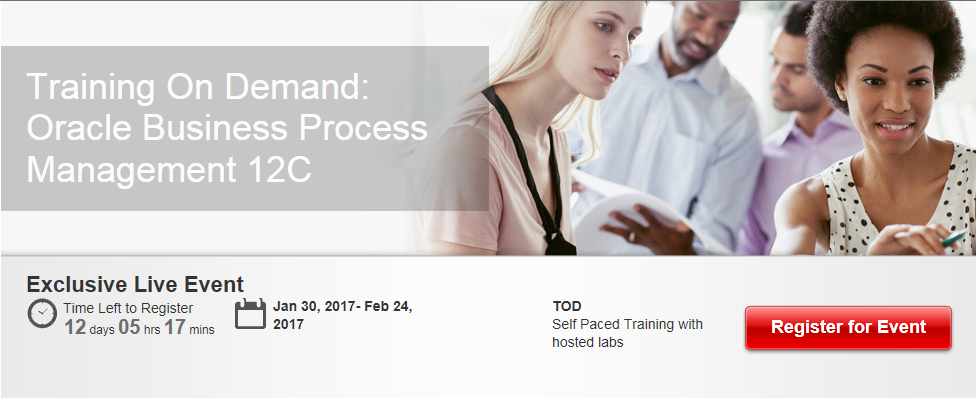
Oracle Business Process Management Bootcamp 12c 30 Jan – 24 Feb 2017– free on-demand training and certification

Training On Demand: Oracle Business Process Management 12C

  • This Boot Camp is now open for registration to all partners taking specialist certification exams in the next 90 days. Please DO NOT REGISTER, if you are not taking a certification exam.
  • All registrations must be done using a company email. Personal emails will be rejected
  • In order to submit your registration you will be asked to login using your OPN (Oracle PartnerNetwork) account credentials. In case you do not have an OPN account please see the Profile badging step-by-step guide for partners on how to create the account. This process will also ensure your certifications are aligned to your company ID. All registrants must be badged and aligned to their company ID

For details please visit the registration page here.

image

SOA & BPM Partner Community

For regular information on Oracle SOA Suite become a member in the SOA & BPM Partner Community for registration please visit www.oracle.com/goto/emea/soa (OPN account required) If you need support with your account please contact the Oracle Partner Business Center.

Blog Twitter LinkedIn image[7][2][2][2] Facebook clip_image002[8][4][2][2][2] Wiki

What’s New for Process Cloud Service 16.4.5

image

Learn More: More details on what’s new is available here. Learn more about Oracle Process Cloud Service at http://cloud.oracle.com/process

Want to try Process Cloud Service? Get access here.

Partner Resources (community membership required):

Sales kit for partners: Digital Engagement

Marketing kit for partners: BPM Campaigns

Learn about the new and changed features of Oracle Process Cloud Service.

Feature

Description

Documents and Conversations

On the Workspace Tracking page, administrators can now click the Conversations icon in addition to the Documents icon and view conversations associated with a selected instance.

On the Configure UI Customizations page, an option that lets you hide comments displayed on the Tasks page and Tracking page has been added. This option is valid only if you integrated Oracle Documents Cloud Service with Oracle Process Cloud Service, and you enabled conversations.

QuickStart Master

On the Personalize page, the options for the Item field have been improved.

· You can now customize the activities in a subprocess.

· The list is now organized by swimlane followed by all the activities for that lane. If there is a subprocess, then the list expands to show all activities for the subprocess as well. An option to search the list has also been added. These new features make it easier to find the element you want to customize.

See Decide What Settings Users Can Customize in Using Oracle Process Cloud Service.

Embeddable Process UI Components

The embeddable UI components feature includes several enhancements:

· Reorganized the toolbar and grouped UI components into cookbook.

· Added support for web forms in task details.

· Added support for conversations.

· Added the DevTool option, which lets you bring up the REST API in an interactive format so you can enter and test your code. Read the complete article here.

SOA & BPM Partner Community

For regular information on Oracle SOA Suite become a member in the SOA & BPM Partner Community for registration please visit www.oracle.com/goto/emea/soa (OPN account required) If you need support with your account please contact the Oracle Partner Business Center.

Blog Twitter LinkedIn image[7][2][2][2] Facebook clip_image002[8][4][2][2][2] Wiki

What’s New for Oracle Integration Cloud Service Release 16.4.5

image

This release of Oracle Integration Cloud Service includes two new adapters (DB2 Adapter and Oracle Logistics Adapter) and enhancements to the REST Adapter, SOAP Adapter, FTP Adapter, and Salesforce Adapter. Enhancements are also provided for orchestrated integrations, scheduled integrations, orchestrated integration creation options, custom adapter uploads, Expression Builder functions, XPath extension functions, exported/imported integrations, diagnostic logs, and REST APIs. See below for details.

Read the complete article here.

Learn More: More details on what’s new is available here. Learn more about Oracle Integration Cloud Service at http://cloud.oracle.com/integration

Want to try ICS Cloud Service? Get access here.

Partner Resources (community membership required):

Sales kit for partners: Cloud and On-Prem Integration: Integrate CRM SaaS Apps with On-Premises ERP & Integrate HCM Cloud with on-premises ERP

Marketing kit for partners: SOA Campaigns

SOA & BPM Partner Community

For regular information on Oracle SOA Suite become a member in the SOA & BPM Partner Community for registration please visit www.oracle.com/goto/emea/soa (OPN account required) If you need support with your account please contact the Oracle Partner Business Center.

Blog Twitter LinkedIn image[7][2][2][2] Facebook clip_image002[8][4][2][2][2] Wiki

What those extra Healthcare flags on Oracle SOA 12.1.3.0.5 and 12.2.1 update are for? by Bruno Neves Alves


Whilst upgrading to 12.1.3.05 I came across the following Post Installation actions at the READ.ME doc of the 22524811 patch:
"4 Post-Installation Instructions"
2. Add em property : hc.jmsAndDBSameTxn with ‘true’ value.
3. Following Healthcare Server properties are needed:
        – hc.sequencedEndpoints
                + ALL,<EP_1>,<EP_2> – comman separate value
                + Any endpoints after ALL will not be sequenced.
                + In this example, <EP_1> will have sequcing turned off. <EP_2> will have sequencing turned off.
Note for Bug 20029769:
hc.HCMode (true/false, default false) – need to set to true
At the customer, we intended to promote the upgrade to the actual production environment and, because of this, it required further validation of the impacts of such upgrade could bring.
Since the description was not clear enough and I could not find information anywhere else, I raised a service request at Oracle Support for further clarification.
First, I would like to thanks Silviu from Oracle Support for his help and support he have been providing me for the last few years 🙂
And here are the conclusions of the service request and clarification of the new flags usage:
hc.jmsAndDBSameTxn -  if true, committing to the JMS for customer JMS will be on the same transaction as database.  If database is rolled back, then the message will not be committed to JMS as well. (I’m waiting additional clarification for this point and will add it here once I have it). Read the complete article here.

SOA & BPM Partner Community

For regular information on Oracle SOA Suite become a member in the SOA & BPM Partner Community for registration please visit www.oracle.com/goto/emea/soa (OPN account required) If you need support with your account please contact the Oracle Partner Business Center.

Blog Twitter LinkedIn image[7][2][2][2] Facebook clip_image002[8][4][2][2][2] Wiki

SOA Messaging Reliability through JMS and Oracle Service Bus by Sebastian Lik-Keung Ma

clip_image002


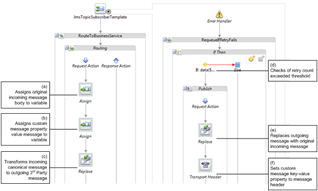
This article describes the design of a reliable messaging solution for SOA integration projects. It uses concepts like canonical schemas, durable POJO (Plain Old Java Object) messages, publish-subscribe and error handling within the Oracle SOA, Oracle Service Bus and WebLogic JMS infrastructure.

The JMS Message

For consistency, the type of message we are publishing will be based on a canonical schema. Typically, you would have a JDeveloper project that stores the canonical schemas used by all your custom applications. These schemas could be version-controlled, e.g. by Subversion, as well as deployed to MDS as a SOA bundle. Sample JDeveloper project containing canonical schemas shown below.

In this article, we will use the employeeWorkSchedule schema as our message type.

Publishing JMS message from ADF Java application

We publish our message to JMS from ADF applications. To simplify the process of using Java to construct message objects based on our XSD canonical schema, we use the JAXB (Java Architecture for XML Binding) tool from JDeveloper.

As shown in Figure 2a below, select the XSD file, right-click and select “Generate JAXB 2.0 Content Model”. Read the complete article here.

SOA & BPM Partner Community

For regular information on Oracle SOA Suite become a member in the SOA & BPM Partner Community for registration please visit www.oracle.com/goto/emea/soa (OPN account required) If you need support with your account please contact the Oracle Partner Business Center.

Blog Twitter LinkedIn image[7][2][2][2] Facebook clip_image002[8][4][2][2][2] Wiki

Free PaaS trial services & certification for Oracle Partners!

Dear Integration Experts

As an Oracle Partner Network Gold member or higher we would like to offer you:

  • free ICS trail services
  • free ICS certification
      once you become a member (free of charge) in the

SOA Partner Community

    .

As a community member you receive also our monthly updates with the latest PaaS information including sales &  marketing kits, product updates and trainings. Please first login at Oracle Partner Network and then visit SOA Partner Community. If you have any questions please contact the Oracle Partner Business Center.

SOA & BPM Partner Community

For regular information on Oracle SOA Suite become a member in the SOA & BPM Partner Community for registration please visit www.oracle.com/goto/emea/soa (OPN account required) If you need support with your account please contact the Oracle Partner Business Center.

Blog Twitter LinkedIn image[7][2][2][2] Facebook clip_image002[8][4][2][2][2] Wiki

Technorati Tags: SOA Community,Oracle SOA,Oracle BPM,OPN,Jürgen Kress
Submit your Paper for Oracle Code


Thank you for your interest in submitting a session for Oracle Code 2017. If you have already submitted a session for consideration and want to have it considered for additional cities, send an email to speaker-services_ww@oracle.com with the confirmation number of the submission and the requested cities.

Have your abstract ready for upload prior to starting the submission process. A proposal cannot be edited once it has been submitted. If you need to reference information on the Call for Papers, click here. This site includes general information as well as key dates. Submit your proposal here. For additional call for papers visit our community wiki here.

image

SOA & BPM Partner Community

For regular information on Oracle SOA Suite become a member in the SOA & BPM Partner Community for registration please visit www.oracle.com/goto/emea/soa (OPN account required) If you need support with your account please contact the Oracle Partner Business Center.

Blog Twitter LinkedIn image[7][2][2][2] Facebook clip_image002[8][4][2][2][2] Wiki

My private Corner – Happy New Year!

image

What will bring the New Year? New features for existing cloud services, or brand new cloud services like OSSA or API CS? As part of the community we will keep you updated, make sure you read this monthly newsletter, watch the monthly YouTube video and attend the monthly community webcast. Hope to see you all at the PaaS Partner Community Forum 2017! #jkwc

Jürgen Kress

SOA & BPM Partner Community

For regular information on Oracle SOA Suite become a member in the SOA & BPM Partner Community for registration please visit www.oracle.com/goto/emea/soa (OPN account required) If you need support with your account please contact the Oracle Partner Business Center.

Blog Twitter LinkedIn image[7][2][2][2] Facebook clip_image002[8][4][2][2][2] Wiki

WS-Addressing callback interception using Service Bus by Jeroen Ninck

 clip_image002

Maarten Smeets posted a nice article describing asynchronous interaction in BPEL and BPM using WS-Addressing and correlation sets. I wanted to use Service Bus 12c to force the callback to go through a Service Bus proxy instead of going directly to the consumer. This can be useful when the target service should not have the ability to call services outsite of its trusted domain or network.

All sources can be found in my GitHub repository.

WS-Addressing

WS-Addressing provides a way for message routing and correlation using SOAP headers. It is an official specification. Service Bus, SOA Suite, JAX-WS and quite a lot of other frameworks and tools support it one way or the other. There are two versions of WS-Addressing: 200508 and 200408.

In an synchronous interaction the following headers are important:

  • Request:
    • ReplyTo
    • MessageId
  • Callback:
    • RelatesTo

In the request the ReplyTo specifies the address where the reply must be send to (or http://www.w3.org/2005/08/addressing/anonymous if no reply address is specified). The MessageId headers contains a unique id which can be used to to correlate the request to a future callback. In the callback the RelatesTo header contains the original MessageId. There are others headers for example Action which are important, but for creating an asynchronous interaction ReplyTo, MessageId and RelatesTo are all that are required.

SOA Suite 11g and 12c support WS-Addressing (don’t mention SOA Suite 10g…) and provide out of the box correlation support. Using BPEL no code is required to use WS-Addressing for correlation (both as consumer and as producer).

Test scenario

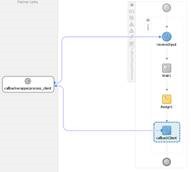
A SOA composite will implement an asynchronous webservice (a fire & forget request followed by a future fire & forget callback). It will be exposed using a Service Bus project which will ‘hide’ the implementation for the outside world. For example the SOA composite might be running in a local domain, while the Service Bus project migt be running in a SOA CS cloud instance. This will allow to SOA composite to only receive traffic from ‘trusted’ networks and the Service Bus will handle all security.

This will be the test setup, where SoapUI will play the external consumer: Read the complete article here.

SOA & BPM Partner Community

For regular information on Oracle SOA Suite become a member in the SOA & BPM Partner Community for registration please visit www.oracle.com/goto/emea/soa (OPN account required) If you need support with your account please contact the Oracle Partner Business Center.

Blog Twitter LinkedIn image[7][2][2][2] Facebook clip_image002[8][4][2][2][2] Wiki