Deploying to the SOA Cloud Service by Greg Draheim Overview
May 21, 2016 Leave a comment
 On Monday night we obtained access to the SOA Cloud Service here at Flexagon, where we hope to use it for on-demand capacity. One of our goals with FlexDeploy is to make it easy to move components from one environment or instance to another, enabling a true “lift-and-shift” into the cloud. Since the SOA Cloud Service is built on top of the same underlying Oracle infrastructure, configuring it as a FlexDeploy target is a breeze.
In this blog article, I will cover how to deploy a set of projects that are currently used on-premise into this new SOA Cloud Service.
Adding a SOA Cloud instance to FlexDeploy
To deploy our composites we had a few steps to complete:
· Added the required datasource and outbound connection pool entries
· Created the SOA partition we deploy to (“order”)
· Created customization and configuration plans for the new environment
· Added the new endpoint and instance to FlexDeploy
· Deployed the composites and OSB components into the SOA Cloud Service instance
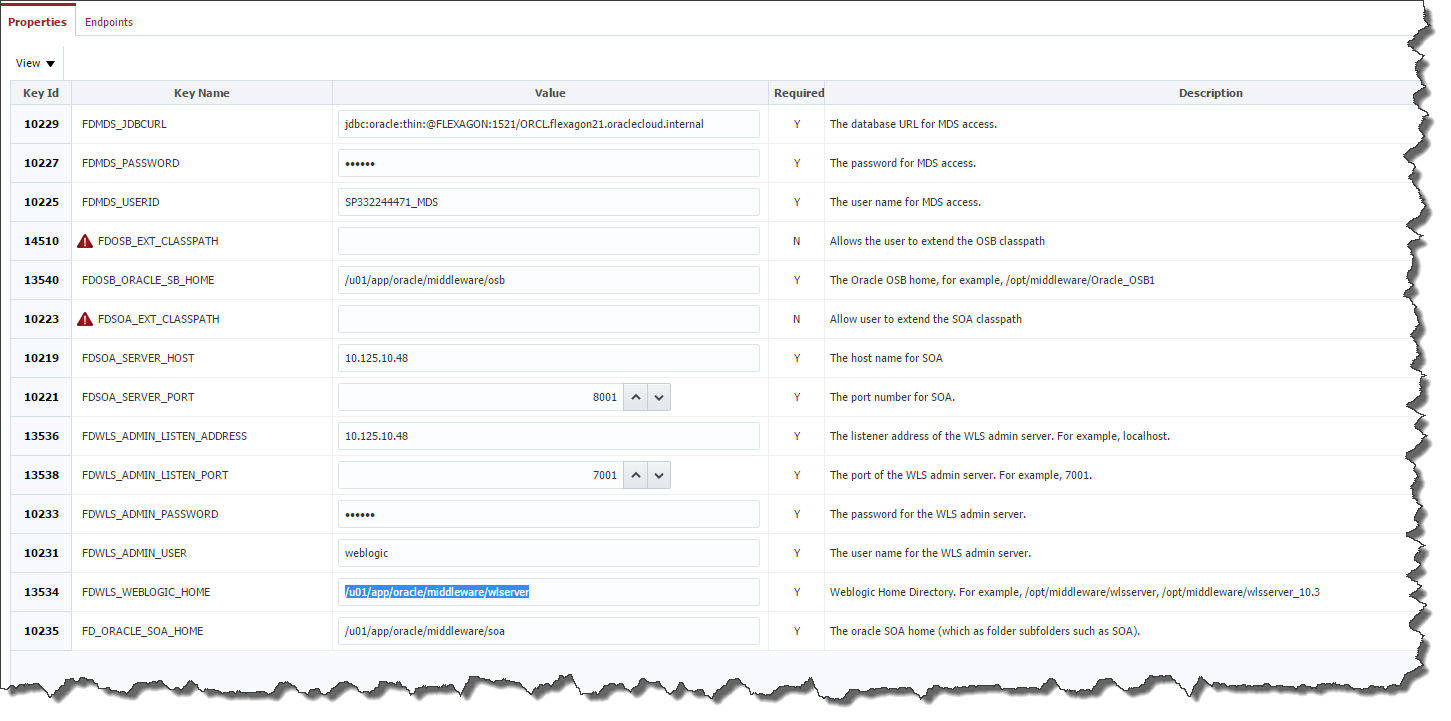
The screen below is the configuration screen for the SOA Cloud instance in FlexDeploy. This one configuration page handles the instance specific configuration.
Click image to enlarge.
As an interesting note, the instance of FlexDeploy above is running on the Java Cloud Service.
Executing the Deploy
I have a FlexDeploy application that contains 5 projects I plan to deploy:
· PackAndShipService (SOA Composite)
· ProcessOrder (SOA Composite)
· SBOrderEBS (OSB Project)
Read the complete article here.
For regular information on Oracle SOA Suite become a member in the SOA & BPM Partner Community for registration please visit www.oracle.com/goto/emea/soa (OPN account required) If you need support with your account please contact the Oracle Partner Business Center.
 Blog
Blog  Twitter
  LinkedIn
 ![image[7][2][2][2]](https://paascommunity.com/wp-content/uploads/2013/04/image7222.png?w=20&h=20 "image[7][2][2][2]") Facebook
Facebook ![clip_image002[8][4][2][2][2]](https://paascommunity.com/wp-content/uploads/2013/04/clip_image00284222.jpg?w=26&h=23 "clip_image002[8][4][2][2][2]") Wiki
Wiki


 PaaS Community Blog