Jump-Start your Oracle SOA Projects in FlexDeploy by Dan Reynebeau
May 5, 2018 Leave a comment
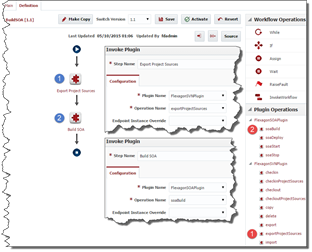
In an effort to simplify the population of existing composites on a server into FlexDeploy projects, we have provided a utility to extract composites from a SOA server into a comma delimited file. This file can then be the basis for a spreadsheet that can be loaded directly into FlexDeploy, through the use of templates, and all of the composite projects can be created in seconds. I will talk about templates in another blog post.
The composite extraction from a SOA server can be done with the attached zip file (extractComposites). There are three components in the zip file:
- Property file that contains the userName, password, hostName and hostPort for the targeted SOA server
- #Weblogic server username and password
- server.user=weblogic
- server.password=welcome1
- #server.host=
- server.host=soalt06.flexagon
- #server.port=
- server.port=8001
- CompositeMgmt.jar that contains the code that interrogates the targeted server
- ExtractComposites.sh that contains the script that manages the jvm and classpath
Read the complete article here.
For regular information on business process management and integration become a member in the SOA & BPM Partner Community for registration please visit www.oracle.com/goto/emea/soa (OPN account required) If you need support with your account please contact the Oracle Partner Business Center.
 Blog
Blog  Twitter
  LinkedIn
 ![image[7][2][2][2]](https://paascommunity.com/wp-content/uploads/2013/04/image7222.png?w=20&h=20 "image[7][2][2][2]") Facebook
Facebook ![clip_image002[8][4][2][2][2]](https://paascommunity.com/wp-content/uploads/2013/04/clip_image00284222.jpg?w=26&h=23 "clip_image002[8][4][2][2][2]") Wiki
Wiki
Technorati Tags: SOA Community,Oracle SOA,Oracle BPM,OPN,Jürgen Kress
 About Jürgen Kress


