Getting Started with Oracle Process Cloud Service by Andreas Chatziantoniou

image

Coming from a Business Process Management (BPM) environment, the Oracle Process Cloud Service (PCS) certainly looks and feels different, and has a number of merits that might go unnoticed. This article shows how to discover the potential of PCS and put it to good use in your projects.

The World We Live In

For a number of years, budgets   having been moving away from IT departments and into the business organization.   This has led to a situation in which we encounter "citizen developers," typical business users who (at least in theory) write their own application.

Because many services now reside in the cloud, these citizen developers can start right away and do not need to wait weeks for the IT department to provision the systems. These cloud services are immediately accessible and provide an easy-to-use development environment for the quick release of small business applications.

So let’s have a look how a citizen developer might use PCS.

The Interface

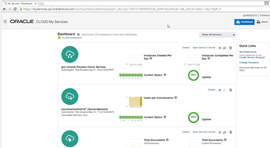
As with all Oracle Cloud Services, you will see a somewhat technical dashboard when first logging in to your domain. This is definitely aimed for developers and cloud administrators.

For somebody who has dealt with the typical Oracle Enterprise Manager Cloud Control, this certainly looks very dressed down. Remember that we are not — I repeat: NOT — managing the environment, which is in the cloud. What you see here is all you need to see — uptime and the number of instances/conversations/documents, etc.– that make up your cloud service. Read the complete article here.

SOA & BPM Partner Community

For regular information on Oracle SOA Suite become a member in the SOA & BPM Partner Community for registration please visit www.oracle.com/goto/emea/soa (OPN account required) If you need support with your account please contact the Oracle Partner Business Center.

Blog Twitter LinkedIn image[7][2][2][2] Facebook clip_image002[8][4][2][2][2] Wiki

Technorati Tags: SOA Community,Oracle SOA,Oracle BPM,OPN,Jürgen Kress

Process Cloud Service: New Features by Antonis Antoniou

image 

Introduction

Oracle Process Cloud Service (PCS) started a year ago as a lightweight process automation cloud tool that very quickly picked up momentum, adoption and technical capabilities. With Oracle adopting a cloud-first release approach, PCS quickly closed the gap with Oracle BPM Suite, with the majority of the on-premise features being ported to the cloud counterpart.

Released in September 2016, Oracle PCS  v.16.3.5 introduced some new features and enhancements to existing capabilities for all personas (Developer, Administrator, End User).

This article explores these new features and enhancements in detail and assumes prior basic knowledge of Oracle PCS.

New Forms Editor

The latest release introduced an entirely new web forms functionality called Web Forms, an alternative to its existing Frevvo web forms (renamed "Basic Forms"). The new Web Forms functionality is more business-user-friendly, promoting important development principles like multiple views, re-use, branding, list of values, and fetching data using REST connections.

The new Web Forms groups its functionality into three areas; the left area includes the Properties and Data sections, the right area includes the palettes (basic, advanced, forms and business types), and the main area is the drawing canvas.

Using drag-and-drop, you can design your form using any components from all four palettes.

  • Basic Palette: Basic components like the input text, button, checklist, radio button, date, etc.,
  • Advanced Palette: Includes components like image, video, section, tab, table, etc.
  • Forms Palette: Re-use previously created forms
  • Business Type Palette: Create a user interface using a "data-first" approach (Oracle PCS will automatically create a form using the data definitions of the business type)

Enabling Auto Binding will automatically create linked data attributes for each component you drag on your canvas under the Data section. You can also follow a Manual Binding approach, in which you manually create attributes (either simple or based on a business object) and then bind controls to them. Read the complete article here.

SOA & BPM Partner Community

For regular information on Oracle SOA Suite become a member in the SOA & BPM Partner Community for registration please visit www.oracle.com/goto/emea/soa (OPN account required) If you need support with your account please contact the Oracle Partner Business Center.

Blog Twitter LinkedIn image[7][2][2][2] Facebook clip_image002[8][4][2][2][2] Wiki

Technorati Tags: SOA Community,Oracle SOA,Oracle BPM,OPN,Jürgen Kress

PaaS Summer Camp training material

image

The training material from the PaaS Summer Camps 2017 is available at our community workspaces (membership required):

· Integration API training 08.2017

· PCS Bootcamp 08.2017

· Integrate & extend SaaS Bootcamp 08.2017

· AppDev Bootcamp 08.2017

· Content Cloud Service training 08.2017

· Management Cloud Service Bootcamp 08.2017

· Chatboot Bootcamp 08.2017

· Virtual Builder Cloud Service Bootcamp 2017

Free PaaS trial services are available via Demo.Oracle.com. Questions? Send us a message via Facebook here.

SOA & BPM Partner Community

For regular information on Oracle SOA Suite become a member in the SOA & BPM Partner Community for registration please visit www.oracle.com/goto/emea/soa (OPN account required) If you need support with your account please contact the Oracle Partner Business Center.

Blog Twitter LinkedIn image[7][2][2][2] Facebook clip_image002[8][4][2][2][2] Wiki

Technorati Tags: SOA Community,Oracle SOA,Oracle BPM,OPN,Jürgen Kress

The next Big Things in PaaS – full house at Amit Zavery’s PaaS Oracle OpenWorld keynote

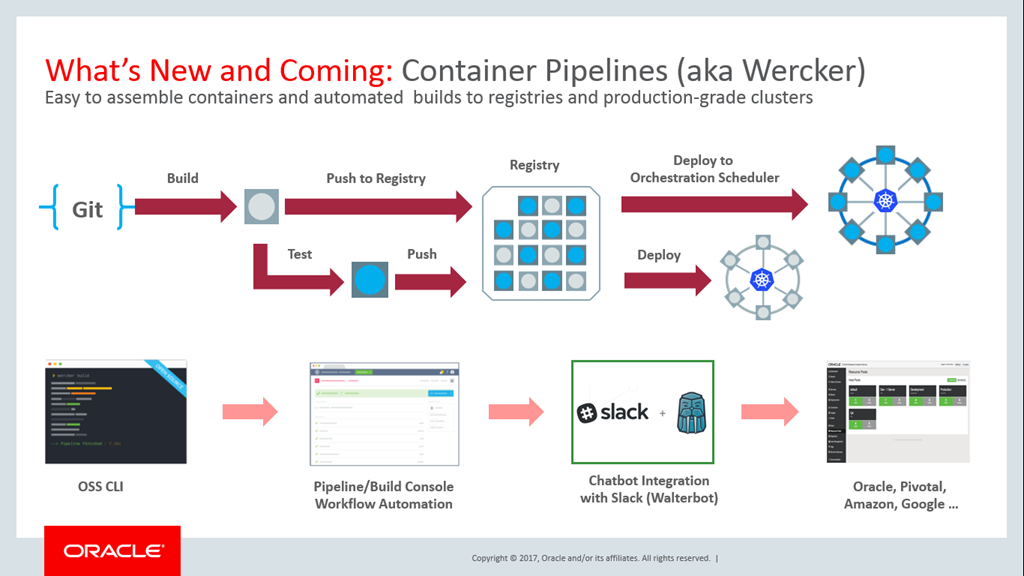
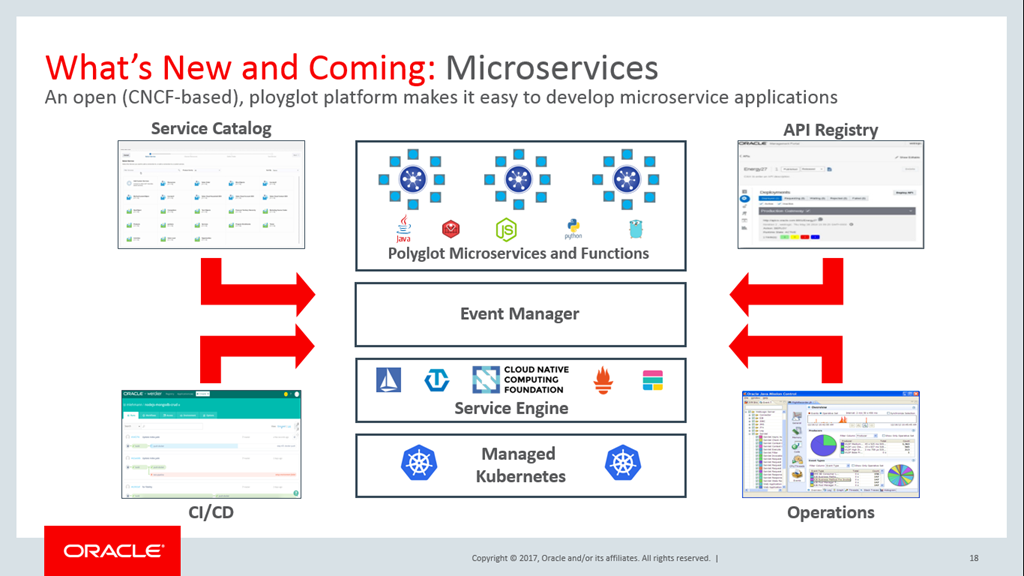
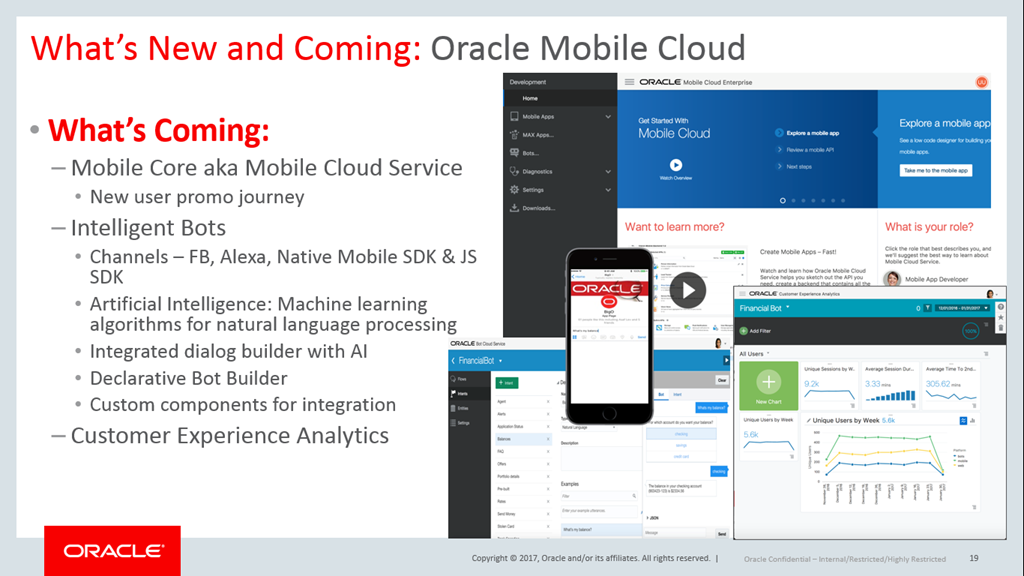
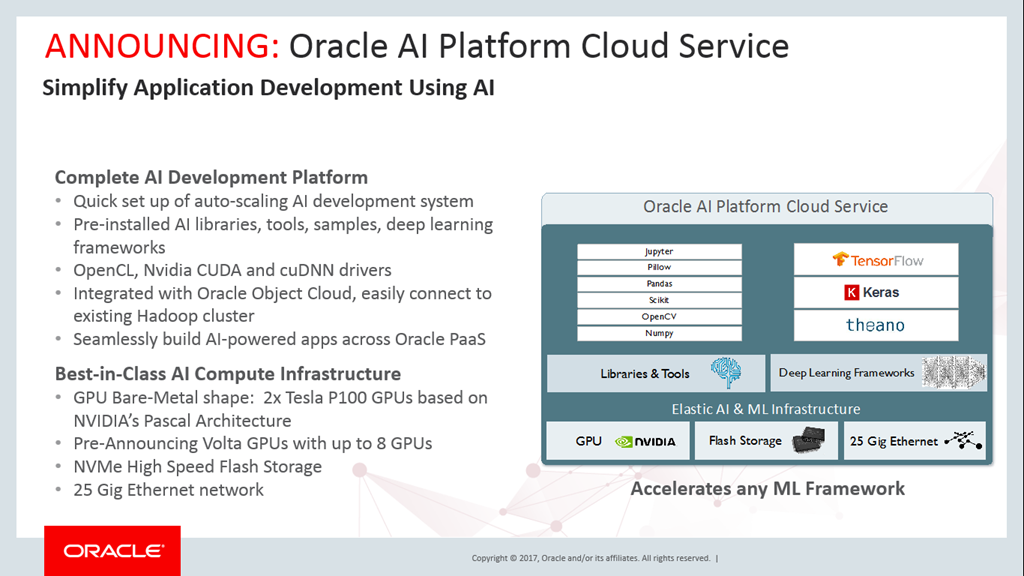
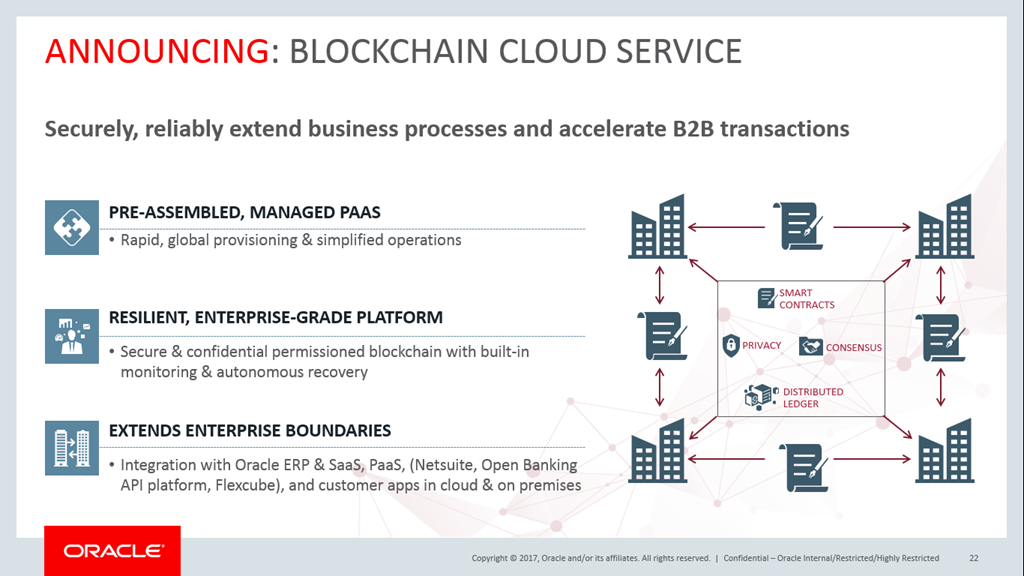
imageDuring his keynote Amit Zavery and the PaaS team launched a series of new services and cloud capabilities including an AI platform, serverless functions and blockchain. The line to enter the session was long and the Yerba Buena Center was fully packed.

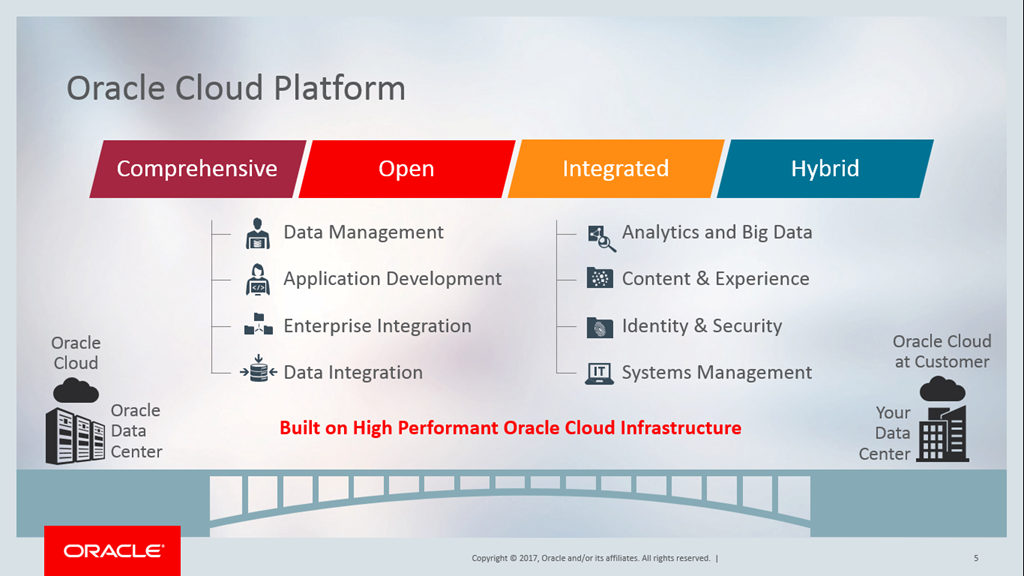
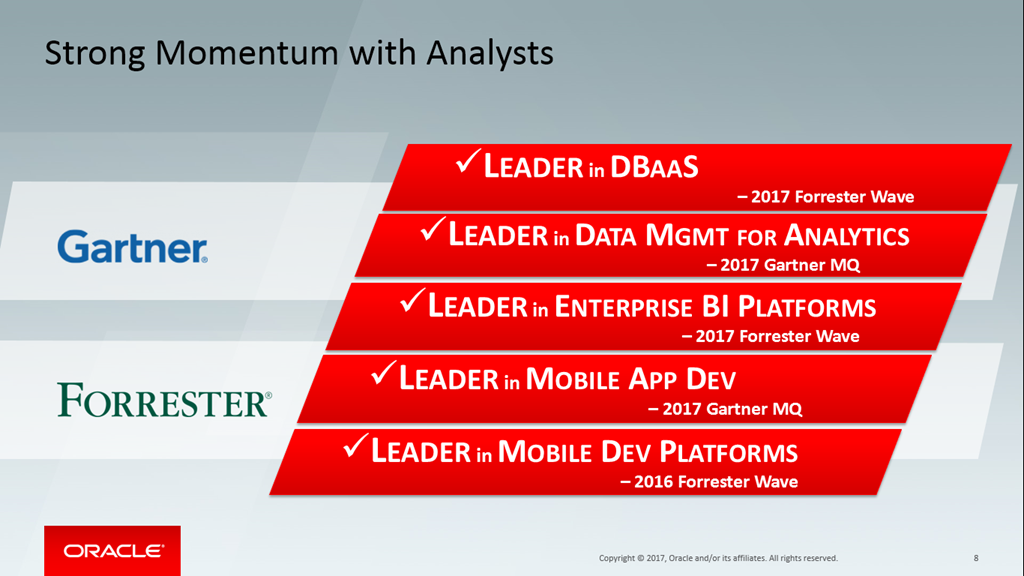
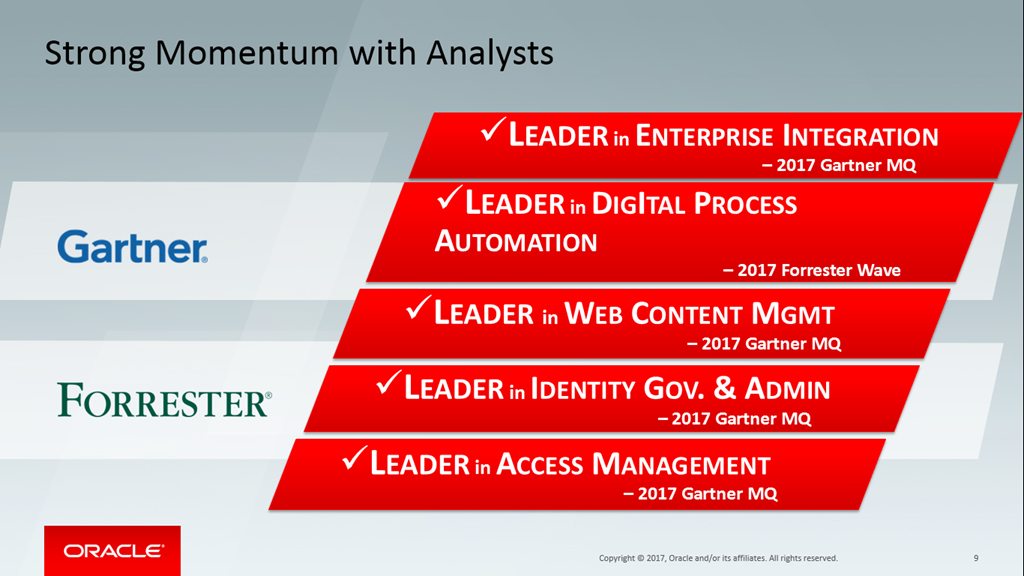
The comprehensive, open and integration Oracle Cloud Platform drives innovation for our joint customers. Thanks to the partner community adaption is growing rapidly with more than 14.000 customers. Analyst recognize the platform as a leader in 19 categories.

image

image

imageimage

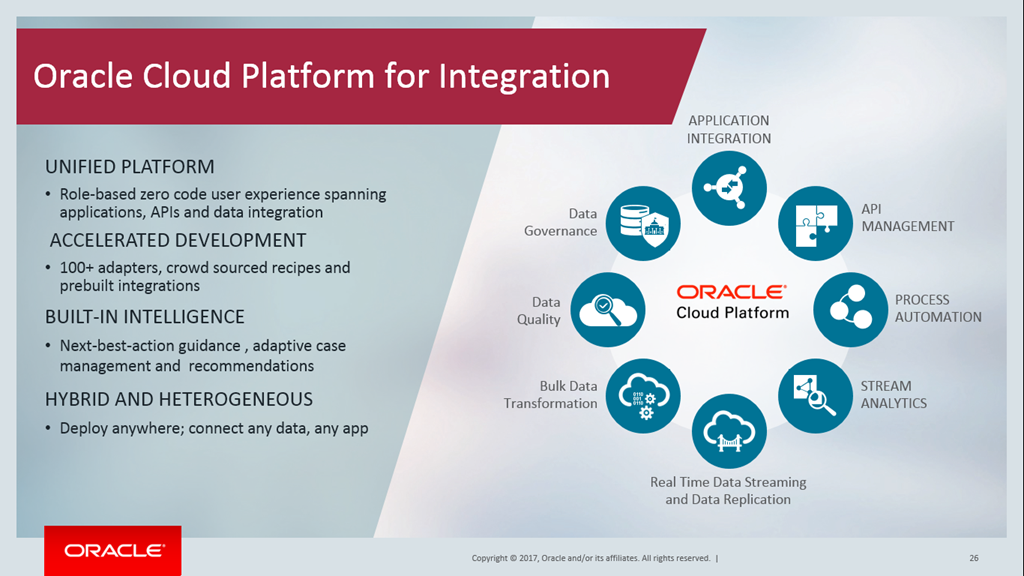
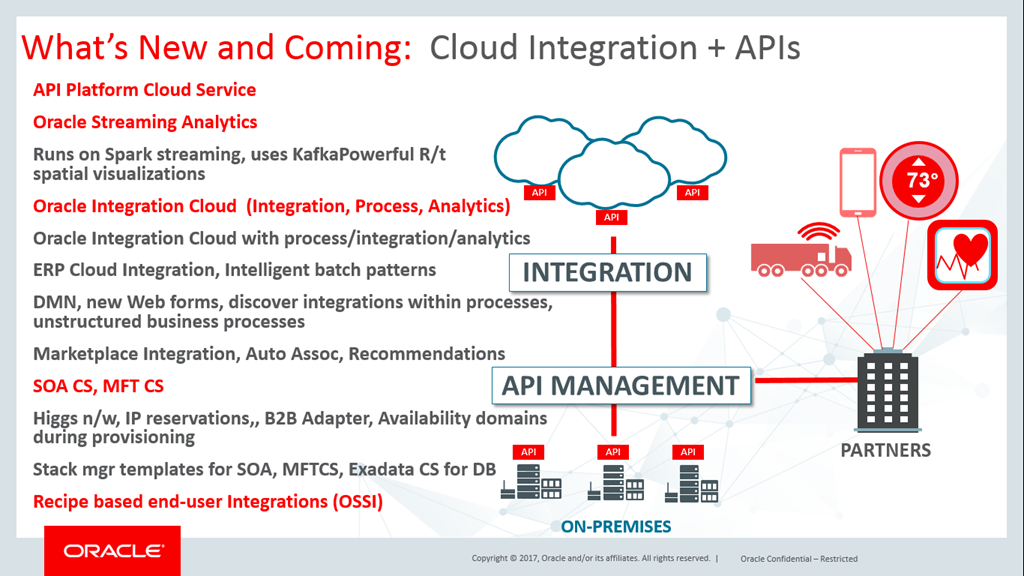
Here are the key announcements by service category:

Application Development

imageimage

imageimage

imageimage

imageimage

imageimage

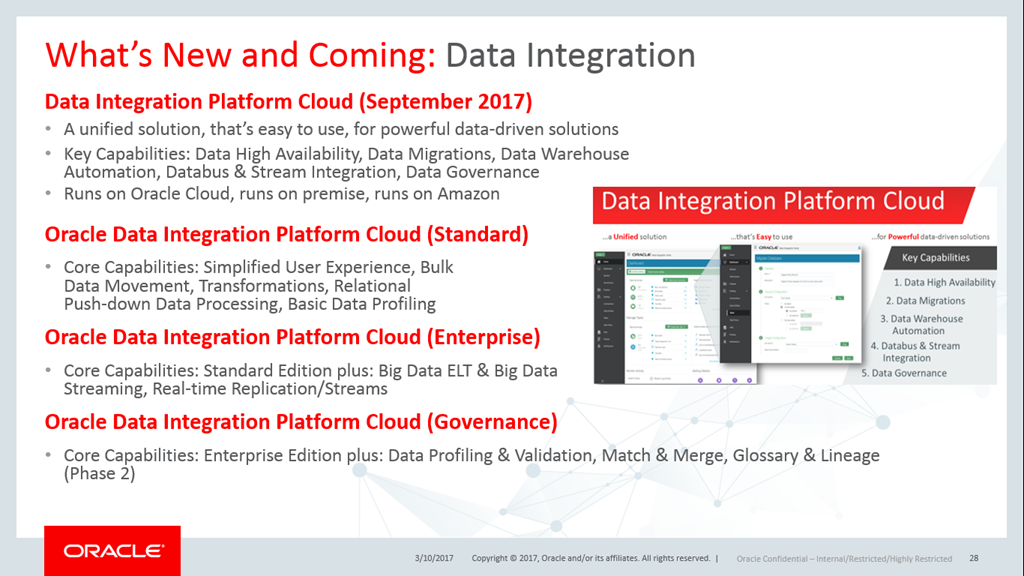
Integration

image

imageimage

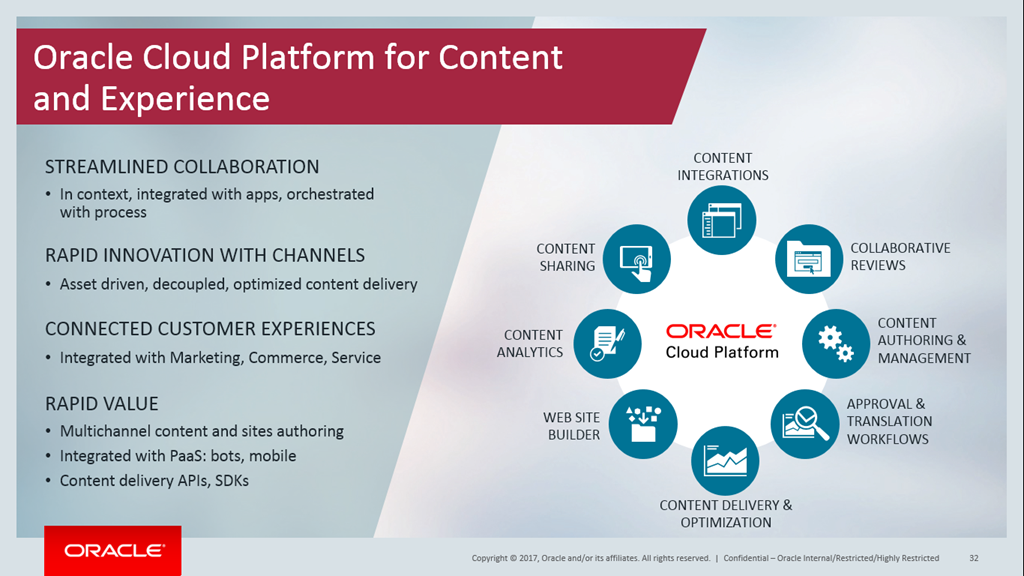
Content and Experience

imageimage

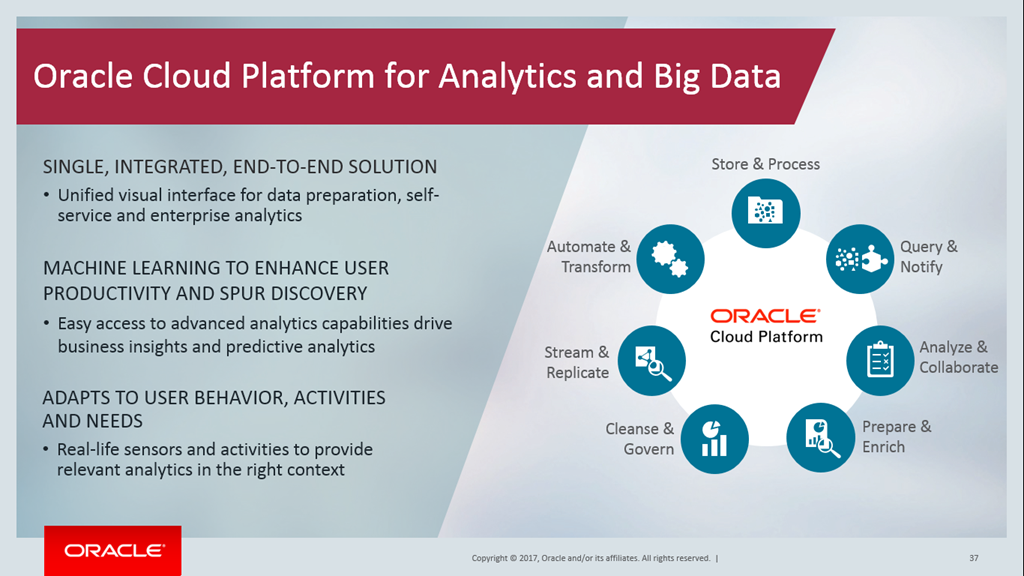
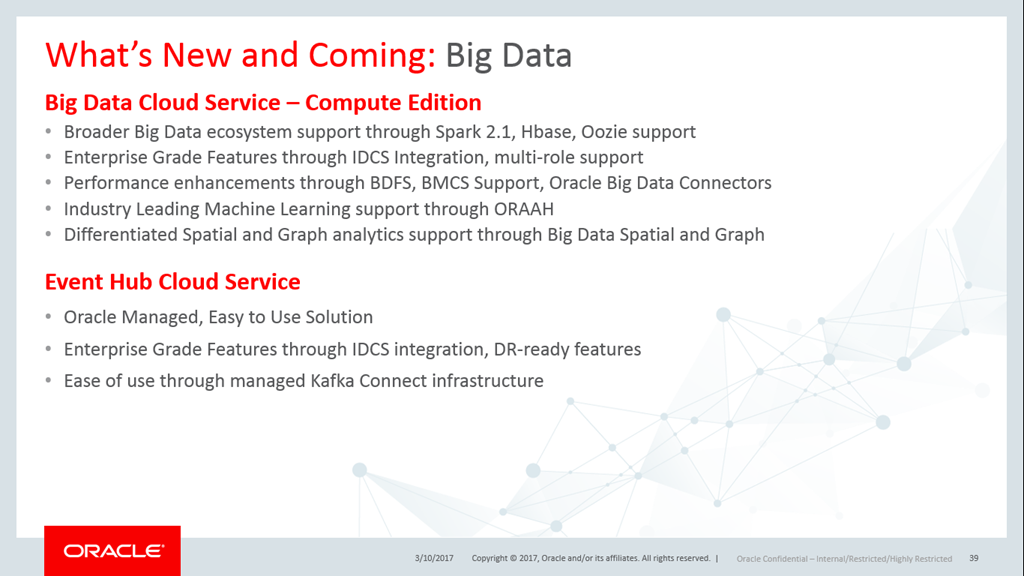
Analytics and Big Data

image

imageimage

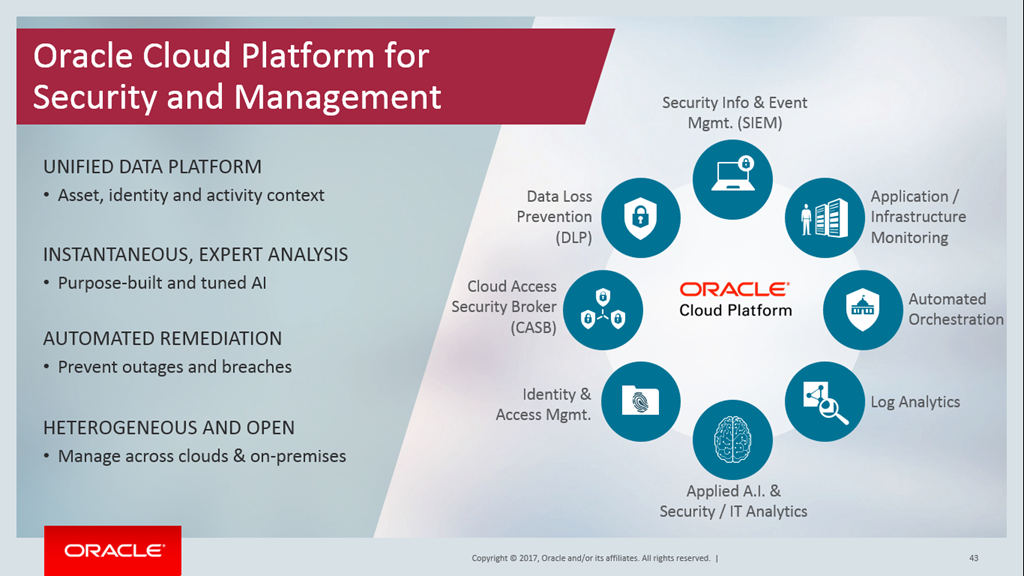
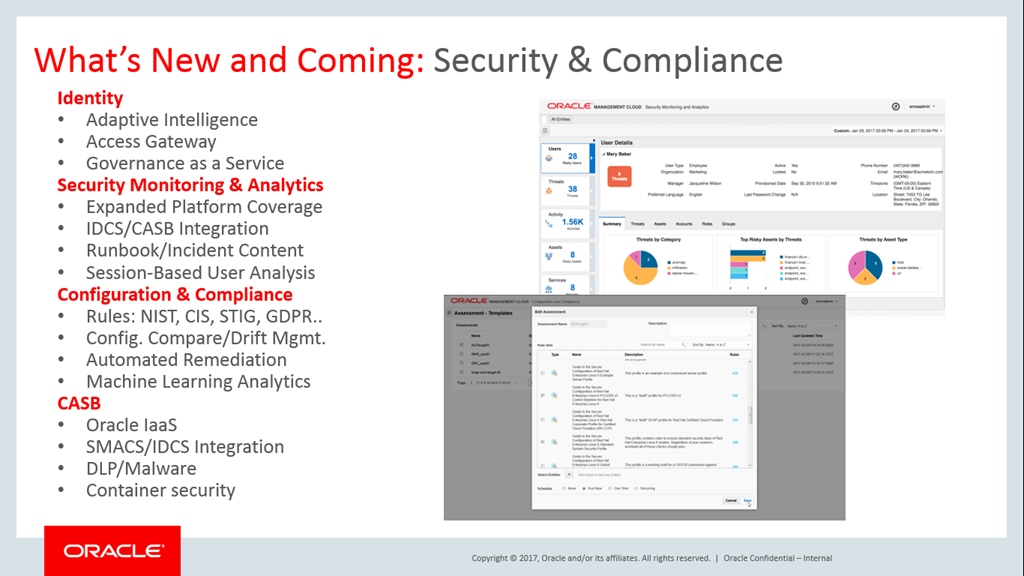
Security and Management

image

imageimage

imageimage

For more information watch the on-demand webcast here.

For PaaS Partner activities at Oracle OpenWorld 2017 read the blog post here.

SOA & BPM Partner Community

For regular information on Oracle SOA Suite become a member in the SOA & BPM Partner Community for registration please visit www.oracle.com/goto/emea/soa (OPN account required) If you need support with your account please contact the Oracle Partner Business Center.

Blog Twitter LinkedIn image[7][2][2][2] Facebook clip_image002[8][4][2][2][2] Wiki

Technorati Tags: SOA Community,Oracle SOA,Oracle BPM,OPN,Jürgen Kress
What’s New for Oracle Process Cloud Service 17.3.3

image

Integration Cloud Service

REST is now supported for Oracle Integration Cloud Service (ICS) integrations.

See Creating Integration Cloud Service Integrations in Using Oracle Process Cloud Service.

CORS support

Oracle Process Cloud Service’s REST APIs and embeddable process UI components support cross-origin resource sharing (CORS).

Web forms

In addition to significant performance improvements, the forms editor includes these enhancements:

· You can now allow users to select multiple rows of a table or repeatable section using the Multiple Selection check box. When this option is enabled to define dynamic behaviors or computed values, additional options are available in a Which? field to specify which values are retrieved. See Configuring Repeatable Sections and Configuring Tables in Using Oracle Process Cloud Service.

· Use new Split and Join text functions to either split a string into an array or join an array into a string. For example, split a series of numbers in a text field into a checklist, or fetch values of all rows within a table column and create a series. See Specifying Functions in Using Oracle Process Cloud Service.

· Payloads now sync. If multiple controls within a form are bound by the same data attribute, either directly or indirectly (through computed values or events), any change to the data attribute is immediately reflected in all associated controls. Repeatable sections or tables bound by the same data attribute are also in sync, where addition or deletion of rows in one control is automatically reflected in the other control.

· You can now set data values from events. When specifying actions for a presentation, use the new Set Data action to set the value of a particular data attribute used in the form. The value is added to the payload. When the event executes, all controls using this data attribute, either directly or indirectly, are updated with this value. See Working with Presentations in Using Oracle Process Cloud Service.

· When defining dynamic behaviors using the Select control, you can fetch the selected option name using the new Selected Label option under the Property field in the Event window. See Configuring Drop-down Select Fields in Using Oracle Process Cloud Service.

· When populating a form, if a field within a section or tab contains invalid data, a validation error is displayed for the field and the entire section or tab is marked invalid.

You can now determine when connector data loads into a control using the new Skip Upon Load option. For example, select this option to prevent connector data being populated into a control when the form loads. See Populating Controls Using REST Calls and Working with Presentations in Using Oracle Process Cloud Service.

Documents and Conversations

Oracle Documents Cloud Service’s name has changed. It’s now known as Oracle Content and Experience Cloud.

Learn More: Learn more about Oracle Process Cloud Service at https://cloud.oracle.com/process

Want to try Process Cloud Service? Please visit our Community wiki PaaS Demo Accounts (Community membership required). For more information please visit the PCS tag here. (Community membership required)

SOA & BPM Partner Community

For regular information on Oracle SOA Suite become a member in the SOA & BPM Partner Community for registration please visit www.oracle.com/goto/emea/soa (OPN account required) If you need support with your account please contact the Oracle Partner Business Center.

Blog Twitter LinkedIn image[7][2][2][2] Facebook clip_image002[8][4][2][2][2] Wiki

Technorati Tags: SOA Community,Oracle SOA,Oracle BPM,OPN,Jürgen Kress

Training on-demand: Oracle Business Process Management 12C October 2017 and November – December 2017

image

What you will learn

This boot camp is an ideal starting point for an implementer who is planning to learn Oracle BPM Suite 12c and use it on BPM projects. Learn to:

  • Use BPMN modeling notation to document business process
  • Simulate a process model to identify bottlenecks
  • Create business rules that condition flow through a model
  • Define key performance metrics

Build a dashboard containing charts that show key performance metrics

Registration

These events are offered FREE of charge to selected Oracle Partners.
Audience

  • Process Developers
  • Application Developers
  • Application Architects
  • SOA Architects
  • System Analysts
  • Technical Consultants

For details please visit the registration pages:

Training

Date

Registration

Business Process Management 12C

6 Nov – 1 Dec 17

Registration

Business Process Management 12C

11 Sept – 6 Oct 17

Registration

For additional local trainings please visit the community training calendar here (membership required).

SOA & BPM Partner Community

For regular information on Oracle SOA Suite become a member in the SOA & BPM Partner Community for registration please visit www.oracle.com/goto/emea/soa (OPN account required) If you need support with your account please contact the Oracle Partner Business Center.

Blog Twitter LinkedIn image[7][2][2][2] Facebook clip_image002[8][4][2][2][2] Wiki

Technorati Tags: SOA Community,Oracle SOA,Oracle BPM,OPN,Jürgen Kress
BPM 12.2.1 ADF Auto-Generation Issue Solutions by Dan Atwood

image

Others may disagree, but I am a fan of creating the first cut of ADF forms for Oracle BPM using the human task’s auto-generation feature.  While this worked well in previous releases, in both 12.2.1.1 and 12.2.1.2 small manual edits are now required to eliminate the errors on the generated form.

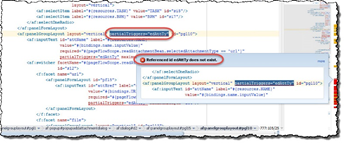
There are now two types of errors caused by 12.2.1 auto-generation – edAttTy errors and duplicate ID errors.

edAttTy Errors

The first type of error on the generated page causes "Referenced id edAttTy does not exist" errors throughout the form:

Although customer support document Doc ID 2192543.1 describes the issue, this describes how the forms can be fixed. 

1. In JDeveloper, click the Source tab at the lower left corner of the form that has the error.  Read the complete article here.

SOA & BPM Partner Community

For regular information on Oracle SOA Suite become a member in the SOA & BPM Partner Community for registration please visit www.oracle.com/goto/emea/soa (OPN account required) If you need support with your account please contact the Oracle Partner Business Center.

Blog Twitter LinkedIn image[7][2][2][2] Facebook clip_image002[8][4][2][2][2] Wiki

Technorati Tags: SOA Community,Oracle SOA,Oracle BPM,OPN,Jürgen Kress
Impact of ACM Implementation on BAM by Marcel van de Glind

image

Recently I did a POC with BAM 12c at the customer. In a series of post’s I will describe my findings/experiences.
This is the first post in the series.

As a starting point we have the following situation:

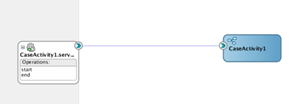
We have an ACM composite consisting of a case with associated BusinessRule component and different BPM processes implemented as Case Activities. See figure below.

This is one single composite application. This means that there are two objects for BAM (‘VeryHugeCase Activity’ and ‘VeryHugeCase Process’) generated in the ‘Process Analytics’ project. Read the complete article here.

SOA & BPM Partner Community

For regular information on Oracle SOA Suite become a member in the SOA & BPM Partner Community for registration please visit www.oracle.com/goto/emea/soa (OPN account required) If you need support with your account please contact the Oracle Partner Business Center.

Blog Twitter LinkedIn image[7][2][2][2] Facebook clip_image002[8][4][2][2][2] Wiki

Technorati Tags: SOA Community,Oracle SOA,Oracle BPM,OPN,Jürgen Kress

Invoking ACM from a Web Service by Aaron Dolan

image

Invoking Oracle ACM from a web service call is not difficult but unfortunately is also not well documented.  I know … you’re shocked.

To explain this as simply as possible, let’s use a Loan Origination process as a prototypical ACM example to review the high-level steps.

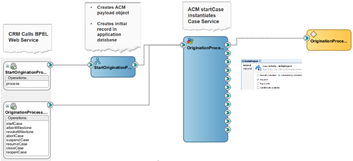
In this 11g process example, we’re invoking ACM from a CRM system via a web service call.  The web service will invoke a BPEL process which does the following:

  • Creates the initial record in the application database
  • Creates the ACM payload object
  • Invokes the ACM startCase service

When you first see the request schema for the ACM startCase service, it can be intimidating because of its size.  The good news is that the vast majority of this schema is entirely optional.

The unfortunate thing is that a few of the optional elements actually are NOT optional.  The following is what you really need:

The caseHeader element only requires one child element, the ecmFolder, which must as least be present — even if it is empty (as shown in this example). Read the complete article here.

SOA & BPM Partner Community

For regular information on Oracle SOA Suite become a member in the SOA & BPM Partner Community for registration please visit www.oracle.com/goto/emea/soa (OPN account required) If you need support with your account please contact the Oracle Partner Business Center.

Blog Twitter LinkedIn image[7][2][2][2] Facebook clip_image002[8][4][2][2][2] Wiki

Technorati Tags: SOA Community,Oracle SOA,Oracle BPM,OPN,Jürgen Kress

Integration Cloud Service Integration in Process Cloud Service by Antonis Antoniou

image

A new integration connector has been introduced with the latest release of Oracle Process Cloud Service that enables Oracle Process Cloud Service applications to communicate directly with Oracle Integration Cloud Service.
This is a very important "architectural" feature since it encourages a solution topology that includes a virtualization layer, an integral "ingredient" in integrations to avoid point-to-point connections through decoupling and abstraction.
So let’s see how you can use the "ICS Connector" to connect to ICS and consume a SOAP endpoint.
The use case that I will use in this blog post is quite simple; I will call a "Hello World" ICS Service from an Oracle Process Cloud Service process utilizing the "ICS Connector".
I’ve already created "Hello World" synchronous SOA composite. The implementation is very simple. I’m just using an assign component with the "concat" function to assign a static text ("Hello ") and the input to the output element of my "Hello World" service.

My "Hello World" SOA service is deployed to Oracle SOA Cloud Service (SOA CS).

Moreover I’ve already virtualized the above service on Oracle Integration Cloud Service (ICS) by first creating a SOAP connection to my SOA CS service and then creating a basic map data integration that uses the SOAP connection as a trigger and an invoker, creating a basic data mapper for both request and response messages. Read the complete article here.

SOA & BPM Partner Community

For regular information on Oracle SOA Suite become a member in the SOA & BPM Partner Community for registration please visit www.oracle.com/goto/emea/soa (OPN account required) If you need support with your account please contact the Oracle Partner Business Center.

Blog Twitter LinkedIn image[7][2][2][2] Facebook clip_image002[8][4][2][2][2] Wiki