Another blockchain: installing Ethereum on Oracle Cloud by Lonneke Dikmans

image

After installing MultiChain on Oracle Compute Cloud, and playing around with HyperLedger on the Oracle Blockchain Cloud service, I now ran into a case where Ethereum was used.
This blog post describes how I installed a Ethereum node on Oracle Cloud Infrastructure.

Prerequisites
  • An account on Oracle Cloud with Administrator rights
  • You have generated an ssh key-pair
  • You are logged in to your cloud account
Create Compartment

Create a compartment with the name Ethereum to separate this from your other infrastructure. You can find this under "Identity".

Create a Virtual Cloud Network
  1. Navigate to Virtual Cloud Network, by selecting Network from the Menu
  2. Select the compartment you just created
  3. Click "Create Virtual Cloud Network"
  • The compartment will default to the compartment you just selected
  • Name: ethereum-network
  • select "Create Virtual Cloud Network plus related resources" to quickly get up and running
  • Click "Create"

A dialog is displayed that shows you what has been created, after a few seconds.

Create compute nodes

For this example I will create 3 nodes on 3 separate VMs. Read the complete article here.


PaaS Partner Community

For regular information on Oracle PaaS become a member in the SOA & BPM Partner Community for registration please visit www.oracle.com/goto/emea/soa (OPN account required) If you need support with your account please contact the Oracle Partner Business Center.

clip_image003 Blog clip_image005 Twitter clip_image004 LinkedIn image[7][2][2][2] Facebook clip_image002[8][4][2][2][2] Wiki

Technorati Tags: SOA Community,Oracle SOA,Oracle BPM,OPN,Jürgen Kress
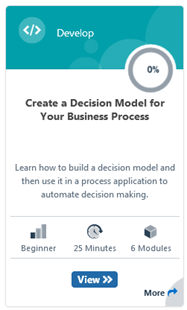
Create a Decision Model for Your Business Process free online training

image

In business, decisions are everywhere. Should this loan application or document change be approved? Should emergency vehicles be dispatched to this incident? How many bonus shopping points is this shopping cart worth?

· Have you ever left your house and wished you were better prepared for the weather?

In this learning path, you’ll build a decision model that makes the decision for you. You’ll create a simple process application that asks you to input the current temperature and the chance of rain. Based on the forecast, the application decides whether you should bring:

· An umbrella, for warm and rainy weather

· A raincoat, for cold and rainy weather

· An overcoat, for cold and dry weather

· Nothing, for warm and dry weather

· Attend the training here.

PaaS Partner Community

For regular information on Oracle PaaS become a member in the SOA & BPM Partner Community for registration please visit www.oracle.com/goto/emea/soa (OPN account required) If you need support with your account please contact the Oracle Partner Business Center.

clip_image003 Blog clip_image005 Twitter clip_image004 LinkedIn image[7][2][2][2] Facebook clip_image002[8][4][2][2][2] Wiki

Technorati Tags: SOA Community,Oracle SOA,Oracle BPM,OPN,Jürgen Kress
Oracle Dynamic Process Calling Structured Process Caveat by Jan Kettenis

image

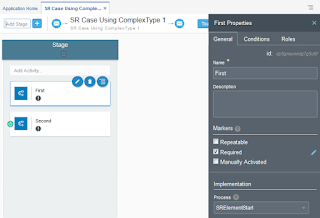
When implementing a Dynamic Process, there currently are three options to implement a case activity: Human Task, Service (or Integration), and Process. At least up to version 18.4.5.0.0 there is limitation when defining the interface in case of a Process Activity making that you cannot use a Business Type which is based on an XSD element, which on its turn in based on a complexType. The below describes the problem you will run into, and a suggestion of how to work-around this.

When developing XSD’s for web services you may have developed the practice of defining a complexType with an element based on that complexType, for example as in the below XSD. Reason could be that you developed with the (on-premise) SOA or BPM Suite and found this to give the best flexibility, especially when integrating with Oracle Business Rules. Read the complete article here.


PaaS Partner Community

For regular information on Oracle PaaS become a member in the SOA & BPM Partner Community for registration please visit www.oracle.com/goto/emea/soa (OPN account required) If you need support with your account please contact the Oracle Partner Business Center.

clip_image003 Blog clip_image005 Twitter clip_image004 LinkedIn image[7][2][2][2] Facebook clip_image002[8][4][2][2][2] Wiki

Technorati Tags: SOA Community,Oracle SOA,Oracle BPM,OPN,Jürgen Kress

FlexDeploy Loves OIC: Manage Integrations with Connections by Dan Reynebeau

image 

Oracle Integration Cloud (OIC) provides the ability to develop an integration in the cloud.  The integration can connect cloud and/or on-premise applications, however, these integrations are maintained directly in the cloud and not in any Source Code Management (SCM) system.  Deploying an integration from one OIC instance to another OIC instance is a manual process. It requires exporting an integration from one instance and importing that integration into the next instance.  In addition, the associated connections must be sync’d between instances.  Due to the manual nature of managing the integrations, there is very limited delivery lifecycle management.

FlexDeploy provides build, deploy, release automation and delivery lifecycle management to eliminate the manual deployment process and easily show what integration version is in which environment.  In this blog, we will show how to configure FlexDeploy to

  • communicate with an OIC instance
  • export/import an integration
  • manage the associated connections in a single operation to simplify the integration deployment
FlexDeploy Configuration

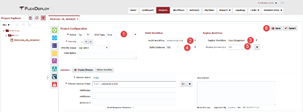
The configuration starts with the creation of several topology components such as environments, instances and endpoints.  I won’t cover the creation of these components however each of the links will provide the user guide pages for each component.  Once the topology components are created and associated with each other, the environment/instances will be created on the topology overview and allow configuration of each environment/instance combination.  This will be the main configuration to be able to communicate with the OIC instance.  Select Topology->Topology Overview.  The page will show a colored circle per environment with red meaning not configured to green meaning fully configured. Read the complete article here.

PaaS Partner Community

For regular information on Oracle PaaS become a member in the SOA & BPM Partner Community for registration please visit www.oracle.com/goto/emea/soa (OPN account required) If you need support with your account please contact the Oracle Partner Business Center.

clip_image003 Blog clip_image005 Twitter clip_image004 LinkedIn image[7][2][2][2] Facebook clip_image002[8][4][2][2][2] Wiki

Technorati Tags: SOA Community,Oracle SOA,Oracle BPM,OPN,Jürgen Kress

Redaction policy in Oracle API Cloud Service by Ankur Jain

image

Oracle API CS offers an inbuilt feature to limit or remove the certain fields and headers which is the part of request and response payload. This policy is called Redaction policy. The policy can be used in both request and response pipeline.

In the request pipeline, headers, queries and payload content can be controlled before the backend service is invoked. Similarly, in the response pipeline, headers, queries and payload content can be controlled before the response sent to the consumer.

Let’s see how to apply the redaction policy in request and response pipeline separately.To complete this article, we’ll assume one service is already configured in the Oracle API CS. If not, kindly follow the blog Let suppose, one API configured is in the API CS with the below request and response. Read the complete article here.

PaaS Partner Community

For regular information on Oracle PaaS become a member in the SOA & BPM Partner Community for registration please visit www.oracle.com/goto/emea/soa (OPN account required) If you need support with your account please contact the Oracle Partner Business Center.

clip_image003 Blog clip_image005 Twitter clip_image004 LinkedIn image[7][2][2][2] Facebook clip_image002[8][4][2][2][2] Wiki

Technorati Tags: SOA Community,Oracle SOA,Oracle BPM,OPN,Jürgen Kress

On Line Training – API Driven Architecture by Phil Wilkins

image

Last night we presented our online training. Things went well until near the end where for some reason voice and video dropped for no apparent reason. Our coordinator Lindsay kept the recording going and soon as we reconnected I continued the session and went through the Q&A.

So if you missed the end of the end of the training, please do check back with the recording.

For those on the training will have seen at the start of the training links to my social media profile, so happy to try respond to any further questions.

We are also scheduled to run the session again in a month or so.

One of the questions received during the session I thought worth mentioning was when would Apiary support Open API 3.0. Well according to their blog very soon, looking forward to it as the OAS 3 does look a little cleaner. Read the complete article here.

PaaS Partner Community

For regular information on Oracle PaaS become a member in the SOA & BPM Partner Community for registration please visit www.oracle.com/goto/emea/soa (OPN account required) If you need support with your account please contact the Oracle Partner Business Center.

clip_image003 Blog clip_image005 Twitter clip_image004 LinkedIn image[7][2][2][2] Facebook clip_image002[8][4][2][2][2] Wiki

Technorati Tags: SOA Community,Oracle SOA,Oracle BPM,OPN,Jürgen Kress
ApiaryUI by Vladimir Gorej

image

After months of hard work and burning the midnight oil I am very proud to announce ApiaryUI – our brand new, fully rethought, and refactored version of our existing Interactive Documentation.

We already gave ApiaryUI to our betatesters as a Christmas gift. We are now making it available for everyone, but before it will become THE API documentation, we want to hear from you.

ApiaryUI is implemented in a way that allows complete separation from apiary.io and possibly forming a new standalone product in the future. Some features from our existing documentation product are still missing in ApiaryUI. We’ll implement them as soon as possible. These features include:

Other features everyone asked for in existing documentation product were implemented to ApiaryUI. This includes the ones that we’re highlighting in the rest of the article. We’ve also managed to fix tonnes of existing bugs in our new ApiaryUI.

As the architecture of ApiaryUI is very simple and solid, we are able to add new features and fix bugs at a rapid pace. Our extensive suite of unit, integration and e2e tests are helping with that. Read the complete article here.

PaaS Partner Community

For regular information on Oracle PaaS become a member in the SOA & BPM Partner Community for registration please visit www.oracle.com/goto/emea/soa (OPN account required) If you need support with your account please contact the Oracle Partner Business Center.

clip_image003 Blog clip_image005 Twitter clip_image004 LinkedIn image[7][2][2][2] Facebook clip_image002[8][4][2][2][2] Wiki

Technorati Tags: SOA Community,Oracle SOA,Oracle BPM,OPN,Jürgen Kress
Oracle Integration Cloud REST API to get the Integration Statistics by Ankur Jain

image

Oracle Integration cloud provides a rich monitoring dashboard to see the Integration statistics. But there is a limitation that statistics can’t be downloaded from the dashboard in any format (XLS, pdf etc.). To overcome this limitation Oracle Integration Cloud provides RESTFul APIs which provides the statistics of each and every running integration.

In this article, we’ll demonstrate how to use Integration Cloud REST API to retrieve monitoring integrations as well as how to generate excel sheet using java code.

Below is the REST API details which is used to retrieve monitoring integrations: Read the complete article here.


PaaS Partner Community

For regular information on Oracle PaaS become a member in the SOA & BPM Partner Community for registration please visit www.oracle.com/goto/emea/soa (OPN account required) If you need support with your account please contact the Oracle Partner Business Center.

clip_image003 Blog clip_image005 Twitter clip_image004 LinkedIn image[7][2][2][2] Facebook clip_image002[8][4][2][2][2] Wiki

Technorati Tags: SOA Community,Oracle SOA,Oracle BPM,OPN,Jürgen Kress
Changing views on integration – from Enterprise Service Bus to API Gateway, Serverless and iPaaS by Lucas Jellema

image

If your tool is a hammer, every problem looks like a nail. Many of us have seen situations where this tunnel vision over time took hold. And for many of us involved in integration, this also has happened. In this article I want to briefly draw your attention to changing views regarding integration and regarding the technology for realizing integration. Important triggers for these changing views include cloud, web scale, new type of user interaction, IoT and real time, serverless – and real life experiences with enterprise integration.

From the early 2000s when we started doing enterprise integration in earnest, we talked about the many integration patterns – synchronous and asynchronous, batch and trickle feed and many more – and primarily the ESB pattern. The enterprise service bus, that magic black box with all its connectors that you could simply plug into and that made integration of any system to any other system a simple goal to achieve. And from that somewhat theoretical approach, we then got real ESB products – tools that fulfilled that role of connecting any to any system. Not always as magically as theory had suggested, but still – we most of the times got it to work. Frequently based on XML and SOAP + WS=* based Web Services and with complex products running on massive application servers. In my case the primary technology was Oracle SOA Suite and Oracle Service Bus; comparable products were available from IBM, Microsoft, Tibco, SAP, JBoss, MuleSoft and others. SOA was the architecture style we embraced – with decoupling as the holy grail and important tenets like encapsulation, autonomy, abstraction, statelessness, reusability and the standardized service contract.

And with the integration platform in our hands, almost any data flow seemed a challenge we could nail. The capability to quickly implement a flow from A to B through the ESB product lured us into implementing many different kinds of flows on that platform. Our hammer struck again and again. From “simple UI needs some data elements from a backend database” to “documents arrive on FTP endpoint and have to be stored in document management system” – any arrow between two blocks on a diagram became an ESB subject. Read the complete article here.

PaaS Partner Community

For regular information on Oracle PaaS become a member in the SOA & BPM Partner Community for registration please visit www.oracle.com/goto/emea/soa (OPN account required) If you need support with your account please contact the Oracle Partner Business Center.

clip_image003 Blog clip_image005 Twitter clip_image004 LinkedIn image[7][2][2][2] Facebook clip_image002[8][4][2][2][2] Wiki

Technorati Tags: SOA Community,Oracle SOA,Oracle BPM,OPN,Jürgen Kress

Integration Cloud / HCM Integration & HCM adapter in depth by Niall Commiskey

image

I have been looking at integrating with Oracle HCM recently.
As a neophyte in respect of HCM, I first began by looking at what it actually contains –
Global HR is the core solution. From the docs A unified HR system in the cloud lets you eliminate disparate systems and align your HR processes and reporting worldwide—ensuring HR process and data consistency. To ensure efficient local operations, features such as entire system translations, data protection support, local business rules, country payrolls, and compliance reporting are crucial. Highly configurable processes are also needed to simplify quick adaptation to legislative and organizational changes—without causing disruption to your business.

Inbound Integration support within Oracle HCM.
Oracle HCM comes with a plethora of pre-built integration capabilities e.g.
HCM Data Loader: HCM Data Loader is a powerful tool for bulk-loading and maintaining data. The data can be from any source. You can use HCM Data Loader for data migration, ongoing maintenance of HCM data, and coexistence scenarios, where core HR data is uploaded regularly. Read the complete article here.

PaaS Partner Community

For regular information on Oracle PaaS become a member in the SOA & BPM Partner Community for registration please visit www.oracle.com/goto/emea/soa (OPN account required) If you need support with your account please contact the Oracle Partner Business Center.

clip_image003 Blog clip_image005 Twitter clip_image004 LinkedIn image[7][2][2][2] Facebook clip_image002[8][4][2][2][2] Wiki

Technorati Tags: SOA Community,Oracle SOA,Oracle BPM,OPN,Jürgen Kress