Apply SSL certificate on API CS physical Gateway node by Ankur Jain
April 4, 2019 Leave a comment
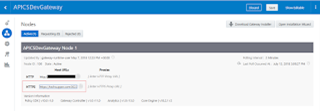
High level steps to configure SSL in API CS physical Gateway
- Create Java KeyStore (JKS) and generate key
- Generate a Certificate Signing Request (CSR)
- Send the CSR file to CA to issue the certificate
- Import Certificates (Root, Intermediate(if any) & Server)
- Import API CS Certificate into Keystore
- Configure SSL in WebLogic Server
- Change KeyStore type in WebLogic Server
- Specify path of Identity KeyStore and Trust KeyStore
- Specify Private Key Alias in WebLogic Server
- Enable SSL in WebLogic Server
- Update Hostname Verification property
- Update the https URL of Gateway in API CS management console
- Import backend Services certificate into Keystore (if backend service is https enabled)
- Test API
Create Java KeyStore (JKS) and generate key
Keytool utility is a Key and Certificate Management Tool and is available in $JAVA_HOME/bin. Before we start, set JAVA_HOME and PATH variables. Use below two command to set JAVA_HOME and PATH variables. Read the complete article here.
For regular information on Oracle PaaS become a member in the SOA & BPM Partner Community for registration please visit www.oracle.com/goto/emea/soa (OPN account required) If you need support with your account please contact the Oracle Partner Business Center.
 Blog
Blog  Twitter
  LinkedIn
 ![image[7][2][2][2]](https://paascommunity.com/wp-content/uploads/2013/04/image7222.png?w=20&h=20 "image[7][2][2][2]") Facebook
Facebook ![clip_image002[8][4][2][2][2]](https://paascommunity.com/wp-content/uploads/2013/04/clip_image00284222.jpg?w=26&h=23 "clip_image002[8][4][2][2][2]") Wiki
Wiki
Technorati Tags: SOA Community,Oracle SOA,Oracle BPM,OPN,Jürgen Kress







 LinkedIn
 Twitter




 PaaS Community Blog