Setup GMail as mail provider for SOA Suite 12c – configure SMTP certificate in trust store By Lucas Jellema

On this subject, there are already many fine articles. I have borrowed from at least a dozen to understand what should happen and to make it work. You will find them listed under resources.
It all started with me trying to have the UMS Adapter send an email. The setup of the email driver was done in EM FMW Control (see below) and I expected my email to be sent successfully. After a considerable and increasingly anxious wait at my mail client, I decided to check the log file for my WebLogic domain. There it was, in the soa_server1.out for my SOA Suite managed server: Read the complete article here.

SOA & BPM Partner Community

For regular information on Oracle SOA Suite become a member in the SOA & BPM Partner Community for registration please visit www.oracle.com/goto/emea/soa (OPN account required) If you need support with your account please contact the Oracle Partner Business Center.

Blog Twitter LinkedIn image[7][2][2][2] Facebook clip_image002[8][4][2][2][2] Wiki

JDeveloper 12.1.3 for SOA Suite and OSB 12c Crashing? By Frank Munz

Today at the Oracle Fusion Middleware Summer Camp in Lisboa I experiencedsome SIGSEGV JVM crashes. It happened when trying to use JDeveloper 12.1.3 under MacOS with the SOA Suite Development installer – right after the installation when starting up the server from within JDeveloper. (Most of the experienced SOA Suite developers went the beaten path using Windows).

My installation used a fairly recent JDK 1.7_45, but SOA Suite 12c is supported on MAC OS only for a single user development installation starting with JDK 1.7_51.
Upgrading to JDK 1.7_65 and recreating the JDeveloper default domain fixed the issue. Read the complete article here.

SOA & BPM Partner Community

For regular information on Oracle SOA Suite become a member in the SOA & BPM Partner Community for registration please visit www.oracle.com/goto/emea/soa (OPN account required) If you need support with your account please contact the Oracle Partner Business Center.

Blog Twitter LinkedIn image[7][2][2][2] Facebook clip_image002[8][4][2][2][2] Wiki


API Catalog (OAC) 12.1.3 available for download

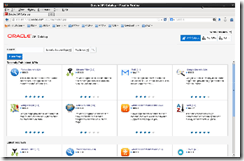
imageAPI Catalog (OAC) allows organizations to easily build a catalog of their APIs to provide visibility to those APIs for application development. OAC includes a simple metamodel for an API asset, automation to populate OAC with APIs, and the ability for users to search OAC for APIs and understand the details of the APIs to assess their fit in the users application.
Powered by comprehensive automation capabilities, Oracle API catalog streamlines processes and optimizes reuse to promote and foster API adoption. The solution establishes a foundation for success by

  • Providing facilities to automate the population of OAC
  • Enabling easy API editing and publishing
  • Facilitating API consumption in JDeveloper

You can download OAC (as a part of the OER 12.1.3 installer) and learn more on OTN. Learn more in the Oracle API Catalog Datasheet. image

Use Oracle API Catalog

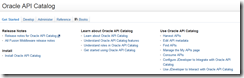
For details please visit the API Catalog OTN page here and API catalog documentation here.

Send us your feedback & blog posts via twitter @soacommunity #SOA12c

SOA & BPM Partner Community

For regular information on Oracle SOA Suite become a member in the SOA & BPM Partner Community for registration please visit www.oracle.com/goto/emea/soa (OPN account required) If you need support with your account please contact the Oracle Partner Business Center.

Blog Twitter LinkedIn image[7][2][2][2] Facebook clip_image002[8][4][2][2][2] Wiki

Enterprise Repository 12.1.3 is available for download

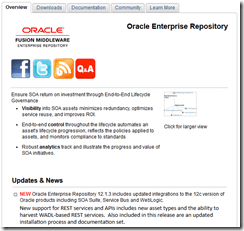
NEW Oracle Enterprise Repository 12.1.3 includes updated integrations to the 12c version of Oracle products including SOA Suite, Service Bus and WebLogic.

New support for REST services and APIs includes new asset types and the ability to harvest WADL-based REST services. Also included in this release are an updated installation process and documentation set. For details please visit the OTN page here.

image

Data Sheets
Oracle Enterprise Repository
Oracle API Catalog
OER Rapid Start Service

White Papers
Oracle SOA Governance Resource Kit

Related Products
Oracle API Catalog

Enterprise Repository Supported Platforms
Application Servers, Databases, Artifact Storage Tools, Web Browsers, etc.


Technical Information

OER 12c Sizing Guidelines
Determine the optimum configuration for your OER instance

OER 12c Asset Type Catalog
View all of the metadata fields included in the OER 11g asset types

Send us your feedback & blog posts via twitter @soacommunity #SOA12c

SOA & BPM Partner Community

For regular information on Oracle SOA Suite become a member in the SOA & BPM Partner Community for registration please visit www.oracle.com/goto/emea/soa (OPN account required) If you need support with your account please contact the Oracle Partner Business Center.

Blog Twitter LinkedIn image[7][2][2][2] Facebook clip_image002[8][4][2][2][2] Wiki

OEP workshop November 21st 2014 Düsseldorf Germany

clip_image002We would like to invite you to attend our OEP  Workshop on Friday November 21st 2014 in Düsseldorf Germany.

For registration  please contact Kevin Li

Schedule

Full Day November 21st 2014

Oracle Düsseldorf, Hamborner Straße 51,  40472 Düsseldorf, Germany

Direction: http://www.oracle.com/de/corporate/contact/directions-oracle-gs-duesseldorf-1623482-de.pdf

Trainer

Yogesh Sontakke & Lloyd Williams

Agenda

Introduction to Oracle Event Processing (1 hr)

OEP Stream Explorer (45 mins)

Business Activity Monitoring 12c (45 mins)

OEP with SOA Event Delivery Network (30 mins)

OEP for Financial Services (30 mins) 

OEP for Telecommunications (30 mins)

OEP for Transportation/Logistics (30 mins)

Hands-on Lab (2 hrs)


Registration: Please contact Kevin Li


SOA & BPM Partner Community

For regular information on Oracle SOA Suite become a member in the SOA & BPM Partner Community for registration please visit www.oracle.com/goto/emea/soa (OPN account required) If you need support with your account please contact the Oracle Partner Business Center.

Blog Twitter LinkedIn image[7][2][2][2] Facebook clip_image002[8][4][2][2][2] Wiki

Interoperability between Microsoft and SOA Suite 12c by Ricardo Ferreira

Testcase-execIntroduction
During the design of SOA applications it is inevitable that from time to time you will need to interface with Microsoft-based applications. While technologies like SOAP and REST do a great job when request-reply communication is needed, most people struggle when a messaging-based communication is required. This blog will present two approaches to get messaging working between Microsoft and SOA Suite 12c.
Which Choices Do I have?
SOA Suite 12c offers a complete set of tools to integrate with Microsoft applications using messaging. Which one to use is a simple question of asking where the messaging system resides. If the messaging system to be accessed sits on SOA Suite side (WebLogic JMS) then you should use the WebLogic JMS .NET Client. If the messaging system to be accessed sits on Microsoft side (Microsoft Message Queuing) then you should use the JCA adapter for MSMQ. Using the WebLogic JMS .NET Client allows code written in .NET to access the WebLogic JMS server using the T3 protocol, just like any other Java application. Using the JCA adapter for MSMQ allows SOA composites and OSB applications to send/receive messages to/from MSMQ queues.
Using the WebLogic JMS .NET Client
The implementation of the WebLogic JMS .NET Client is very straightforward. All you have to do is deploy your .NET application with the WebLogic.Messaging.dll assembly file. You still need to code how your application will send/receive messages to/from the WebLogic JMS destinations. You can easily find the WebLogic.Messaging.dll assembly file in the following location: $FMW_HOME/wlserver/modules/com.bea.weblogic.jms.dotnetclient_x.x.x.x. In the same location you can find the WebLogic JMS .NET Client API documentation. For those of you that are familiar with the JMS API, it will be easy to understand since the API design is almost the same. For beginners, I have provided the following C# sample code that shows how to publish messages to an WebLogic JMS queue. Read the complete article here.

SOA & BPM Partner Community

For regular information on Oracle SOA Suite become a member in the SOA & BPM Partner Community for registration please visit www.oracle.com/goto/emea/soa (OPN account required) If you need support with your account please contact the Oracle Partner Business Center.

Blog Twitter LinkedIn image[7][2][2][2] Facebook clip_image002[8][4][2][2][2] Wiki


Mobile Integration Using Oracle Service Bus 12c

Mobile Integration Using Oracle Service Bus Oracle Service Bus 12c enables enterprises to deliver on mobile as an extension of the integration platform . Developers can create REST /JSON APIs and simplify the process of creating customizable applications from reusable components. Oracle Service Bus 12c makes it easy to extend onpremise and cloud applications to the mobile channel. Read the datasheet here.

Oracle Service Bus 12c enables enterprises to deliver on mobile as an extension of the integration platform. Developers can create REST/JSON APIs and simplify the process of creating customizable applications from reusable components. Oracle Service Bus 12c makes it easy to extend on-premise and cloud applications to the mobile channel.
The Oracle Mobile Suite utilizes standard technologies and tools to expose many data formats for exchange data and functions with any mobile application and includes Oracle Service Bus and Oracle Mobile Application Framework. Oracle Service Bus supports all types of connections between applications on mobile devices and back end business systems including the popular REST/JSON.
Using Service Bus, organizations can shield front-end mobile applications from changes that might occur in the backend. They can also shield mobile developers from often intricate and complex details of underlying implementations of back-end applications, such as legacy protocols. In addition, Service Bus can simplify and reduce the information exposed by API interfaces to ensure both optimization of bandwidth and greater control on information shared with mobile users.
Oracle Service Bus is a part of Oracle SOA Suite 12c. It introduces a REST binding within JDeveloper to simplify mobile enablement by exposing traditional SOAP services, Enterprise Java Beans (EJBs), JCA adapters connecting backend applications or just about any other underlying implementation through REST/JSON. The REST binding is available for SOA composites and Oracle Service Bus services and allows the configuration of REST interactions as exposed service or proxy service. It also allows the invocation of externally available REST services.

To learn more on Oracle Service Bus 12c for Mobile Integration:
Datasheet for Mobile Integration using Oracle Service Bus 12c
Screencast on Mobile Enablement with SOA by Suhash Uliyar, VP of Mobile Strategy at Oracle
Customer Stories:
Agilent Delivers on Mobile Strategy with Oracle SOA
Ricoh Differentiates Business with Mobile Enablement
Blog Series on Simplifying Mobile Integration with SOA:
1. Simplifying Enterprise Mobile Integration
2. Mobile Service Enablement with Oracle Service Bus
3. API Management as a Solution to Mobile Enablement

SOA & BPM Partner Community

For regular information on Oracle SOA Suite become a member in the SOA & BPM Partner Community for registration please visit www.oracle.com/goto/emea/soa (OPN account required) If you need support with your account please contact the Oracle Partner Business Center.

Blog Twitter LinkedIn image[7][2][2][2] Facebook clip_image002[8][4][2][2][2] Wiki

Adding an ADF Human Task User Interface to our SOA Maven build by Mark Nelson

With the new Maven support in 12c, it is much simpler now to include our ADF projects in our SOA Application build. Continuing on from this earlier post, we will now add the ADF project.
You can do this by opening the Human Task (from the composite view) and clicking on Form and Auto-Generate Task Form.
Then in the popup Create Project dialog box, give the project a name, I used HTUI1, and click on OK. It will take a few minutes to generate the project. When it is done, do a Save All for good measure.
Now if you want to take a look, you will see that you have three POM files – one for the SOA Project (composite), one for the ADF project, and also your application level POM. If you open the application level POM (that’s the one under Application Resources/Build Files, you will see that is is a multi-modules project that lists the other two, as you can see in the image below. It also has some configuration to tell Maven where to find ojdeploy. In this release, we still need to run ojdeploy to build and package the ADF projects, so you do need to have JDeveloper available to your build server if you want to build ADF projects there. Read the complete article here.

SOA & BPM Partner Community

For regular information on Oracle SOA Suite become a member in the SOA & BPM Partner Community for registration please visit www.oracle.com/goto/emea/soa (OPN account required) If you need support with your account please contact the Oracle Partner Business Center.

Blog Twitter LinkedIn image[7][2][2][2] Facebook clip_image002[8][4][2][2][2] Wiki

You’ve Got Mail: Inbound Email Processing in WLS/OSB integration scenarios by The Cattle Crew

In an integration project we are currently replacing an available integration platform using Oracle Service Bus 11g. Different incoming and outgoing message formats and protocols (HTTP, FTP, SMTP, etc.) are used from the external partners of our customer and therefore have to be supported. With OSB no problem at all, but polling a MS Exchange server for new e-mails is simply not possible with OSB standard tooling. Debt is a bug in MS Exchange server, which advertises that it supports plain authentification for login, but it does not ([1], search for AUTH=PLAIN). So when trying to access an exchange inbox from a proxy service ends up with failures, which cannot be worked around.
So we decided to implement a custom Java service that does the polling, because with plain Java the bug can be worked around by setting the corresponding Java Mail session parameters described in [1]. The challenge from a implementation perspective is that in a clustered environment, a service is in general active on all cluster nodes and so parallel access and therefore multi processing for one specific e-mail is possible. So the service has to be implemented as a Weblogic Singleton service [2] to avoid this. A Singleton service is physically deployed to the cluster and so available on all nodes, but it is only active on one specific cluster node. In case of problems on the node where the service is active, it might be activated on another node in the cluster automatically, depending on the failover configuration in the cluster. Read the complete article here.

SOA & BPM Partner Community

For regular information on Oracle SOA Suite become a member in the SOA & BPM Partner Community for registration please visit www.oracle.com/goto/emea/soa (OPN account required) If you need support with your account please contact the Oracle Partner Business Center.

Blog Twitter LinkedIn image[7][2][2][2] Facebook clip_image002[8][4][2][2][2] Wiki

Running SCA Tests from Maven by Mark Nelson

In this post, let’s look at how we can run SCA test suites from Maven. To get started, we are going to need a test. Let’s set up our process to add two numbers. Go ahead and open the XML Schema for the inputs and outputs and change it to take two int’s as input and return a single int as output, as shown below:

Now update the assign activity’s copy rule in the BPEL process to add the two numbers together. The “from” part of the copy rule should look like this: Read the complete article here.

SOA & BPM Partner Community

For regular information on Oracle SOA Suite become a member in the SOA & BPM Partner Community for registration please visit www.oracle.com/goto/emea/soa (OPN account required) If you need support with your account please contact the Oracle Partner Business Center.

Blog Twitter LinkedIn image[7][2][2][2] Facebook clip_image002[8][4][2][2][2] Wiki