How we design usable Oracle applications that please users and customers by Mascha van Oosterhout


clip_image002Glance, Scan, Commit

That is what people do in order to perform a task.

This task can be to buy a new tv set in a store…

  • Glance: “Wow, see the amount of TV-sets they have on sale here!”
  • Scan: “These 4 are within my price range and they fit into my living room”.
  • Commit: “Let’s have a look at the specifications and the reviews. OK I like this one best, I’ll buy this one”.

…or a task performed by a professional doing his daily work:

  • Glance: “Let’s have a look what happened yesterday and what is urgent for today.”
  • Scan: “I need to take action regarding a few to-do’s and two reports should be ready this afternoon”.
  • Commit: “Let’s find the information necessary for me to decide which one to do first. OK, this one is urgent, because the customer was promised a response with”.

At eProseed we make sure to support the glance, scan, commit behavior when designing and developing a User eXperience for the users of the applications we build. In each phase of the development process we involve users in order to gather as much feedback regarding the usability and the usefulness of the application as possible. By doing this, we make sure that we are on the right track developing a technical feasible, usable, effective and efficient application which fulfills the needs of users and customers.

User Centered Design

We achieve this by taking the following steps:

Analyzing: Who is the user?

  • We find out ‘who is the user?’ and we create personas – user profiles which describe and visualize typical users to ensure that all stakeholders involved in the development process, know we are designing this application for.
  • We analyze the user’s way of working. We create usage scenarios representing the daily tasks users will have to perform with the new application in a daily context.
  • We find out what users expect the new/improved application to do and to support them with. We use several proven evaluation methods to gain this information from all types of users.
  • We check with our developers what technical possibilities are available in order to come up with a feasible UX design.

Discovering & Co-creating: What does the user do/need and where?

  • We involve customers and users at the start of the design process, by observing them doing their daily work and by interviewing them.
  • We find out the context of use: at home, in the office, on the road…
  • We also facilitate co-creation workshops in which we together with the customer/user create solutions to their problems. We even design together with them.

Read the complete article here.

SOA & BPM Partner Community

For regular information on Oracle SOA Suite become a member in the SOA & BPM Partner Community for registration please visit www.oracle.com/goto/emea/soa (OPN account required) If you need support with your account please contact the Oracle Partner Business Center.
Blog Twitter LinkedIn image[7][2][2][2] Facebook clip_image002[8][4][2][2][2] Wiki

Technorati Tags: SOA Community,Oracle SOA,Oracle BPM,OPN,Jürgen Kress

My private Corner – are you ready for the Community Forum?


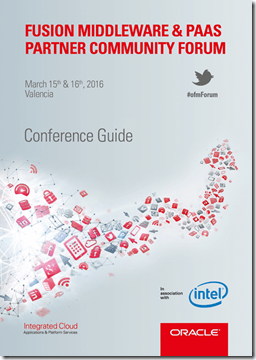
clip_image002Just returned from holiday, the registration for the Fusion Middleware & PaaS Partner Community Forum outreached all expectations and conference budget. With more than 312 registrations we will not be able to host everybody. Thanks to our sponsor Intel we managed to host 185 attendees. In case you got one of the few seats let us know via Facebook or google+ ; conference hashtag is #ofmForum. As part of the transition to a hybrid cloud business make sure you get your trial account & become an expert in PaaS. The conference in Valencia will be a huge step forwards. See you in Valencia in less than 10 days! #jkwc


SOA & BPM Partner Community

For regular information on Oracle SOA Suite become a member in the SOA & BPM Partner Community for registration please visit www.oracle.com/goto/emea/soa (OPN account required) If you need support with your account please contact the Oracle Partner Business Center.

Blog Twitter LinkedIn image[7][2][2][2] Facebook clip_image002[8][4][2][2][2] Wiki

Technorati Tags: private corner,SOA Community,Oracle SOA,Oracle BPM,OPN,Jürgen Kress

ADF Runtime Interface Generator for BPM Human Tasks by Pedro Gabriel


clip_image002Pedro Gabriel, an Oracle BPM Consultant at Link Consulting, based this 2 Minute Tech Tip on ADF Runtime Interface Generator for BPM Human Tasks, an OTN technical article he wrote with co-authors Diogo Franqueira Henriques and Danilo Alexandre Manmohanlal.

Watch the video here. Want more 2 Minute Tech Tips? Click here.

SOA & BPM Partner Community

For regular information on Oracle SOA Suite become a member in the SOA & BPM Partner Community for registration please visit www.oracle.com/goto/emea/soa (OPN account required) If you need support with your account please contact the Oracle Partner Business Center.

Blog Twitter LinkedIn image[7][2][2][2] Facebook clip_image002[8][4][2][2][2] Wiki

Technorati Tags: SOA Community,Oracle SOA,Oracle BPM,OPN,Jürgen Kress

RESTful Invoke BPM Process Using Apache CXF by John Featherly


clip_image002Apache CXF is a services framework that is the open source evolution of IONA Celtix and Codehaus XFire, hence the name CXF. CXF has extensive support for Web Service standards WS-*, JAX-WS and JAX-RS APIs etc. but the focus of this article is on the CXF web service client proxy factory and running it in a WebLogic web app implementing a REST service. As a demonstration we will build a service using JDeveloper that invokes an Oracle BPM process with a message start service interface. REST “clients” are lightweight and simpler to implement than SOAP web service clients. A REST to SOAP converter for BPM processes make them more accessible.

For the impatient, the two key enablers are to determine the proper subset of CXF library jars and resolve any conflicts with WebLogic libraries. The CXF distribution has 149 jars and you don’t want to just simply add them all to your project. The following list is based on the dynamic client sample in the CXF distribution from the 3.1.0 release.

The Demo Service

The demo is a RESTful service that invokes a message start BPM process via the usual SOAP Web Service call based on the published WSDL for the process. The service will be deployed and run on WebLogic. The process can have any number of parameters which we will assume to be all of type string to keep things simple. It would be straightforward to handle arbitrary types since we introspect the generated proxy class but I’ll leave that as an exercise for the reader. The most common BPM process invoke is asynchronous with no callback, go do your work and don’t ever bother me about it. That is call mechanism implemented in the demo.

BPM Process

A sample BPM process is needed to test the REST service. A representative process will have a message Start with End type set to None since we won’t be listening for a callback.

The defined interface with four sample string arguments would look like: Read the complete article here.

SOA & BPM Partner Community

For regular information on Oracle SOA Suite become a member in the SOA & BPM Partner Community for registration please visit www.oracle.com/goto/emea/soa (OPN account required) If you need support with your account please contact the Oracle Partner Business Center.

Blog Twitter LinkedIn image[7][2][2][2] Facebook clip_image002[8][4][2][2][2] Wiki

Technorati Tags: SOA Community,Oracle SOA,Oracle BPM,OPN,Jürgen Kress

SOA Suite 12c and BPM Suite 12c Live virtual classes free of charge starting March 7th 2016 !


clip_image002SOA Suite 12c CIS TOD

    • Requirement for soon to be announced PaaS Specializations – “SOA Cloud Service” and “Integration Cloud Platform"
      • Specialization to support the following product/cloud services: SOA 12c, SOA Cloud, Integration Cloud
    • Lab format: hosted, 07Mar16 – 01Apr16
    • Register here

Creating BPM Process with BPM Composer by Waslley Souza


clip_image002The Oracle Business Process Composer application is designed to allow you to easily create, edit, and manage BPM projects. With the BPM Composer, the Business Analyst can model, test and simulate a process before implementing it. Let’s create a simple process!

Start your BPM Domain and go to BPM Composer.

http://HOST:PORT/bpm/composer

Create a new BPM Project.

In the process, change the Default Role to Process Owner.

Add an Initiator between Start and End Events. Read the complete article here.

SOA & BPM Partner Community

For regular information on Oracle SOA Suite become a member in the SOA & BPM Partner Community for registration please visit www.oracle.com/goto/emea/soa (OPN account required) If you need support with your account please contact the Oracle Partner Business Center.

Blog Twitter LinkedIn image[7][2][2][2] Facebook clip_image002[8][4][2][2][2] Wiki

Technorati Tags: SOA Community,Oracle SOA,Oracle BPM,OPN,Jürgen Kress

BPM 12c Events (Part 3 of 3): Intermediate Events by Antonis Antoniou


clip_image001The third and last set of events are referred to as "Intermediate Events" and as the name implies they can occur between the start events and end events.
"Intermediate Events" are sub-classified into two groups, "Catch Events" and "Throw Events".
"Catch Events" can occur anywhere in the middle of the process and what they do is that they block the process for specific conditions. We do have a variety of "Catch Event" activities such as a "Catch Message", a "Catch Timer" and a "Catch Signal" activity.
The "Catch Timer" event provides a delay mechanism in a process flow. The delay can be based on a specific date and time or on a recurring interval, for example, every day at a specific time.

The "Catch Message" activity is also used to model a request-response and receive-reply patterns. It is equivalent to a BPEL receive, so instead of having a "Send Activity" to call a service or a process and a "Receive Activity" to receive the response from a service or a process, you can use a "Throw Message" and a "Catch Message" respectively. Read the complete article here.

SOA & BPM Partner Community

For regular information on Oracle SOA Suite become a member in the SOA & BPM Partner Community for registration please visit www.oracle.com/goto/emea/soa (OPN account required) If you need support with your account please contact the Oracle Partner Business Center.

Blog Twitter LinkedIn image[7][2][2][2] Facebook clip_image002[8][4][2][2][2] Wiki

Technorati Tags: SOA Community,Oracle SOA,Oracle BPM,OPN,Jürgen Kress

Subversion revision of a deployed BPM/SOA composite? By Luc Gorissen

clip_image002

So there you are: a production error was reported … in your code (of all places) … but no one knows what release the code came from?

Wouldn’t it be great if it was easy to link deployed composites to their Subversion location and revision?

This article show an approach based on ‘Subversion keywords expansion’. This is illustrated with the following steps:

  1. Add properties to the composite.xml file
  2. Set Subversion keywords for composite.xml
  3. Query the deployed composite with wlst
  4. Solve the limitations in Subversion keyword expansion

Let’s get started:

Step 1: add properties to the composite.xml

In composite.xml, add the below lines after the properties for productVersion and compositeID that JDeveloper already added: Read the complete article here.

SOA & BPM Partner Community

For regular information on Oracle SOA Suite become a member in the SOA & BPM Partner Community for registration please visit www.oracle.com/goto/emea/soa (OPN account required) If you need support with your account please contact the Oracle Partner Business Center.

Blog Twitter LinkedIn image[7][2][2][2] Facebook clip_image002[8][4][2][2][2] Wiki

Technorati Tags: SOA Community,Oracle SOA,Oracle BPM,OPN,Jürgen Kress

Quick tips on Case Management audit events by Vikram Bailur


clip_image001Adaptive Case Management has rich APIs to retrieve the events that transpired within a case instance. Here is an example of using case events and some important tips. This information applies to Oracle BPM 11g and 12c.

Create a java class with a main method to retrieve the case audit events

Some key tips:

1. Passing a null value for TEventType will retrieve all the case events just like the default view on the case workspace. Passing a specific value retrieves only those specific event types – see the API for more details.

2. Make sure the pageNum and pageSize are in the correct position when calling the method – it will not retrieve any values if they are wrong.

3. Using additionalCaseEventInfo.add(ICaseConstants.CaseEventInfo.taskInfo); will work only for Case activities that are Human Tasks (does not work on BPMN or custom case activities). This retrieves an oracle.bpm.casemgmt.task.model.TaskInfo object that will retrieve all the details on the task including task assignees (see oracle.bpm.casemgmt.task.model.Task API for more details). Read the complete article here.

SOA & BPM Partner Community

For regular information on Oracle SOA Suite become a member in the SOA & BPM Partner Community for registration please visit www.oracle.com/goto/emea/soa (OPN account required) If you need support with your account please contact the Oracle Partner Business Center.

Blog Twitter LinkedIn image[7][2][2][2] Facebook clip_image002[8][4][2][2][2] Wiki

Technorati Tags: SOA Community,Oracle SOA,Oracle BPM,OPN,Jürgen Kress

Process Cloud Application Player by Andrejus Baranovskis


clip_image002With Oracle Process Cloud you can forget these days when you was waiting long to deploy BPM process and test Human Task UI. No need to wait anymore, in Oracle Process Cloud you could use Application Player feature, this allows to run the process and test Human Task UI almost instantly.
To demonstrate Application Player functionality, I have implemented basic process of Data Entry for the Claim Handling:

This process is using Web Form in the Start activity to capture data, human activity Claim Expense Review allows to review entered data, before submitting it:

This is how Web Form UI design looks like: Read the complete article here.

SOA & BPM Partner Community

For regular information on Oracle SOA Suite become a member in the SOA & BPM Partner Community for registration please visit www.oracle.com/goto/emea/soa (OPN account required) If you need support with your account please contact the Oracle Partner Business Center.

Blog Twitter LinkedIn image[7][2][2][2] Facebook clip_image002[8][4][2][2][2] Wiki

Technorati Tags: SOA Community,Oracle SOA,Oracle BPM,OPN,Jürgen Kress