Fixing cloud integration by Andrew Bell

clip_image002


Today, most companies are still overwhelmingly on-premise. However, enterprises are turning more and more to the cloud in an effort to reduce the total cost of ownership (TCO) of IT architectures.

Many hope to offload non-value adding processes and applications to the cloud, whilst others are looking to migrate fully to the cloud as part of their digital transformation journey. For SaaS applications to provide real value to businesses however, they need to integrate with other SaaS or on-premise applications in order to prevent the creation of data silos.

During the first wave of SaaS implementations, lines of business have typically introduced SaaS applications without regard for the overall IT strategy. Equally, they have built their own point-to-point integrations with other applications. This results in a non-architected integration landscape which is difficult to maintain and build upon.

In such scenarios, different and often incompatible standards and software are used to provide data integration, meaning that the cost of ownership has actually increased and cross divisional integration is more complex than ever. Security holes can also result in potential risks to organizations.

This piecemeal approach leads to a mass of point-to-point integrations done haphazardly and without real thought to common standards, community management, security, scalability, visibility or agility. Furthermore, because integration is point to point, companies face real difficulties upgrading when endpoints change.

Many enterprises that attempt cloud integrations end up in this state, which is why more than half of SaaS applications fail to live up to expectations. The cloud introduces a whole new dimension of complexity including:

§ IT is no longer fully central and controlled. Cloud applications do not run in an organization’s data center, and availability, reliability, security policies etc. are governed by the SaaS vendor.

§ Tooling is often inconsistent. Cloud providers may provide unique integration toolkits and APIs. An integration tool from one vendor may not be compatible with another cloud vendor. As the number of cloud providers increase, so does the number of integration toolkits. This can lead to a spaghetti of complex integrations between various SaaS and on-premise applications. Read the complete article here.

SOA & BPM Partner Community

For regular information on Oracle SOA Suite become a member in the SOA & BPM Partner Community for registration please visit www.oracle.com/goto/emea/soa (OPN account required) If you need support with your account please contact the Oracle Partner Business Center.

Blog Twitter LinkedIn image[7][2][2][2] Facebook clip_image002[8][4][2][2][2] Wiki

Using Event Handling Framework for Outbound Integration of Oracle Sales Cloud using Integration Cloud Service by Naveen Nahata

clip_image001


Introduction:

Oracle’s iPaaS solution is the most comprehensive cloud based integration platform in the market today.  Integration Cloud Service (ICS) gives customers an elevated user experience that makescomplex integration simple to implement.

Oracle Sales Cloud (OSC) is a SaaS application and is a part of the comprehensive CX suite of applications. Since OSC is usually the customer master and is the center for all Sales related activities, integration with OSC is often a requirement in most use cases

Although OSC provides useful tools for outbound as well as inbound integration, it is a common practice to use ICS as a tool to integrate OSC and other SaaS as well as on-premises applications. In this article, I will explore this topic in detail and also demonstrate the use of Event Handling Framework (EHF) in OSC to achieve the same.

Main Article:

Within ICS you can leverage the OSC adapter to create an integration flow. OSC can act both as source (inbound)  or as target (outbound) for integration with other SaaS or on-premises applications; with ICS in the middle acting as the integration agent. While the inbound integration flow is triggered by the source application, invoking the outbound flow is the responsibility of OSC.

In this article, I will discuss the outbound flow, where OSC acts as the source and other applications serve as the target. There are essentially 2 ways of triggering this integration:

  • Invoking the ICS integration every time the object which needs to be integrated is created or updated. This can be achieved by writing groovy code inside create/update triggers of the object and invoking the flow web service by passing in the payload.
  • Using the Event Handling Framework (EHF) to generate an update or create event on the object and notify the subscribers. In this case, ICS registers itself with OSC and gets notified when the event gets fired along with the payload

OSC supports events for most important business objects such as Contact, Opportunities, Partners etc. More objects are being enabled with EHF support on a continuous basis.

In this article, I will demonstrate how to use EHF to achieve an outbound integration. We will create a flow in ICS which subscribes to the “Contact Created” event and on being notified of the event, updates the newly created contact object. While this integration is quite basic, it demonstrates the concept. While we use Update Contact as a target for our integration, you can use another SaaS application (for example Siebel or Service Cloud) as the target and create a Contact there. Read the complete article here.

SOA & BPM Partner Community

For regular information on Oracle SOA Suite become a member in the SOA & BPM Partner Community for registration please visit www.oracle.com/goto/emea/soa (OPN account required) If you need support with your account please contact the Oracle Partner Business Center.

Blog Twitter LinkedIn image[7][2][2][2] Facebook clip_image002[8][4][2][2][2] Wiki

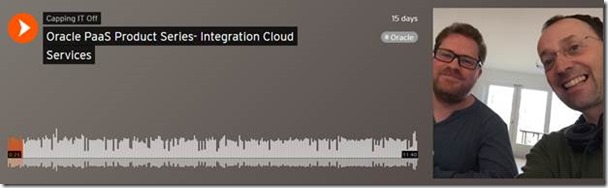
PaaS Product Series- Integration Cloud Services by Leon Smiers


In this series we will walk through different cloud products and how SaaS and PaaS can be combined together and their use in different projects.

In this podcast we discuss the Oracle Integration Cloud (ICS), part of Oracle PaaS Cloud and focused on delivering integration in Cloud. We emphasis on one specific discussion, with the move to the Cloud, and inclusion of SaaS applications, where do we place the center of gravity for integration, in the Cloud, on-premise or a combination of the two. Listen to the podcast here.

clip_image002

SOA & BPM Partner Community

For regular information on Oracle SOA Suite become a member in the SOA & BPM Partner Community for registration please visit www.oracle.com/goto/emea/soa (OPN account required) If you need support with your account please contact the Oracle Partner Business Center.

Blog Twitter LinkedIn image[7][2][2][2] Facebook clip_image002[8][4][2][2][2] Wiki

Best practice for calling web services from Oracle Process Cloud Service by Lykle Thijssen

clip_image002


More often than not, you will want your processes to interact with other services or processes inside or outside your enterprise. Since integration options are rather typical in Oracle Process Cloud Service, this article will help you to apply best practices for creating and managing your connections in a sustainable fashion.

Process Cloud integration points

Let’s say you have modelled a process in Oracle Process Cloud Service (PCS) for a private home loan application. Chances are quite high that this process will need some extra information to make the right decisions, like a credit check or a risk assessment and you will want to store the result of the application somewhere, for example in a database.
This requires several integration points in your PCS application. Now if you would directly import the WSDLs of those web services that you need to integrate with, it’s most likely not going to work. For example, Oracle Policy Automation, which you can use for risk assessment, has a highly generic interface and without XSLT support in PCS, you can’t make a proper request. Other services might require WS-Addressing or other technical aspects that PCS doesn’t support, so you need to put something in between. For this something, you can use various SOA and Service Bus products or Oracle’s Integration Cloud Service, once it has matured some more to deal with web services properly.

Creating the interface – challenges

So, you have decided to put one or more layers of services between PCS and the web services that you need to invoke. Regardless of your architecture, you need to keep some considerations in mind: Read the complete article here.

SOA & BPM Partner Community

For regular information on Oracle SOA Suite become a member in the SOA & BPM Partner Community for registration please visit www.oracle.com/goto/emea/soa (OPN account required) If you need support with your account please contact the Oracle Partner Business Center.

Blog Twitter LinkedIn image[7][2][2][2] Facebook clip_image002[8][4][2][2][2] Wiki

ICS + Twitter by Rolando Carrasco

clip_image002

From the series of articles that we have been posting on this blog about Oracle ICS, it is now time to talk about the connector that exists for Twitter.

With this connector you can make Outbound operations to Twitter.

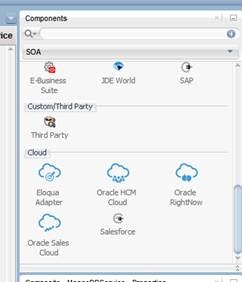
In the past, we have already written (http://oracleradio.blogspot.mx/2016/02/oracle-integration-cloud-service-parte.html) a post in which we mentioned the list of connectors that Oracle ICS have available for use:

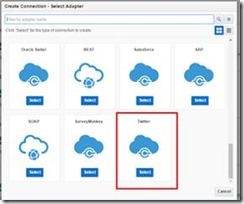
One of them is exactly Oracle Twitter Cloud .

The connection is made as any oher connection inside the ICS, meaning this that you should go to the connections section and create a new one:

After this is done, you have to select the Twitter connection: Read the complete article here.

SOA & BPM Partner Community

For regular information on Oracle SOA Suite become a member in the SOA & BPM Partner Community for registration please visit www.oracle.com/goto/emea/soa (OPN account required) If you need support with your account please contact the Oracle Partner Business Center.

Blog Twitter LinkedIn image[7][2][2][2] Facebook clip_image002[8][4][2][2][2] Wiki

SOA and Integration On-Prem and in the Cloud


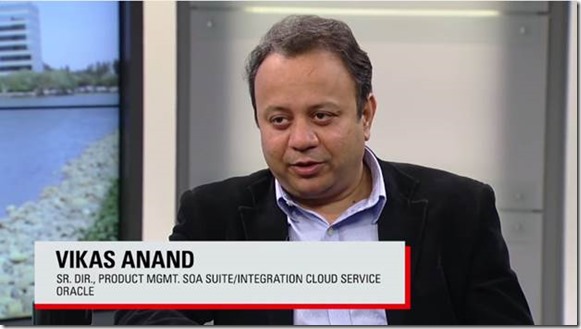
Vikas Anand (Senior Director, Product Management, SOA Suite/Integration Cloud Service, Oracle) and Ram Menon (Product Manager, Oracle Integration Cloud Service) join OTN TechCast host Bob Rhubart for a discussion about meeting SOA and integration challenges on-prem and in the cloud.

clip_image002

Watch the video here.

SOA & BPM Partner Community

For regular information on Oracle SOA Suite become a member in the SOA & BPM Partner Community for registration please visit www.oracle.com/goto/emea/soa (OPN account required) If you need support with your account please contact the Oracle Partner Business Center.

Blog Twitter LinkedIn image[7][2][2][2] Facebook clip_image002[8][4][2][2][2] Wiki

Cloud Adapter SDK – Part 2: Functionality by Jeroen Ninck

clip_image002


Introduction

So this is part 2 of a series of blog post describing building a Cloud Adapter for MongoDB. In this part I want to discuss the functionality I want to achieve.

I will use Windows 10 and PowerShell (my favourite Windows shell!) for these blogs. All sources can be found on GitHub.

Parts:

Just a small warning: Always keep track of Oracle license information and the Oracle certification matrix!

What should it do?

MongoDB has a lot of features we might want to expose in the Cloud Adapter. However I want to start relative simple and I might expend the functionality in the feature. So I want to start with inserting data. A second step will be to find the data by querying it.

MongoDB

MongoDB is a NoSQL database and stores documents. These documents are basically JSON documents (actually BSON):

{
                    "_id" : ObjectId("56fa75781f1378215c215709"),
                    "field1" : "value1"
}

Basically there are no foreign keys. Of course you refer to other documents, however these is no foreign key like in a relational database. Each document does have a primary key called _id (which is of type ObjectId). A document is stored in a collection and a MongoDB database can have multiple collections. A single instance of MongoDB can host multiple databases. Read the complete article here.

SOA & BPM Partner Community

For regular information on Oracle SOA Suite become a member in the SOA & BPM Partner Community for registration please visit www.oracle.com/goto/emea/soa (OPN account required) If you need support with your account please contact the Oracle Partner Business Center.

Blog Twitter LinkedIn image[7][2][2][2] Facebook clip_image002[8][4][2][2][2] Wiki

Dynamic Hybrid Bundles Expand Your Cloud Footprint


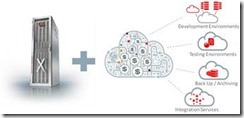
clip_image002As customers seek cloud solutions, partners must pivot their business to the cloud to meet these transformational market needs. Oracle Dynamic Hybrid Bundles are designed to help partners address those customer requirements while driving higher profitability and growth through the solution sale of on-premise and cloud offerings.

Make More Margin

Oracle Dynamic Hybrid Bundles offer partners substantial upfront discount (Cloud Credits) off metered Platform-as-a-Service (PaaS) and Infrastructure-as-a-Service (IaaS). Cloud Credits apply when bundles are sold with Oracle Engineered Systems, including Oracle FS1 Flash Storage System, to the same end customer.

Get the details here.

SOA & BPM Partner Community

For regular information on Oracle SOA Suite become a member in the SOA & BPM Partner Community for registration please visit www.oracle.com/goto/emea/soa (OPN account required) If you need support with your account please contact the Oracle Partner Business Center.

Blog Twitter LinkedIn image[7][2][2][2] Facebook clip_image002[8][4][2][2][2] Wiki

Integration Cloud Service (ICS): A developer’s first impression by Maarten Smeets

clip_image001


Oracle provides ICS (Integration Cloud Service) as a simple means for citizen developers to do integrations in the cloud and between cloud and on-premises. On the Oracle Fusion Middleware Partner Community Forum I got a chance to get some hand-on experience with this product in one of the workshops. In this blog post I will describe some of my experiences. I’m not the target audience for this product since I am a technical developer and have different requirements compared to a citizen developer. I’ve not been prejudiced by reading the documentation

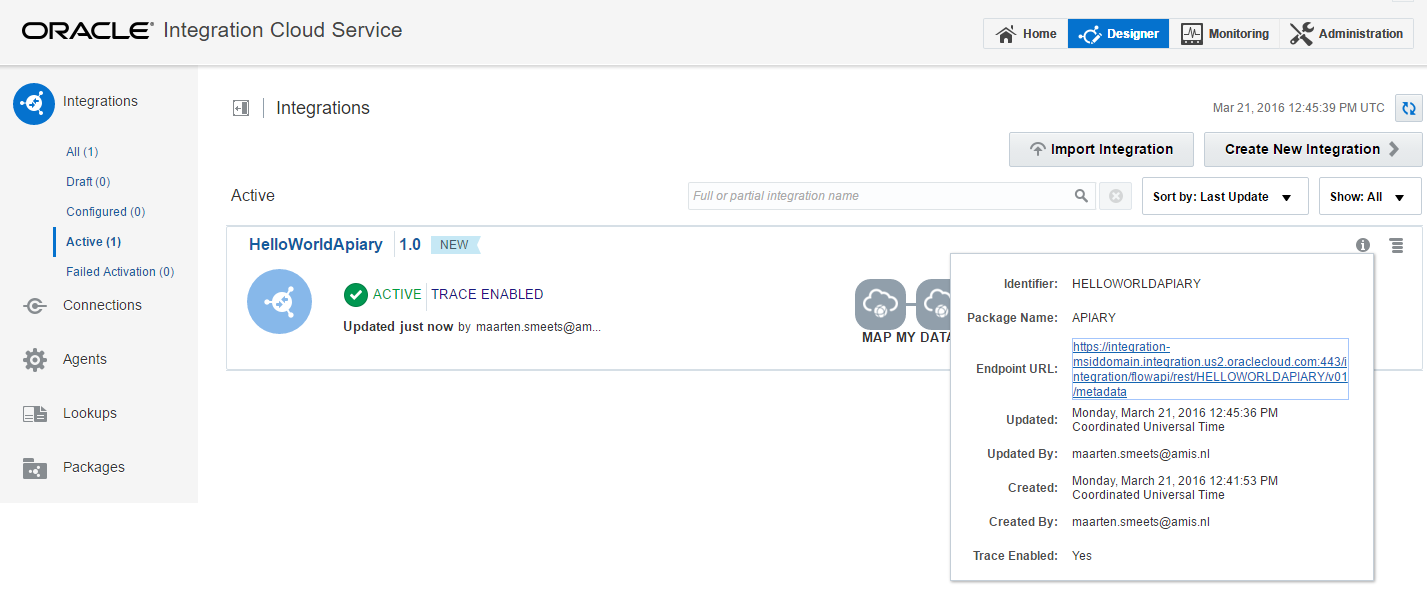
I experimented with ICS on two use-cases. I wanted to proxy SOAP and REST requests. For the SOAP request I used a SOA-CS Helloworld web-service and for the REST request I used an Apiary mockservice. I will not go into basics too much such as creating a new Connection and using the Connection in an Integration since you can easily learn about those in other places.

ICS: Calling a SOAP service on SOA-CS

When you want to call a SOAP service which you have exposed on ICS, you require two sets of headers. The WS-Timestamp headers and the WSS-UserName token headers (with the password in plain text).

This is required even when you have not specified a security policy (currently username/password token and basic authentication are supported). When you don’t provide them, you get Service Bus errors (as shown in the screenshot below) which indicates ICS is running on the Service Bus (in case you didn’t know this yet, it is no secret). This was not required when directly calling the SOA-CS service. Read the complete article here.

SOA & BPM Partner Community

For regular information on Oracle SOA Suite become a member in the SOA & BPM Partner Community for registration please visit www.oracle.com/goto/emea/soa (OPN account required) If you need support with your account please contact the Oracle Partner Business Center.

Blog Twitter LinkedIn image[7][2][2][2] Facebook clip_image002[8][4][2][2][2] Wiki

Using the ICS Connectivity Agent with an On-Premises Database by Robert van Mölken

clip_image002

In this third article about the Connectivity Agent we deep-dive into the details. We learn how to use the ICS Connectivity Agent in combination with an on-premises database. For more information about the architecture and installation of the agent I recommend to read these two articles first. This article continuous where the previous article about the installation ended.

Taking the Agent for a test drive

Now that the Connectivity Agent is installed, registered and running we can use the Agent to create connections to our on-premises applications and create integration on top of these applications.

Preparing the connection to the on-premises database

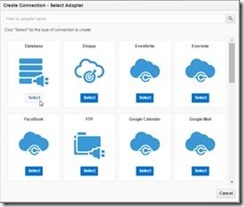
Now that we know the Agent is running we can make a connection to the on-premises database. For this example I use the HR sample schema that is part of my database installation. Navigate to the connections page of ICS and click on the “Create new Connection” button. My instance is running the latest 16.1.3 version. The “Create Connection” dialog now at lot nicer and user friendlier.

Select the Database adapter to create a connection your database instance. the connection is named OnPremisesHRDB which creates the associated identifier ONPREMISESHRDB. Read the complete article here.

SOA & BPM Partner Community

For regular information on Oracle SOA Suite become a member in the SOA & BPM Partner Community for registration please visit www.oracle.com/goto/emea/soa (OPN account required) If you need support with your account please contact the Oracle Partner Business Center.

Blog Twitter LinkedIn image[7][2][2][2] Facebook clip_image002[8][4][2][2][2] Wiki