SOA 12c–Creating ESS Job metadata by Siva
November 11, 2015 Leave a comment
 In this post, We will use the EM Console to create ESS Job metadata to call the Service Bus proxy services however the steps remain same for calling BPEL service too.
Configuration
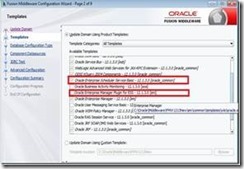
During domain creation, we should select the following options to create ESS Managed Server and EM Plugin for ESS. EM Plugin for ESS enable us to monitor and manage submitted ESS jobs.
You should see the EM Console as shown below on successful domain creation and starting the Admin and ESS servers. Observe that Scheduling Services is shown having ESSAPP. Read the complete article here.
For regular information on Oracle SOA Suite become a member in the SOA & BPM Partner Community for registration please visit www.oracle.com/goto/emea/soa (OPN account required) If you need support with your account please contact the Oracle Partner Business Center.


![image[7][2][2][2]](https://paascommunity.com/wp-content/uploads/2013/04/image7222.png?w=20&h=20 "image[7][2][2][2]")
![clip_image002[8][4][2][2][2]](https://paascommunity.com/wp-content/uploads/2013/04/clip_image00284222.jpg?w=26&h=23 "clip_image002[8][4][2][2][2]")


