E-Business Suite Integration with Integration Cloud Service and DB Adapter by Ulrich Janke

clip_image002


Introduction

Integration Cloud Service (ICS) is an Oracle offering for a Platform-as-a-Service (PaaS) to implement message-driven integration scenarios. This article will introduce into the use of ICS for integrating an on-premise E-Business Suite (EBS) instance via Database Adapter. While EBS in recent releases offers a broad set of integration features like SOAP and REST support (i.e. via Integrated SOA Gateway), these interfaces are not available in older versions like 11.5.x. In the past it has been a proven approach to use Oracle Fusion Middleware Integration products (SOA, OSB etc.) running on-premise in a customer data center to connect to an EBS database via DB Adapter. In a short time this feature will be available also in a cloud based integration solution as we will discuss in this article.

Unless we focus on EBS integration here the DB Adapter in ICS will work similarly against any other custom database. Main reason to use an EBS context is the business case shown below, where ICS is connected to Mobile Cloud Service (MCS) to provide a mobile device solution.

Business Case and Architecture

Not hard to imagine that Oracle customers running EBS 11.5.x might have a demand to add a mobile channel for their end-users. One option could be an upgrade to a recent release of EBS. As this will be in most cases a bigger project, an alternative could be the creation of a custom mobile solution via Oracle Jet and MCS as figured below. MCS is a PaaS offering and requires access to an underlying database via REST/JSON. This is the situation where ICS appears in this architecture.

In absence of native SOAP or REST capabilities being available in EBS 11.5.x tech stack, the integration via ICS would close that gap. Any database access activities (retrieving data, CRUD operations etc.) can run via an ICS/DB Adapter connection to an EBS on-premise database. ICS itself will provide a REST/JSON interface for the external interaction with EBS. This external interface is generic and not restricted to MCS as caller at all. However in our business case the ICS with DB Adapter fulfills the role of a data access layer for a mobile solution. Read the complete article here.

SOA & BPM Partner Community

For regular information on Oracle SOA Suite become a member in the SOA & BPM Partner Community for registration please visit www.oracle.com/goto/emea/soa (OPN account required) If you need support with your account please contact the Oracle Partner Business Center.

Blog Twitter LinkedIn image[7][2][2][2] Facebook clip_image002[8][4][2][2][2] Wiki

Top tweets SOA Partner Community – October 2016

imageOctober 2016 top tweets by soaCommunity

Send your tweets @soacommunity #soaCommunity and follow us at http://twitter.com/soacommunity. Make sure you share your content with the community!

SOA & BPM Partner Community

For regular information on Oracle SOA Suite become a member in the SOA & BPM Partner Community for registration please visit www.oracle.com/goto/emea/soa (OPN account required) If you need support with your account please contact the Oracle Partner Business Center.

Blog Twitter LinkedIn image[7][2][2][2] Facebook clip_image002[8][4][2][2][2] Wiki

Technorati Tags: twitter,SOA Community,Oracle SOA,Oracle BPM,OPN,Jürgen Kress,SOA Community twitter

Integration Cloud Service (ICS) On-Premise Agent Installation by Greg Mally

clip_image002


The Oracle On-Premises Agent (aka, Connectivity Agent) is necessary for Oracle ICS to communicate to on-premise resources without the need for firewall configurations or VPN. Additional details about the Agent can be found under New Agent Simplifies Cloud to On-premises Integration. The purpose of this A-Team blog is to give a consolidated and simplified flow of what is needed to install the agent and provide a foundation for other blogs (e.g., E-Business Suite Integration with Integration Cloud Service and DB Adapter). For the detailed online documentation for the On-Premises Agent, see Managing Agent Groups and the On-Premises Agent.

On-Premises Agent Installation

The high-level steps for getting the On-Premises Agent installed on your production POD consist of two activities: 1. Create an Agent Group in the ICS console, and 2. Run the On-Premises Agent installer. Step 2 will be done on an on-premise Linux machine and the end result will be a lightweight WebLogic server instance that will be running on port 7001.

Create an Agent Group Read the complete article here.

SOA & BPM Partner Community

For regular information on Oracle SOA Suite become a member in the SOA & BPM Partner Community for registration please visit www.oracle.com/goto/emea/soa (OPN account required) If you need support with your account please contact the Oracle Partner Business Center.

Blog Twitter LinkedIn image[7][2][2][2] Facebook clip_image002[8][4][2][2][2] Wiki

Implementing an SFDC Upsert Operation in ICS by Ricardo Ferreira Leave a Comment

clip_image002


Introduction

While designing SOA services; especially those ones that represent operations around a business object, a common implementation pattern used is upsert. Upsert is an acronym that means the union of “update plus insert”. The idea behind is having a unique operation that decides which action to take – either update the existing record or insert a new one – based on information available in the message. Having one operation instead of two, makes the SOA service interface definition clearer and simpler.

Some SaaS applications offer upsert capabilities in their exposed services, and leveraging these capabilities can considerably decrease the amount of effort required while designing SOA services in an integration platform such as ICS. For instance, if you need to develop an upsert operation and the SaaS application does not have this functionality; you will have to implement that logic using some sort of conditional routing (see Content-Based Router pattern) or via multiple update and insert operations.

Salesforce.com (or SFDC for short) is one of those SaaS applications that offers built-in support for the upsert operation. This post will show how to leverage this support with ICS. Read the complete article here.

SOA & BPM Partner Community

For regular information on Oracle SOA Suite become a member in the SOA & BPM Partner Community for registration please visit www.oracle.com/goto/emea/soa (OPN account required) If you need support with your account please contact the Oracle Partner Business Center.

Blog Twitter LinkedIn image[7][2][2][2] Facebook clip_image002[8][4][2][2][2] Wiki

Oracle Fusion Middleware 12c (12.2.1.2.0) Released

clip_image001


We are proud to announce the release of Oracle Fusion Middleware 12c (12.2.1.2.0). Media is available for download on the Oracle Technology Network (OTN), My Oracle Support (MOS) and the Oracle Software Delivery Cloud (OSDC). This includes the following products:

  • Oracle SOA Suite and Business Process Management 12c (12.2.1.2.0)
    • Oracle B2B and Healthcare 12c (12.2.1.2.0)
    • Oracle Service Bus 12c (12.2.1.2.0)
    • Oracle Stream Analytics 12c (12.2.1.2.0)
    • Oracle Managed File Transfer 12c (12.2.1.2.0)
  • Oracle WebLogic Server 12c (12.2.1.2.0)
  • Oracle Coherence 12c (12.2.1.2.0)
  • Oracle TopLink 12c (12.2.1.2.0)
  • Oracle Fusion Middleware Infrastructure 12c (12.2.1.2.0)
  • Oracle HTTP Server 12c (12.2.1.2.0)
  • Oracle Traffic Director 12c (12.2.1.2.0)
  • Oracle Fusion Middleware WebLogic Server Plug-In 12c (12.2.1.2.0)
  • Oracle MapViewer 12c (12.2.1.2.0)
  • Oracle Data Integrator 12c (12.2.1.2.0)
  • Oracle Enterprise Data Quality 12c (12.2.1.2.0)
  • Oracle Enterprise Pack for Eclipse 12c (12.2.1.2.0)
  • Oracle GoldenGate Studio 12c (12.2.1.2.0)
  • Oracle GoldenGate Monitor 12c (12.2.1.2.0)
  • Oracle GoldenGate Veridata 12c (12.2.1.2.0)
  • Oracle JDeveloper Studio 12c (12.2.1.2.0)
  • Oracle Forms and Reports 12c (12.2.1.2.0)
  • Oracle WebCenter Portal 12c (12.2.1.2.0)
  • Oracle WebCenter Content 12c (12.2.1.2.0)
  • Oracle WebCenter Sites 12c (12.2.1.2.0)
  • Oracle Business Intelligence 12c (12.2.1.2.0)

Here is the related information for these releases:

You can also visit the Oracle Fusion Middleware page on OTN to find more information about the products.

Partner Resources (community membership required):

SOA & BPM Partner Community

For regular information on Oracle SOA Suite become a member in the SOA & BPM Partner Community for registration please visit www.oracle.com/goto/emea/soa (OPN account required) If you need support with your account please contact the Oracle Partner Business Center.

Blog Twitter LinkedIn image[7][2][2][2] Facebook clip_image002[8][4][2][2][2] Wiki

Integration Cloud Service – Promote Integrations from Test to Production (T2P) by Shreenidhi Raghuram

clip_image002


The purpose of this blog is to provide simple steps to move Oracle Integration Cloud Service (ICS) integrations between different ICS environments. Oracle ICS provides export and import utilities to achieve integration promotion.

A typical use-case is to promote tested integrations from Test ICS Environment to Production ICS Environment, in preparation for a project go-live. Usually the Connection endpoints used by the integrations will be different on Test and Production Environments.

The main steps involved in code promotion for this typical use-case are as follows

  • Export an integration from Test ICS
  • Import the integration archive on Prod ICS
  • Update Connection details and activate the integration on Prod ICS Environment
Export an integration from Test ICS

Login to Test ICS
Search and locate the integration on Test ICS
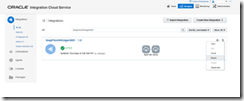
Select ‘Export’ and save the integration archive to the file system. Read the complete article here.

SOA & BPM Partner Community

For regular information on Oracle SOA Suite become a member in the SOA & BPM Partner Community for registration please visit www.oracle.com/goto/emea/soa (OPN account required) If you need support with your account please contact the Oracle Partner Business Center.

Blog Twitter LinkedIn image[7][2][2][2] Facebook clip_image002[8][4][2][2][2] Wiki

Leveraging the Twitter Adapter in ICS – Tweeting through Oracle Integration Cloud Service by Lucas Jellema

clip_image002


The Oracle Integration Cloud Service – ICS – comes loaded with a rich collection of Cloud Adapters. These adapters facilitate the integration with SaaS applications and internet services of various natures. These include Oracle SaaS applications (such as RightNow, Eloqua, ECommerce Cloud, ERP Cloud, HCM Cloud), on premises ERP applications (SAP, EBusiness Suite, Siebel) and assorted third party applications such as SalesForce, Facebook, Google Mail and Task, LinkedIn and Evernote. Through these adapters, interacting with said applications and services becomes a simple, declarative operation instead of a custom programming effort.

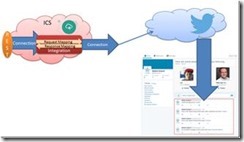
In this article, I will use the Twitter Adapter to create a connection to a Twitter Account (leveraging the Twitter API under the covers). The Twitter Adapters exposes over a dozen operations. I will use just the operation to publish a message (aka Tweet) in this example. From ICS, I will expose an integration through a simple REST connection. This allows trusted consumers to publish Tweets in a very easy way – leaving the authorization details and the API intricacies to ICS.

The steps I went through:

  • Grant access to [ICS Connection] app in the Twitter developer page and generate API Key and Consumer Key
  • Create a new ICS Connection based on Twitter Adapter; set up the API Key and Consumer Key
  • Create an ICS REST Connection (to expose)
  • Create an integration – between REST Connection as inbound (source) to Twitter Connection (as outbound destination); configure the endpoint (inbound) and operation (inbound and outbound)
  • Create the mappings for request and response
  • Define the tracking – business identifiers
  • Activate the integration
  • Test the exposed REST connection from any REST client, for example SoapUI, to Tweet a message through a simple REST POST call

Most of these steps are explained by the screenshots you will find below. Read the complete article here.

SOA & BPM Partner Community

For regular information on Oracle SOA Suite become a member in the SOA & BPM Partner Community for registration please visit www.oracle.com/goto/emea/soa (OPN account required) If you need support with your account please contact the Oracle Partner Business Center.

Blog Twitter LinkedIn image[7][2][2][2] Facebook clip_image002[8][4][2][2][2] Wiki

Create an Integration on ICS to expose a REST API for a SOAP Connection for an external web service by Lucas Jellema

clip_image002

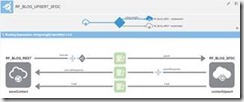
In this article, I will show a little bit more of ICS – the Integration Cloud Service. In a previous article, I have introduced some concepts – such as Connection, Integration, Business Identifier. I have shown how to create an integration connecting two connections – an inbound and an outbound one (both of type SOAP).

In picture, that looks like this:

In this article, I will create a new connection (REST API style) and create an integration to expose this connection, leveraging the same outbound connection:

After creating the integration, I will activate it and invoke the new REST API from a web browser and from SOAP UI.

The steps are:

  • Create REST Connection
  • Create and activate the Integration (with the mappings for request and response and the business identifiers for tracking)
  • Invoke the REST API
Configure REST Connection

Go to the ICS Home Page and navigate to the Connections page.

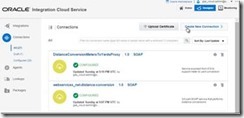
Create a New Connection. Read the complete article here.

SOA & BPM Partner Community

For regular information on Oracle SOA Suite become a member in the SOA & BPM Partner Community for registration please visit www.oracle.com/goto/emea/soa (OPN account required) If you need support with your account please contact the Oracle Partner Business Center.

Blog Twitter LinkedIn image[7][2][2][2] Facebook clip_image002[8][4][2][2][2] Wiki

The quick introduction to the Integration Cloud Service (Oracle PaaS– ICS) by Lucas Jellema

clip_image001

Integration is the term we employ for ‘what ties systems together into end-to-end interaction flows’. Integration describes what we have to do to make applications in one domain talk to those in another, or systems in one enterprise talk to those in another. And to systems running in one cloud interact with those running in another cloud or those running on premises. Integration is ideally approached based on standard based service interfaces and encapsulated implementations. With generic integration facilities handling most of the protocol, format, and technology specific details, and translating interactions as much as possible to standard SOAP and REST exchanges. And with that generic platform handling monitoring, security, system errors and state when asynchronous exchanges are required.

The Oracle Integration Cloud Service (ICS from now on) provides the cloud based integration platform that can run and manage these integration flows. ICS exposes a browser based user interface through which the integration is first designed, then activated and managed. ICS provides adapters to easily interact with a number of popular SaaS applications (Salesforce, Oracle HCM Cloud, Oracle ERP Cloud, Oracle SalesCloud, Service Cloud | Right Now, Eloqua, CPQ, Gmail & Google Task, Evernote, …) and Platform Services and technologies (Oracle Database, Oracle Messaging Cloud Service, FTP, SOAP and REST services) as well as a collection of Social Networks (Twitter, Linked In, Facebook). With ICS it is straightforward to connect to any of these as a target and expose an tailor made, easy to use interface to ICS consumers. Some of these can also be a source for interactions: events in SaaS applications  – such as creation or update of a business object – can trigger ICS to perform an integration flow – pushing data derived from the event to some target.

In this article I will introduce some of the core terminology for ICS and demonstrate my first steps. I will create a SOAP service that exposes a simple operation to convert distances in meters to their equivalent in yards. This service is the based on an existing conversion service offered by a third party. ICS is used to virtualize this service and map to and from between the business friendly interface that I have devised and the pre-existing service interface.

Overview

You will see how I have to first create two connections. Connection is the ICS term for an external link – either outbound from ICS to target systems  (comparable to business services in Service Bus or a Reference in SCA composites) or inbound into ICS (from external consumers), similar to Proxy Service in Service Bus and Service in SCA composites. One connection is outbound, to the third party service that does distance conversions. The other connection is inbound – it describes the SOAP interface that I want to expose from ICS to my consumers. Read the complete article here.

SOA & BPM Partner Community

For regular information on Oracle SOA Suite become a member in the SOA & BPM Partner Community for registration please visit www.oracle.com/goto/emea/soa (OPN account required) If you need support with your account please contact the Oracle Partner Business Center.

Blog Twitter LinkedIn image[7][2][2][2] Facebook clip_image002[8][4][2][2][2] Wiki

Oracle Microservices Platform SOA & BPM Partner Community Webcast – October 25th 2016

image


Attend our October edition of the SOA & BPM Partner Community Webcast live on October 25th 2016 at 16:00 CET.

Microservices architectures, lightweight and script-based applications, and cloud-native application development join the ranks of agile methodology to build better software faster.

Develop cloud native, 12-factor style applications on a modern polyglot platform with Java SE, PHP, Node.js and more.image

Mike Lehmann

Vice President Product Management, Oracle Cooperation

Visit the registration page here.

Call ID: 4070776 Call Passcode: 333111

Austria: +43 (0) 192 865 12
Belgium: +32 (0) 240 105 28
Denmark: +45 327 292 22
Finland: +358 (0) 923 193 923
France: +33 (0) 15760 2222
Germany: +49 (0) 692 222 161 06
Ireland: +353 (0) 124 756 50
Italy: +39 (0) 236 008 198

Netherlands: +31 (0) 207 143 543
Spain: +34 914 143 755
Sweden: +46 (0) 856 619 465
Switzerland: +41 (0) 445 804 003
UK: +44 (0) 208 118 1001
United States: 140 877 440 73
More Local Numbers

Schedule:

October 25th 2016 at 16:00-17:00 CET

Visit the registration page here.

Missed our SOA & BPM Partner Community Webcast? – watch the on-demand versions:

· Oracle OpenWorld 2016 update September 27th 2016

· API Cloud Platform Service August 30th 2016

· BPM Suite & PCS Update July 26th 2016

· Integration Cloud Service June 28th 2016

· Sales Plays Webcast June 9th 2016

· Real-Time Integration Business Insight May 31st 2016

· Integration Strategy sales and marketing campaign update

· Microservices

· Stream Explorer

· Process Cloud Service V2

· SOA Suite 12.2.1

· Oracle OpenWorld 2015 update

· SOA & API Cloud Service

· Solutions Catalog & Cloud Marketplace

· GSE demo systems

· Hybrid sales plays

For the latest information please visit Community Updates Wiki page (SOA Community membership required).

SOA & BPM Partner Community

For regular information on Oracle SOA Suite become a member in the SOA & BPM Partner Community for registration please visit www.oracle.com/goto/emea/soa (OPN account required) If you need support with your account please contact the Oracle Partner Business Center.

Blog Twitter LinkedIn image[7][2][2][2] Facebook clip_image002[8][4][2][2][2] Wiki