Real-Time Integration Business Insight: External Dashboard


clip_image002

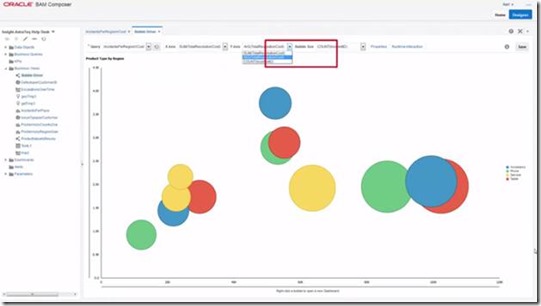
This video demonstrates how to include external dashboards in Oracle Real-Time Integration Business Insight. Watch the video here.

SOA & BPM Partner Community

For regular information on Oracle SOA Suite become a member in the SOA & BPM Partner Community for registration please visit www.oracle.com/goto/emea/soa (OPN account required) If you need support with your account please contact the Oracle Partner Business Center.

Blog Twitter LinkedIn image[7][2][2][2] Facebook clip_image002[8][4][2][2][2] Wiki

Tapping into life – An Introduction to Stream Analytics by Jose Rodrigues

clip_image001Welcome to a new stream (no pun intended) on Red Mavericks articles. This time, we’ll be doing an introduction on Oracle’s new Stream Analytics.

We’ll be guiding you through this new, and very cool, product showing what it is and what it can do to leverage this largely untapped resource which is event stream analysis. In fact, streams are everywhere and are becoming more and more open and accessible. If you “wiretap” these, listen to them and understand the behavioral patterns , you can build extremely valuable applications that will help you deliver more to your customers.

It’s a whole new ball game. I hope you find this interesting.

What is Oracle Stream Analytics?

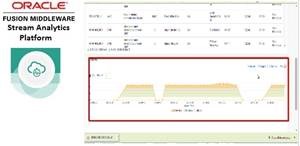
Oracle Stream Analytics (previously Oracle Stream Explorer) is, in fact, an application builder platform, focused on applications that process events coming from the most various systems, internal or external to the organization, thus enabling Business Insight information and deriving relevant data from these events.

It works using an Event Processing Engine to perform Fast Data Analysis over a large number of events that typically appear in a given timeframe.

It also provides a run-time platform that will allow you to run and manage the applications you built.

It’s not a new Oracle Event Processor. It uses OEP as the underlying Event Processing Engine (you can also use Apache Spark as a processing engine, if you prefer. More on this in other articles)

The real power in Oracle Stream Analytics is, curiously, in its UI. As an application builder, it went to great lengths to keep the UI really easy to use. The result is, in my view, very well achieved, with enough simplicity to allow that Business Users, provided they have a bit of technical knowledge, can actually build  applications on their own or with little help from the IT. Read the complete article here.

SOA & BPM Partner Community

For regular information on Oracle SOA Suite become a member in the SOA & BPM Partner Community for registration please visit www.oracle.com/goto/emea/soa (OPN account required) If you need support with your account please contact the Oracle Partner Business Center.

Blog Twitter LinkedIn image[7][2][2][2] Facebook clip_image002[8][4][2][2][2] Wiki

Stream Analytics (OSA): the new Oracle Stream Explorer by Guido Schmutz

clip_image002

A few days ago, Oracle released the new version of Oracle Stream Explorer and renamed it to Oracle Stream Analytics (OSA). This new version is an impressive release with over 15 new major features! It really deserves the name change.

Enhanced Patterns Library

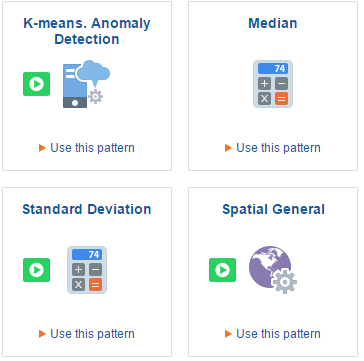
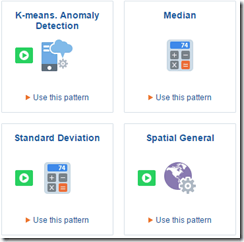
The existing patterns have been enhanced substantially  now including Spatial, Statistical, General industry and Anomaly detection through streaming machine learning.

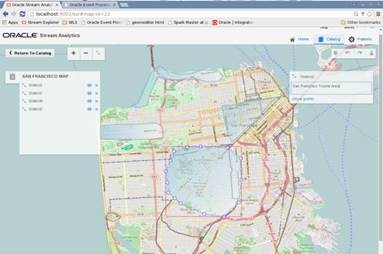
New Geo-spatial pattern

This pattern can be used to analyze streams containing geo-location data and determine how events relate to pre-defined geo-fences in your maps.

Integrated Expression Builder

The Expression Builder allows to add calculated/derived fields on the Live Output Stream of an exploration, an important step towards the “streaming Excel sheet” idea of Oracle Stream Analytics.

It provides the ability to apply and insert mathematical and statistical calculations into the active live output stream. Once a new expression has been defined and validated, a column will be added next to the column of relevance. This new column can then be used in subsequent filters and explorations. Read the complete article here.

SOA & BPM Partner Community

For regular information on Oracle SOA Suite become a member in the SOA & BPM Partner Community for registration please visit www.oracle.com/goto/emea/soa (OPN account required) If you need support with your account please contact the Oracle Partner Business Center.

Blog Twitter LinkedIn image[7][2][2][2] Facebook clip_image002[8][4][2][2][2] Wiki

Stream Analytics platform

clip_image002


Stream Analytics platform provides a compelling combination of an easy-to-use visual façade to rapidly create and dynamically change Real Time Streaming Analytics (Fast Data) applications, together with a comprehensive run-time platform to manage and execute these solutions. Completely abstracting the entire development and deployment processes, it simplifies the rapid creation of event driven applications for any type of real time business solution, enabling the Enterprise to really immerse itself in next generation real time applications, with times to market of minutes, rather than days or weeks.
Oracle Stream Analytics embraces an industry focus approach with features to leverage preexisting patterns of well known event processing implementations, the definition of Streams that represent the connection to the most popular protocols and methodologies, References which allow immediate joining of streaming data to relational databases and Explorations that provide a stunning visual representation of real time disparate event data flows providing customers with insightful data interrogation in real-time so that downstream applications, service oriented architectures and event-driven architectures are driven by true, real-time intelligence.
Oracle Stream Analytics provides organizations with a complete “top-down” solution for designing, defining, developing and implementing Event Stream Processing applications that not only meet business requirements but perform to the highest levels of the enterprise expectation. Built on the latest industry-standards including ANSI SQL, Java, Spring DM and OSGi, the Oracle Stream Analytics Event Processing runtime component provides an open architecture for sourcing, processing, and publishing complex events throughout the enterprise.  Now together with this ease-of-use web tooling and a visual development environment, as well as standard Java-based tooling, this ensures that your IT and line of business teams can be developing event-driven applications without the hurdle of specialized training or unique skill-set investment. Read the complete article here.

SOA & BPM Partner Community

For regular information on Oracle SOA Suite become a member in the SOA & BPM Partner Community for registration please visit www.oracle.com/goto/emea/soa (OPN account required) If you need support with your account please contact the Oracle Partner Business Center.

Blog Twitter LinkedIn image[7][2][2][2] Facebook clip_image002[8][4][2][2][2] Wiki

Importing SOA VM to Amazon Cloud – Part 1 by Grzegorz Lysko

clip_image002

Introduction

Aldough Oracle is pushing it’s own cloud solutions agresivly there are still other cloud providers in the market that can be used to build similar functionality. Migration of existing infrastructure to the comercial cloud is a scenario worth considering. Today I will show how to use Amazon Cloud Services (AWS) to move an existing SOA suite VM to Amazon Elastic Compute Cloud (Amazon EC2). For this porpuose I will use a Oracle Pre-built Virtual Machine for SOA Suite 12.2.1 and import it to AWS. After the import I will create a running instance that can be used further deployment and development of integration solutions.

Prerequsites for the tasks

  1. Installed 7 zip
  2. Oracle VM Virtualbox
  3. Amazon web services account with administrative rights

Downloading and preparing the VM

Before importing the VM from oracle some adjustemnts have to be made for the import to succed. The main reason for the adjustment is the fact that the import task will not allow Oracle Unbreakable Enterprise Kernel. Also aldough previous versions where of the VM where in the OVA format the current version is in an OVF (Open Virtualization Format) package. For the amazon import OVA is better so after adjusting the VM i will prepare an OVA file.

  • Download the VM
  • After the download extract the files using 7 zip
Importing and starting the VM in Oracle VM Virtualbox
  • Start Oracle VM VirtualBox
  • Import the VM ( go to File-> Import Appliance)
  • Chose the Integration_12.2.1_OTN.ovf file and start the import

Read the complete article here.

SOA & BPM Partner Community

For regular information on Oracle SOA Suite become a member in the SOA & BPM Partner Community for registration please visit www.oracle.com/goto/emea/soa (OPN account required) If you need support with your account please contact the Oracle Partner Business Center.

Blog Twitter LinkedIn image[7][2][2][2] Facebook clip_image002[8][4][2][2][2] Wiki

Cloud Integration Part 4: Design Patterns by Joel Perez and Arturo Viveros

clip_image002

In this fourth and last chapter of the Oracle Cloud Integration Series, we will go through a series of design patterns, which should facilitate the implementation of scenarios similar to those explained in chapters 2 and 3.

These patterns are proven solutions to the multiple challenges posed by Cloud Integration requirements. Besides explaining them, we’ll also attempt to establish a relationship between them and the toolset provided by the Oracle stack.

We’ll review the following patterns:

Multi-Device Broker

  • Service State Management
  • Service Agent Architecture

All of these patterns also support and comply with the characteristics, deployment and delivery models mentioned in the first chapter, so let’s describe them one by one:

Multi-Device Broker

Cloud integration will most likely require our services, whether they are cloud-based or on-premise, to interact with multiple devices, components, channels and protocols. This can automatically lead to lack of inter-operability among the various elements of such scenarios, necessitating conversion/transformation logic as part of our integration workflows, and surfacing hidden integration costs–and, in some cases, tight coupling and vendor lock-in.

Take a look at the following interface-enabled, Enterprise Application Integration(EAI) style architecture for a cloud integration scenario: Read the complete article here.

SOA & BPM Partner Community

For regular information on Oracle SOA Suite become a member in the SOA & BPM Partner Community for registration please visit www.oracle.com/goto/emea/soa (OPN account required) If you need support with your account please contact the Oracle Partner Business Center.

Blog Twitter LinkedIn image[7][2][2][2] Facebook clip_image002[8][4][2][2][2] Wiki

Integration Cloud Service (ICS) – How to use Upsert Operation by Shalindra Singh

clip_image001

Oracle launches ICS around April, 2015 and is being accepted by customer well. As customers started using ICS for  Salesforce Integration,  one question was observed and asked by lots of customers, is related to Upsert operation usage. We will dig deep into this in this blog.

Salesforce to ERP Integration common scenarios are –

  1. Account and Contact Sync
  2. Product and Price Sync
  3. Opportunity or Quote to Order (Sales Order)
  4. Order Status Update back to Salesforce.com
  5. Invoice Data Transfer to Salesforce.com

Other Integration flows include, History, Attachments,  Warranty, Cases, etc…

In most of the scenarios where data needs to be inserted or updated into Salesforce.com, recommended operation is Upsert to be used. When Upsert Operation is leveraged, Salesforce SOAP API automatically check based on external Id defined whether incoming record exists or not; if it does exist then record gets updated or else inserted. Click here for more information on upsert operation.

But when you start using Upsert operation with any standard or custom objects from Salesforce.com, by default, external id is not defined in Salesforce.com. So if you have decided to use upsert operation in an integration flow, first thing to do is to define / create external id in the object(s) you are planning to use with upsert operation.

Creation of External ID:

External Id is important parameter for upsert operation. To avoid data duplication external id should be created with utmost care. Best practice suggests to use foreign key (unique key) as an external key. if foreign key is composite key, external key should also be composite. It allows you to create or update a record and relate it to another existing record in a single step instead of querying the parent record ID first.

Let’s take an example here. consider I am working on Account Sync and I am bringing customers master data from ERP to Salesforce.com. So to create external id in Account object, login to Salesforce.com and then navigate to setup -> App Setup -> Customize -> Account -> Fields. To create a new fields, click on new button on this page. Select the data type (for example Text) and click to Next. Provide name for this external id field (appending ext_id in the name is considered best practice) and select external id check box on this page as shown in the below diagram. Read the complete article here.

SOA & BPM Partner Community

For regular information on Oracle SOA Suite become a member in the SOA & BPM Partner Community for registration please visit www.oracle.com/goto/emea/soa (OPN account required) If you need support with your account please contact the Oracle Partner Business Center.

Blog Twitter LinkedIn image[7][2][2][2] Facebook clip_image002[8][4][2][2][2] Wiki

Integration Cloud Service (ICS) Security & Compliance by Greg Mally

clip_image002

The attached white paper is the product of a joint A-Team effort that included Deepak Arora, Mike Muller, and Greg Mally.  Oracle Integration Cloud Service (ICS) runs within the Oracle Cloud where the architecture is designed to provide customers with a unified suite of Cloud Services with best-in-class performance, scalability, availability, and security. The Cloud Services are designed to run on a unified data center, hardware, software, and network architecture. This document is based on the Cloud Security Assessment section of the Security for Cloud Computing: 10 Steps to Ensure Success V2.0 document, which is produced by the Cloud Standards Customer Council where Oracle is a member. Read the complete article here.

SOA & BPM Partner Community

For regular information on Oracle SOA Suite become a member in the SOA & BPM Partner Community for registration please visit www.oracle.com/goto/emea/soa (OPN account required) If you need support with your account please contact the Oracle Partner Business Center.

Blog Twitter LinkedIn image[7][2][2][2] Facebook clip_image002[8][4][2][2][2] Wiki

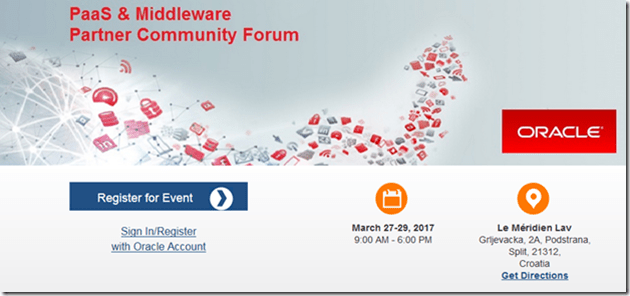
PaaS hands-on trainings at Partner Community Forum March 27th–31st 2017 Split Croatia

The Oracle PaaS Partner Community Forum that will be held in the Le Méridien Lav, Split, Croatia on March 27th & 28th & 29th 2017 with hands-on training on March 30th & 31st 2017. Hands-on PaaS Training

Additionally to the Fusion Middleware Partner Community Forum, you can participate in technical hands on workshops on March 30th & 31st 2017. You have to choice to deep dive into:

  • Integration Cloud Service and API Cloud Service
  • Process Cloud Service and Document Cloud Service
  • End-to-end cloud native application development experience (touching ACCS, DevCS, OMC)
  • Mobile
  • User Experience
  • Enrich SaaS with PaaS

The conference wonderful opportunity to get the latest PaaS & Middleware information direct from product management, get trained hands-on by our experts and network within the community.

· Process Cloud Service & BPM Suite & BPM Suite 12c

· SOA Cloud Service & Integration Cloud Service & SOA Suite 12c

· Mobile Cloud Service & Application Builder Cloud Service & Mobile & Development tools

· Java Cloud & Application Container Service & Developer Cloud Service & WebLogic 12c

· User Experience and Enrich SaaS with PaaS & Internet of Things Cloud Service

All previous conferences have been booked out, don’t wait too long with your registration.

For details please visit the registration page here.

image

SOA & BPM Partner Community

For regular information on Oracle SOA Suite become a member in the SOA & BPM Partner Community for registration please visit www.oracle.com/goto/emea/soa (OPN account required) If you need support with your account please contact the Oracle Partner Business Center.

Blog Twitter LinkedIn image[7][2][2][2] Facebook clip_image002[8][4][2][2][2] Wiki

Technorati Tags: Community,Community Forum,PaaS,Cloud,enablement,training,conference,SOA Community,Oracle SOA,Oracle BPM,OPN,Jürgen Kress

PaaS & Middleware Partner YouTube Update February 2017

The February edition of the PaaS & Middleware Partner Update contains three key topics:

  • Apiary acquisition & API Cloud Service
  • Free on-demand training for SOA 12c, BPM 12c and WebLogic Suite 12c
  • SOA & BPM Partner Community Webcasts February 28th 2017

Please like and share the video at LinkedIn and Twitter. For regular updates please subscribe to our YouTube channel here. Thanks for your likes and sharing the video on YouTube and LinkedIn. For the latest SOA & BPM Partner Community information please visit our Community update wiki here (Community membership required).

SOA & BPM Partner Community

For regular information on Oracle SOA Suite become a member in the SOA & BPM Partner Community for registration please visit www.oracle.com/goto/emea/soa (OPN account required) If you need support with your account please contact the Oracle Partner Business Center.

Blog Twitter LinkedIn image[7][2][2][2] Facebook clip_image002[8][4][2][2][2] Wiki

Technorati Tags: PaaS,PaaS for SaaS,SaaS,YouTube,SOA Community,Oracle SOA,Oracle BPM,Jürgen Kress,Middleware Update,Partner Update