FMW 12c on the Cloud – Part 1: Prepare the Environment by Luigi Banzato

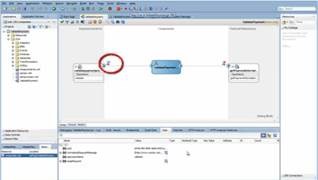
Oracle Fusion Middleware 12c is out there. And now it bring the wonders of SOA/BPM quick start, where you can get you development environment setup in 4 clicks. However, at some stage everyone always needs to setup a server, so I’ve been taking a look at how to do that in the cloud. This is the part 1 of of the tutorial on how to install and configure Fusion Middleware 12c on the Cloud.

clip_image002

Create the EC2 Instance

To create the EC2 instance, on the EC2 Console, click on "Launch Instance":

Read the complete article here.

SOA & BPM Partner Community

For regular information on Oracle SOA Suite become a member in the SOA & BPM Partner Community for registration please visit www.oracle.com/goto/emea/soa (OPN account required) If you need support with your account please contact the Oracle Partner Business Center.

Blog Twitter LinkedIn image[7][2][2][2] Facebook clip_image002[8][4][2][2][2] Wiki

FMW 12.1.3 – Invoking Enterprise Scheduler Service Web Services from SoapUI by Lucas Jellema

clip_image002

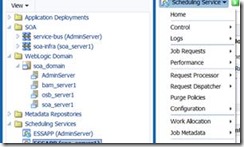
The Fusion Middleware 12.1.3 platform contains the ESS or Enterprise Scheduler Service. This service can be used as asynchronous, schedule based job orchestrator. It can execute jobs that are Operating System jobs, java calls (local Java or EJB), PL/SQL calls, and Web Service calls (synchronous, asynchronous and one-way) including SOA composite, Service Bus and ADF BC web services.

Jobs and schedules can be defined from client applications

through a  Java API or through the Enterprise Manager FMW Control user interface. Additionally, ESS exposes a web service through which (pre defined) jobs can be scheduled. This web service can be invoked from BPEL processes in SOA composites – or from any component that knows how to invoke a SOAP Web Service.

In this article I will briefly demonstrate how to invoke the ESS Web Service from SoapUI. I will not describe how to create the Job Definition – I will assume two pre existing Job Definitions: HelloWorld (of type PL/SQL job) and SendFlightUpdateNotification of type SOA composite based one way Web Service. Both Job Definitions contain application properties – parameters that can be set for every job instance and that are used in the job execution. When invoking the ESS Web Service to schedule a job, values for these properties can be passed in.

There is one tricky aspect with ESS: jobs cannot be run as anonymous users. So if ESS does not know who makes the request for scheduling a job, it will not perform the request. It returns an error such as

oracle.as.scheduler.RuntimeServiceAccessControlException: ESS-02002 User anonymous does not have sufficient privilege to perform operation submitRequest JobDefinition://oracle/apps/ess/custom/saibot/SendFlightUpdateNotification.

To ensure we do not run into this problem, we have to attach a WSM security policy to the ESS Web Service and pass a WS Security Header with valid username and password in our request. Then the job request is made in the context of a validated user and this problem goes away.

The steps to go through: Read the complete article here.

SOA & BPM Partner Community

For regular information on Oracle SOA Suite become a member in the SOA & BPM Partner Community for registration please visit www.oracle.com/goto/emea/soa (OPN account required) If you need support with your account please contact the Oracle Partner Business Center.

Blog Twitter LinkedIn image[7][2][2][2] Facebook clip_image002[8][4][2][2][2] Wiki

Set-up a 12c SOA/BPM Infrastructure by Middleware Snippets

clip_image002In this post, we will show how to create automation scripts in order to set-up middleware environments.

Preparation

In the example, we will use the following software

First, we have to decide which directory structure we are going to use. Below an example is given in which the binaries (that create the run-time) are separated from the configuration.

Read the complete article here.

SOA & BPM Partner Community

For regular information on Oracle SOA Suite become a member in the SOA & BPM Partner Community for registration please visit www.oracle.com/goto/emea/soa (OPN account required) If you need support with your account please contact the Oracle Partner Business Center.

Blog Twitter LinkedIn image[7][2][2][2] Facebook clip_image002[8][4][2][2][2] Wiki

SOA 12c blog series by Vivek Garg

Special thanks to Vivek Garg for all his SOA Suite 12c blog posts! Make sure you share yours with us via twitter @soacommunity or #soacommunity or Facebook! Please visit his Oracle Fusion Middleware Blog and read his great articles:

clip_image002SOA12c -Service Bus Resequencer

SOA 12c – Translate Activity

SOA 12c – Create Service Bus Project from Service …

SOA 12c – Custom Activity Template

SOA 12c – Component Template

SOA12c – Project Template

SOA12c – Templates

SOA 12c – MDS Support For OSB

SOA 12c – How to publish service bus artifacts to …

SOA 12c – Custom Coherence Cache Name

SOA 12c – Coherence Default Cache Name

SOA 12c- Coherence Adapter

SOA 12c – Create Java derby database data source

SOA 12c- Unable to start jdeveloper – org.netbeans…

SOA 12c – Configure Coherence Adapter

Oracle BAM interview questions and answers series

Oracle Service Bus (OSB) Interview Questions and A…

Oracle SOA Interview Questions and Answers Series

Oracle BAM Interview Questions and Answers Part-2

Oracle BAM Interview Questions and Answers Part-1

Oracle SOA Interview Questions and Answers (Adapte…

SOA 12c – Schedule Secured SOA Composite from ESS

SOA 12c- Schedule SOA Composite Using ESS

Oracle Managed File Transfer (MFT) Step By Step In…

SOA 12c- Create required schemas for Oracle MFT

SOA 12c- Oracle Managed File Transfer (MFT) Instal…

Oracle SOA 12c Step By Step Installation Series

SOA 12c – Create soa 12c server domain

SOA 12c – Create Weblogic server compact domain

SOA 12c – Create Integrated Weblogic Server Standa…

SOA 12c – Create Integrated weblogic server defaul…

SOA12c – RCU Step by Step Installation

SOA12c – Oracle XE 11g Database step by step Insta…

SOA12c- Enterprise Service Scheduler Introduction

SOA12c – Share Artifacts using SOA Design-Time MDS…

SOA 12c – Get Started With MDS

SOA 12c – Create Java Derby Database Connection

Oracle SOA 12c Features

SOA 12c – Oracle Service Bus Hands On

SOA 12c – SOA Debugger in Oracle SOA 12c

SOA 12c – oracle.fabric.permission.CompositePermis…

SOA & BPM Partner Community

For regular information on Oracle SOA Suite become a member in the SOA & BPM Partner Community for registration please visit www.oracle.com/goto/emea/soa (OPN account required) If you need support with your account please contact the Oracle Partner Business Center.

Blog Twitter LinkedIn image[7][2][2][2] Facebook clip_image002[8][4][2][2][2] Wiki

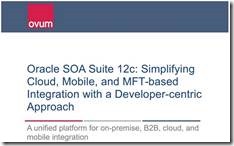
Ovum Lauds Oracle SOA Suite 12c, Differentiates Cloud and Mobile Integration By Mala Ramakrishnan

clip_image002Ovum has recently published a paper on Oracle SOA Suite and lays out differentiation.  According to the paper, with the latest release of Oracle SOA  Suite, Oracle has again proved that it can swiftly respond to customer requirements while ensuring continuity in product strategy to offer a unified platform for a wide range of integration requirements. Here is an excerpt from the paper:

Oracle SOA Suite 12c has introduced several new features and capabilities that resonate with the current integration priorities of enterprises, especially cloud and mobile integration. What differentiates Oracle SOA Suite 12c from competing platforms is its emphasis on simplifying the process involved in the development, testing, and execution of integration flows connecting a wide range of applications.

This developer-centric approach is evident in the simple approach offered by the Oracle Cloud Adapter software development kit (SDK) for the development of new adapters to software-as-a-service (SaaS) applications. Furthermore, Oracle Cloud Adapters handle several inherent intricacies of SaaS integration, such as session management, data mapping, and specific security requirements to help reduce development efforts and costs. The developer-centric approach is also evident in the developer tooling enhancements introduced as part of Oracle SOA Suite 12c release.

Another noteworthy feature is the integration between Oracle MFT and Oracle SOA Suite and Oracle B2B 12c, which provides support for complex orchestration use cases, such as the extension of enterprise applications to B2B e-commerce and cloud integration scenarios.

Key messages

§ Oracle has further refined its approach to cloud and mobile integration.

§ Developer productivity is a key theme for Oracle SOA Suite 12c.

§ Oracle MFT strengthens the overall value proposition of Oracle’s integration middleware stack. Read the complete article here.

SOA & BPM Partner Community

For regular information on Oracle SOA Suite become a member in the SOA & BPM Partner Community for registration please visit www.oracle.com/goto/emea/soa (OPN account required) If you need support with your account please contact the Oracle Partner Business Center.

Blog Twitter LinkedIn image[7][2][2][2] Facebook clip_image002[8][4][2][2][2] Wiki

Best Practices for SOA Suite 11g to 12c Upgrade By Jay Kasi

clip_image002A lot of effort has been put in by Oracle to make this major upgrade as smooth and easy as possible. The basic approach is to install SOA Suite 12c in a new oracle home and upgrade the domain and schemas in place. Customers undertaking the upgrade are primarily interested in a smooth upgrade, minimizing the number of manual steps in the upgrade, reduce the down time to a minimum, and minimize or eliminate any changes to client apps that use SOA APIs or web interfaces.

The key to a successful and smooth upgrade experience are the preupgrade preparations that you perform. The upgrade must be planned carefully. If the preupgrade preparations are not performed, there is a possibility that upgrade will fail in the middle or the system does not behave properly post upgrade. The only recourse to a failed production system upgrade is to roll it back from a full backup.

If your SOA domain includes BAM, then the upgrade is more complex because BAM does not support inplace upgrade. Please read the documentation carefully. The basic idea is to migrate the whole BAM deployment to a seperate domain using export/import, remove BAM from the soa domain during upgrade, and upgrade your soa domain to interop with the bam 11g domain. Later slowly and carefully migrate to BAM 12c from BAM 11g.

There are six top steps that should be performed before upgrade of your production system as a best practice.

  • Carefully review the prerequisites for upgrade in the documentation. Some of the prerequisites are checked upfront before we upgrade the schema in Upgrade Assistant but not all. Read all relevant upgrade documentation before starting on upgrade. Some of the key prerequisites are:

· Can only upgrade a domain that is 11.1.1.6 or 11.1.1.7. Migrate to a supported starting point before upgrade.

· Can only upgrade a deployment using a 64 bit JVM. Migrate to 64 bit JVM before upgrade.

· Can only upgrade a production domain not using XE DB and is not an admin server only domain.

· Can only upgrade a domain using LDAP or DB OPSS policy store. Migrate file based policy store to DB or LDAP based policy store before upgrade. Read the complete article here.

SOA & BPM Partner Community

For regular information on Oracle SOA Suite become a member in the SOA & BPM Partner Community for registration please visit www.oracle.com/goto/emea/soa (OPN account required) If you need support with your account please contact the Oracle Partner Business Center.

Blog Twitter LinkedIn image[7][2][2][2] Facebook clip_image002[8][4][2][2][2] Wiki

Learning Library – Free SOA Suite 12c online learning

Make sure you get familiar with SOA Suite 12c, at Oracle Learning Library you can get great videos on demand free:

· clip_image002Upgrading Oracle SOA Suite to 12c Video Series – 8 videos

· Oracle SOA Suite 12c: Developer Productivity Video Series – 3 videos

· SOA New Features Videos

o Introducing Oracle SOA Suite 12c

o Introducing Oracle Managed File Transfer 12c

o Working with MFT 12c – Monitoring File Transfers

o Working with MFT 12c – Designing an End to End Transfer

o Oracle SOA Suite 12c: REST Enabling SOA

o Oracle Event Processing 12.1.3: Enabling Fraud Detection

SOA & BPM Partner Community

For regular information on Oracle SOA Suite become a member in the SOA & BPM Partner Community for registration please visit www.oracle.com/goto/emea/soa (OPN account required) If you need support with your account please contact the Oracle Partner Business Center.

Blog Twitter LinkedIn image[7][2][2][2] Facebook clip_image002[8][4][2][2][2] Wiki

50% discount on SOA Suite & BPM Suite eBooks from PACKT this Thanksgiving!

imageMake use of the long Thanksgiving weekend and read an Oracle SOA Suite or BPM Suite eBook from Packt! Don’t know which book to choose? Visit our publications wikis for SOA books and BPM books .

Happy reading and a great Turkey BBQ! Jürgen Kress


SOA & BPM Partner Community

For regular information on Oracle SOA Suite become a member in the SOA & BPM Partner Community for registration please visit www.oracle.com/goto/emea/soa (OPN account required) If you need support with your account please contact the Oracle Partner Business Center.

Blog Twitter LinkedIn image[7][2][2][2] Facebook clip_image002[8][4][2][2][2] Wiki

What’s New in SOA Suite 12c – Rapid Installation by Bruce Tierney

By now, you have probably read about the biggest release of Oracle SOA Suite in the last 5 years…Oracle SOA Suite 12c with major enhancements in the areas of Cloud Integration, Mobile Integration and more. This “What’s New in SOA Suite 12c” blog focuses on one of the many other new features that developers will be thrilled to experience, the rapid installation feature. Tired of spending an entire afternoon installing Oracle SOA Suite 11g? Then switch to Oracle SOA Suite 12c and the rapid installation for development is completed in less than 30 minutes.
Here is an excerpt from the “What’s New in Oracle SOA Suite 12c” White Paper by Oracle’s Simone Geib. Download it now to learn about this and many other features:
Crucial first steps in every SOA development cycle are the installation and configuration of a SOA development environment, including the Integrated Development Environment (IDE) and the SOA run-time and infrastructure database. For pre-12c versions of Oracle SOA Suite, these steps were challenging, starting with the download of several components and a complicated install and configuration process.
With Oracle SOA Suite 12c, this process has been dramatically simplified with the introduction of the new Quick Start installer. The download consists of a single file that can be obtained from the Oracle Technology Network (OTN). The user only needs to answer a few questions, such as defining the location for Oracle Home, and the installation usually completes in less than 30 minutes as shown in the image to the below.

The Quick Start install provides the foundation for a single user development environment, which includes all Oracle SOA Suite core components – Oracle BPEL Process Manager, Oracle Human Workflow, Oracle Business Rules, Oracle Mediator, Oracle Service Bus, Oracle Technology Adapters, Oracle Enterprise Scheduler, SOA Spring Component and Enterprise Manager Fusion Middleware Control. In addition, Oracle JDeveloper is installed with all SOA IDE extensions and an integrated WebLogic Server.

Download the White Paper here and register for the Oracle SOA Suite 12c Webcast for more information

SOA & BPM Partner Community

For regular information on Oracle SOA Suite become a member in the SOA & BPM Partner Community for registration please visit www.oracle.com/goto/emea/soa (OPN account required) If you need support with your account please contact the Oracle Partner Business Center.

Blog Twitter LinkedIn image[7][2][2][2] Facebook clip_image002[8][4][2][2][2] Wiki

Resolving deployment issues with Service Bus 12c – OSB-398016 – Error loading WSDL by Lucas Jellema

I was completely stuck with Service Bus 12c project deployment from JDeveloper to the Service Bus run time. Every deployment met with the same fate: Conflicts found during publish – OSB-398016, Error loading the WSDL from the repository: The WSDL is not semantically valid: Failed to read wsdl file from url due to — java.net.MalformedURLException: Unknown protocol: servicebus.

I was completely lost and frustrated – not even a simple hello_world could make it to the server.
Then, Google and Daniel Dias from Link Consulting to the rescue: http://middlewarebylink.wordpress.com/2014/07/17/soa-12c-end-to-end-e2e-tutorial-error-deploying-validatepayment/. He had run into the same problem – and he had a fix for it! Extremely hard to find if you ask me, but fairly easy to apply.
It turns out this is a known bug (18856204). The bug description refers to BPM and SB being installed in the same domain.
The resolution:
Open the Administration Console for the WebLogic Domain. From the Services node, select service OSGi Frameworks: Read the complete article here.

SOA & BPM Partner Community

For regular information on Oracle SOA Suite become a member in the SOA & BPM Partner Community for registration please visit www.oracle.com/goto/emea/soa (OPN account required) If you need support with your account please contact the Oracle Partner Business Center.

Blog Twitter LinkedIn image[7][2][2][2] Facebook clip_image002[8][4][2][2][2] Wiki