 When you read this you arrived safely in Budapest and we would like to thank you and your management for investing the time to attend the PaaS Partner Community Forum 2018. On March 15th Hungary celebrates their Memorial Day. Like the Hungarian revolution from 1848, our economy is changed by digitalization. Disrupting technologies like cloud computing, blockchain and machine learning are changing our business and society. To reflect this changes we offer an innovation track.
There will be more than 200 delegates from more than 45 countries, which will give you the opportunity to learn from other cloud minded partners and network with partners from Europe and different regions as we also have representation from Africa, Asia, North America, South America and the Middle-East. Many Oracle employees will attend and we would like to invite you to challenge them how we can support you to grow your business and maintain profitability on your investment with Oracle.
Scale innovation blockchain and machine learning
Cloud Computing is leading on all service levels. SaaS solutions became a standard model for enterprise customers. Infrastructure as a Service is used to deploy all kind of workload flexible in the cloud. This year’s conference introduces innovations to the Oracle Platform as a Services (PaaS) platform. Blockchain cloud service is launched and machine learning is used within the platform which becomes autonomous. Self-driving, self-securing and self-repairing capabilities demonstrates advances in autonomous Oracle Cloud.
During this event you will see presentations from Product Management, Pre-Sales Consultants and Partners, that will share their real life experiences with you how to implement Oracle PaaS solutions and to see the business drivers behind these projects.
The Partner Community Forum is one of the best opportunities to get details and hands-on trainings about Oracle Integration Cloud Service (OIC), API Platform Cloud Service (API CS), Process Cloud Service (PCS), Mobile & Chatbot Cloud Service (MCS), Internet of Things Cloud Service (IoT CS), Java Cloud Service (JCS) & Application Container Cloud Service (ACCs), Visual Builder Cloud Service (ABCs) and Content Cloud Service.
Oracle PaaS Services create many new opportunities for partners to build, customize and integrate applications in a public cloud environment. Our joint customers will benefit from this new cloud offering by faster time to market, higher availability and flexibility, lower project cost an risks. With the introduction of universal cloud credits (UCCs) partners can deploy customer projects agile. With hybrid cloud computing Oracle offers a unique value proposition for customer and partners. You can choose where to host your cloud solutions in the data center of your choice. Cloud marketplace gives you as a partner new opportunities to build, deploy and promote and market offerings on the Oracle PaaS Cloud. The Oracle Cloud Excellence Implementer (CIE) and Oracle Cloud Managed Service Provider (MSP) Program reflect the focus on cloud computing.
The Enrich SaaS with PaaS initiative is designed for Oracle SaaS applications partners. The underlying PaaS platform enables customers to enrich and differentiate SaaS solutions. Connect SaaS solutions with other SaaS solutions and on-premises, analyze data, secure and extend applications. As part of the conference multiple session and a two days hands-on training are offered specifically for SaaS partners to Enrich SaaS solutions with PaaS.
Each conference attendee was granted access to free PaaS demo service before and during the conferences. As an Oracle partner you can request free PaaS demo services via demo.oracle.com or our partner communities any time – make use of it!
Last year in Split we introduced the community day to present success stories and best practice. Based on the excellent feedback Lucas Jellema and myself selected 7 presentation for the first conference day.
We are excited to welcome again Ed Zou at the conference who will highlight in his keynote how to Drive Digital Transformation on Oracle Cloud Platform including live demos of machine learning and blockchain. Digital is changing the economy, our joint customers face this challenge, PaaS is the platform you can build new digital solutions either in the Cloud. Thanks to our product management team you will get updates and roadmap details including demos for our PaaS solutions.
We would like to congratulate the annual winners of the PaaS Partner Community Awards. You will have the opportunity to learn direct from them why they have won the awards. On Tuesday evening during our social event you will have plenty of chance for deep discussion within the community and speakers.
On the third day you can choose between different four breakout tracks: Enterprise Process & Integration or Mobile & Chatbot & Content or Application Development or the Innovation track. We will keep our tradition to wrap up the conference with the legendary ACE demo – special thanks to Lucas Jellema and team!
Thursday and Friday four different hands-on trainings take place. A two days Integrate and Extend SaaS workshop. Or 12 different half day labs, you can build your own agenda by choosing each session
During the conference we host run multiple information points. Please take the opportunity to talk to the product management teams and business development teams. Three partners will exhibit their solutions. APIMatic API tools for API developers , Felxagon a devops tool and UiPath for robotics process automation (RPA). The Oracle User Experience team invites you participate in usability tests.
We also want to give a special thank you to our Specialized partners that have been able to differentiate themselves in their local markets by showing their experience and commitment in Oracle PaaS & Fusion Middleware solutions. To continue your road to success please ensure that you align with our local cloud sales teams and use our marketing services including the marketing campaigns kits.
From previous conferences we received the feedback that networking is key, it is always a challenge to keep the balance between more exiting live demos and networking breaks. Take the opportunity to connect via twitter and Facebook. Also most of the conference speakers arrive on Monday and are available for 1:1 meetings!
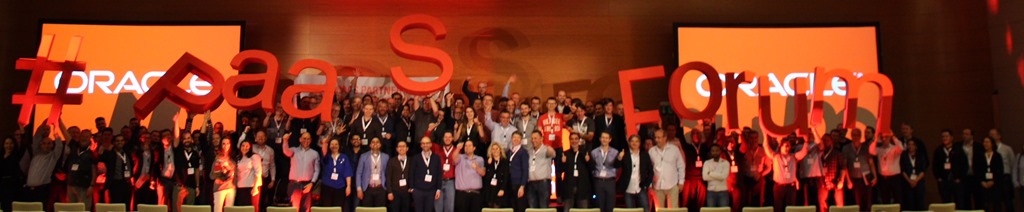
We would like to encourage you to network within the community using our web2.0 features. For twitter please use the event hashtag #PaaSForum:
http://www.twitter.com/soacommunity @soacommunity
http://www.twitter.com/wlscommunity @wlscommunity
Like our Facebook pages and post comments and pictures at: http://www.facebook.com/WebLogicCommunity & http://www.facebook.com/soacommunity
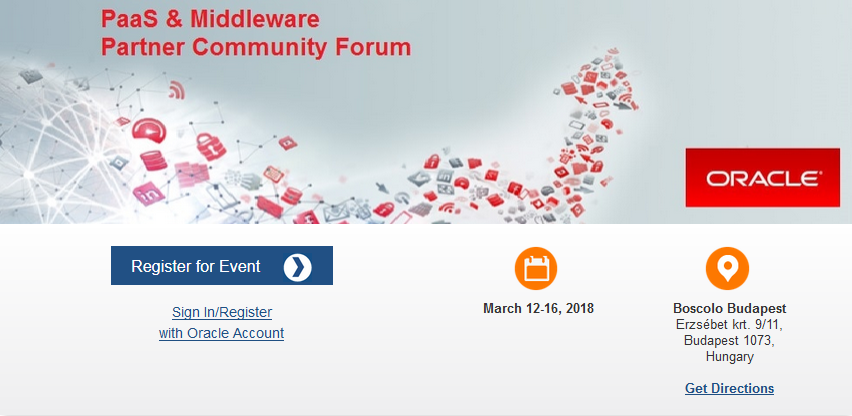
Three years ago we hosted a PaaS Partner Community Forum at the Boscolo hotel in Budapest. We are excited to be back in this wonderful hotel & conference venue and city. Take the opportunity to visit the historic center, the buda castle part of the world heritage and visit a thermal bath. Plan to celebrate again your community success in one of the ruin bars!
The conference, Oracle OpenWorld and the Summer Camps are part of the annual community highlights. It’s exciting to see the community to get together full of energy and to develop new ideas. We opened the conference registration 100 days in advance, with more than 350 registrations and more than 200 attendees the conference is sold out! Special thanks to my management for the trust and freedom to host this conference and assigning additional budget to allow us to host additional attendees – thank you!
Thank you for attending the conference and your Oracle PaaS & Middleware Partner business.
Jürgen Kress

 Blog
Blog  Twitter
  LinkedIn
 ![image[7][2][2][2]](https://paascommunity.com/wp-content/uploads/2013/04/image7222.png?w=20&h=20 "image[7][2][2][2]") Facebook
Facebook ![clip_image002[8][4][2][2][2]](https://paascommunity.com/wp-content/uploads/2013/04/clip_image00284222.jpg?w=26&h=23 "clip_image002[8][4][2][2][2]") Wiki
Wiki