SOA Expert Series presentation available by David Shaffer & Team

clip_image002


We’ve been talking about this for a couple years now, but finally did it. The idea is to take the very popular Open World panel session called “Oracle SOA Suite Tips and Tricks from Oracle Engineering and A-team” and bring this content to a much wider audience via webinar. We tested the waters with the first webinar in Jan, 2016 and it was even more successful than we had hoped.

We are now extending this into a larger series, to promote sharing of knowledge and expertise with the SOA Suite community at large. We have the commitment of the A-team and lots of good content from engineering, partners as well as customers. So, please check out the information below and register for the series. Get the slides here.

SOA & BPM Partner Community

For regular information on Oracle SOA Suite become a member in the SOA & BPM Partner Community for registration please visit www.oracle.com/goto/emea/soa (OPN account required) If you need support with your account please contact the Oracle Partner Business Center.

Blog Twitter LinkedIn image[7][2][2][2] Facebook clip_image002[8][4][2][2][2] Wiki

Since it provides many components, it is an extensive toolkit for developers who can use it for complex functionality with little coding. by Maarten Smeets

clip_image002


Valuable Features:
  • The technology adapters (Database, REST, LDAP, File, many more), which allow easy integration with technologically diverse systems.
  • BPEL and Service Bus, which allow diverse integration patterns to be easily implemented.
  • The extensive Enterprise Manager Fusion Middleware Control which provides management and monitoring capabilities.
  • The high availability features (mostly important for performance and stability).

Since the SOA Suite provides many components, it is an extensive toolkit for a developer, who can, with relatively little coding, quickly achieve complex functionality.

Improvements to My Organization:

We implement SOA Suite at different customers. The product helps them achieve their goals in terms of integration requirements (functional and non-functional). This ranges from service-enabling legacy systems to integrating COTS products in a stable, performant, and manageable way. Currently, I work for a customer that is digitalizing a legal processes. At this customer we implement reusable services and processes used by multiple front- and backend applications. … Read the complete article here.

SOA & BPM Partner Community

For regular information on Oracle SOA Suite become a member in the SOA & BPM Partner Community for registration please visit www.oracle.com/goto/emea/soa (OPN account required) If you need support with your account please contact the Oracle Partner Business Center.

Blog Twitter LinkedIn image[7][2][2][2] Facebook clip_image002[8][4][2][2][2] Wiki

The integration possibilities with other Oracle Fusion middleware products is the most valuable feature of the SOA Suite solution. By Andreas Chatziantoniou

clip_image002


Valuable Features:

The integration possibilities with other Oracle Fusion middleware products is the most valuable feature of the SOA Suite solution.

Improvements to My Organization:

I’m a contractor, so my client organizations are the ones who benefit from SOA Suite. With it, it’s quite visible the number of both internal and external processes that are more integrated. Another organizational benefit is that less human intervention is required when running the suite of products in SOA.

Room for Improvement:

Although the SOA Suite solutions integrate well with Oracle Fusion middleware products, it lacks similar integration with Enterprise Manager. This is something that, in my experience working with clients, is needed for SOA Suite to be a better product.  Read the complete article here.

SOA & BPM Partner Community

For regular information on Oracle SOA Suite become a member in the SOA & BPM Partner Community for registration please visit www.oracle.com/goto/emea/soa (OPN account required) If you need support with your account please contact the Oracle Partner Business Center.

Blog Twitter LinkedIn image[7][2][2][2] Facebook clip_image002[8][4][2][2][2] Wiki

Using eBS Adapter in Integration Cloud Service – Part 2: Configure and Test ISG REST Services by Stefan Koser

clip_image002


Introduction

Integration Cloud Service (ICS) enables connecting applications in the cloud or on-premise. It also provides an adapter for Oracle eBusiness Suite. This eBS adapter is different than the eBS adapter in SOA Suite – it does not use a database connection. Instead it uses the REST services provided by eBS as part of Integrated SOA Gateway (ISG).

This article describes the steps needed to get eBusiness Suite including ISG REST services ready – either for using it with any REST client or with ICS. ISG requires some additional patches on top of eBS 12.2.4 – this was shown in this first part , see here.

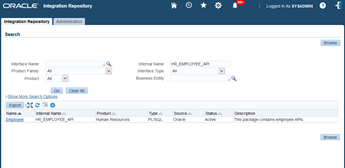
In this second part, we will show how to enable the REST services, how to enable the metadata provider for ICS and test eBS REST services, first from a native REST client (SOAPUI) and then from ICS. All steps except chapter 4 are also relevant if you want to use Oracle eBusiness Suite ISG REST services without ICS.

Chapter 1 – Configure Integrated SOA Gateway (ISG) in eBS 12.2.4

Enabling ASADMIN User with the Integration Administrator Role

We will execute the steps in section 3 of the MOS note:

Log in to Oracle E-Business Suite as a SYSADMIN user and enter the associated password.
Expand the User Management responsibility from the main menu of the Oracle E-Business Suite Home Page.

Click the Users link to open the User Maintenance page (under “Vision Enterprises”)
Enter ‘ASADMIN’ in the User Name field and click Go to retrieve the ‘ASADMIN’ user.

Click the Update icon next to the ASADMIN user to open the Update User window.
Remove the Active To date field and click Apply.

Click the Reset Password icon next to ASADMIN user to open the Reset Password window. Make sure that ASADMIN’s password is at least eight characters long.
Enter new password twice and click Submit.

In the Update User window, click Assign Roles.
In the search window, select Code from the Search By drop-down list and enter “UMX|FND_IREP_ADMIN” in the value text box.
Click Select.
Enter a justification in the Justification field and click Apply. You will see a confirmation message indicating you have successfully assigned the role.

In my case, a warning is displayed (which can be ignored because the server is restarted later anyway):

Updates to Role data will not be visible in the application until the following processes are started : Workflow Background Engine. Read the complete article here.

SOA & BPM Partner Community

For regular information on Oracle SOA Suite become a member in the SOA & BPM Partner Community for registration please visit www.oracle.com/goto/emea/soa (OPN account required) If you need support with your account please contact the Oracle Partner Business Center.

Blog Twitter LinkedIn image[7][2][2][2] Facebook clip_image002[8][4][2][2][2] Wiki

Enhancing ICS Mappings with Custom Java Classes by Ricardo Ferreira

clip_image002


Introduction

One of the most common tasks performed during the creation of integrations in ICS (Integration Cloud Service) is the implementation of mappings. In a nutshell, mappings are the resources that ICS uses to allow messages coming from the configured source application to be sent to the configured target application. Failure in properly defining and configuring these mappings directly impacts how integrations are going to behave while sending messages downstream.

In order to build mappings in ICS, users make use of the mapping editor. The mapping editor allows for the creation of complex XPath expressions via an intuitive drag-and-drop interface. Besides the support for XPath expressions, it is also possible to use built-in XSLT functions available within the Mapping Components section of the mapping editor, as shown in figure 1.

However, it is not uncommon to find situations in which the set of built-in functions is not adequate to perform a specific data handling operation. When that happens, most people using ICS feel they’ve hit a roadblock due to the fact that there is no way to simply add a custom function. While there is always the possibility to open an SR (Service Request) within Oracle and request an enhancement, sometimes this is not possible because the ongoing project requires at least a workaround in order to be able to finish the use case in a timely manner.

This blog is going to show how classes from ICS’s Fusion Middleware foundation can be leveraged to provide custom data handling in mappings. To illustrate this, the following sections will show how to perform Base64 data decoding, using a utility class from the Oracle WebLogic API.

Programming in XLST Directly

In contrast to what many people think, ICS is not a black box. You can access pretty much everything that is generated by ICS when you export the integration, as shown in figure 2. Once you have access to the integration archive file, you can see what ICS generated for you and in case of mappings, even change it. Read the complete article here.

SOA & BPM Partner Community

For regular information on Oracle SOA Suite become a member in the SOA & BPM Partner Community for registration please visit www.oracle.com/goto/emea/soa (OPN account required) If you need support with your account please contact the Oracle Partner Business Center.

Blog Twitter LinkedIn image[7][2][2][2] Facebook clip_image002[8][4][2][2][2] Wiki

OUGN 2016 | Help! What integration solution is best for me? By Ronald van Luttikhuizen


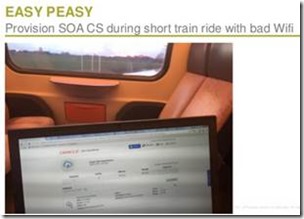
clip_image002We used to have heated debates whether to use SOA Suite or Service Bus. With the release of Oracle’s Platform as a Service (PaaS) products like Integration Cloud Service (ICS) and SOA Suite Cloud Service (SOA CS), this discussion is fueled with even more options. In this session we will explain Oracle integration solutions like ODI, SOA Suite, etc. and compare ICS, SOA CS, Oracle Service Bus and Oracle SOA Suite with each other. All these options are illustrated with a use case. Get the presentation here.

SOA & BPM Partner Community

For regular information on Oracle SOA Suite become a member in the SOA & BPM Partner Community for registration please visit www.oracle.com/goto/emea/soa (OPN account required) If you need support with your account please contact the Oracle Partner Business Center.

Blog Twitter LinkedIn image[7][2][2][2] Facebook clip_image002[8][4][2][2][2] Wiki

Fixing cloud integration by Andrew Bell

clip_image002


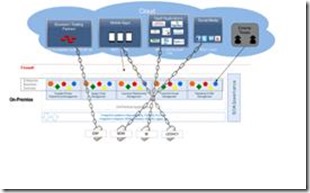
Today, most companies are still overwhelmingly on-premise. However, enterprises are turning more and more to the cloud in an effort to reduce the total cost of ownership (TCO) of IT architectures.

Many hope to offload non-value adding processes and applications to the cloud, whilst others are looking to migrate fully to the cloud as part of their digital transformation journey. For SaaS applications to provide real value to businesses however, they need to integrate with other SaaS or on-premise applications in order to prevent the creation of data silos.

During the first wave of SaaS implementations, lines of business have typically introduced SaaS applications without regard for the overall IT strategy. Equally, they have built their own point-to-point integrations with other applications. This results in a non-architected integration landscape which is difficult to maintain and build upon.

In such scenarios, different and often incompatible standards and software are used to provide data integration, meaning that the cost of ownership has actually increased and cross divisional integration is more complex than ever. Security holes can also result in potential risks to organizations.

This piecemeal approach leads to a mass of point-to-point integrations done haphazardly and without real thought to common standards, community management, security, scalability, visibility or agility. Furthermore, because integration is point to point, companies face real difficulties upgrading when endpoints change.

Many enterprises that attempt cloud integrations end up in this state, which is why more than half of SaaS applications fail to live up to expectations. The cloud introduces a whole new dimension of complexity including:

§ IT is no longer fully central and controlled. Cloud applications do not run in an organization’s data center, and availability, reliability, security policies etc. are governed by the SaaS vendor.

§ Tooling is often inconsistent. Cloud providers may provide unique integration toolkits and APIs. An integration tool from one vendor may not be compatible with another cloud vendor. As the number of cloud providers increase, so does the number of integration toolkits. This can lead to a spaghetti of complex integrations between various SaaS and on-premise applications. Read the complete article here.

SOA & BPM Partner Community

For regular information on Oracle SOA Suite become a member in the SOA & BPM Partner Community for registration please visit www.oracle.com/goto/emea/soa (OPN account required) If you need support with your account please contact the Oracle Partner Business Center.

Blog Twitter LinkedIn image[7][2][2][2] Facebook clip_image002[8][4][2][2][2] Wiki

How to fix Maven build problems in Oracle Service Bus 12c by Dalibor Blazevic

clip_image002

Introduction

To many old fashion JDeveloper developers using Maven is a new and obscure thing as JDeveloper has his own build system and does not require ANT or Maven as a build or deployment tool. However if it goes to continuous integration with many small integration automatic builds done daily than using ANT or Maven is inevitable, of which Maven is newer and more popular. Unfortunately for SOA/OSB 12c developers, other popular IDEs, like NetBeans, Eclipse or IntelliJ have much better Maven support than JDeveloper. Still relaying on his old build and deploy system, and using somewhat hybrid approach on integrating Maven, JDeveloper has a lot of issues when it comes to creating new Maven based projects and build them. Moreover Maven problem does not ends with JDeveloper when it comes to proper working of Maven with OSB architecture but it spans whole Middleware architecture.

Typical continuous integration lifecycle is composed of several phases like: 1. Merging source code files from different source control branches (typically one or more branch for each developer) into one integration branch, 2. Deploying merged and consolidated integration branch back to the source control system, 3. Executing Hudson/Jenkins build job that has been triggered by post to version control system in integration branch 4. Jenkins plugin executes Maven command line to do: compiling, testing, packaging, and deploying of different projects belonging to the same application.

Therefore we can see that for continuous integration lifecycle to work properly it is not enough to be sure that Maven works from JDeveloper but also from the command line to be able to port our build environment to dedicated integration machine.

In this article I will try to explain Maven setup and necessary workarounds in order to enable proper functionality of Maven in both JDeveloper and command line environment within our SOA/OSB 12c Middleware installation.

Fixing JDeveloper Maven integration problems

When wi install our OSB 12c development environment JDeveloper is included in installation. When we open JDeveloper upon installation and we create our first OSB Application/Project we will see that maven build file (pom.xml) is already included in project. We can get wrong impression that Maven support is here and is working correctly. Read the complete article here.

SOA & BPM Partner Community

For regular information on Oracle SOA Suite become a member in the SOA & BPM Partner Community for registration please visit www.oracle.com/goto/emea/soa (OPN account required) If you need support with your account please contact the Oracle Partner Business Center.

Blog Twitter LinkedIn image[7][2][2][2] Facebook clip_image002[8][4][2][2][2] Wiki

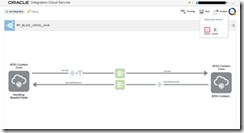
Using Event Handling Framework for Outbound Integration of Oracle Sales Cloud using Integration Cloud Service by Naveen Nahata

clip_image001


Introduction:

Oracle’s iPaaS solution is the most comprehensive cloud based integration platform in the market today.  Integration Cloud Service (ICS) gives customers an elevated user experience that makescomplex integration simple to implement.

Oracle Sales Cloud (OSC) is a SaaS application and is a part of the comprehensive CX suite of applications. Since OSC is usually the customer master and is the center for all Sales related activities, integration with OSC is often a requirement in most use cases

Although OSC provides useful tools for outbound as well as inbound integration, it is a common practice to use ICS as a tool to integrate OSC and other SaaS as well as on-premises applications. In this article, I will explore this topic in detail and also demonstrate the use of Event Handling Framework (EHF) in OSC to achieve the same.

Main Article:

Within ICS you can leverage the OSC adapter to create an integration flow. OSC can act both as source (inbound)  or as target (outbound) for integration with other SaaS or on-premises applications; with ICS in the middle acting as the integration agent. While the inbound integration flow is triggered by the source application, invoking the outbound flow is the responsibility of OSC.

In this article, I will discuss the outbound flow, where OSC acts as the source and other applications serve as the target. There are essentially 2 ways of triggering this integration:

  • Invoking the ICS integration every time the object which needs to be integrated is created or updated. This can be achieved by writing groovy code inside create/update triggers of the object and invoking the flow web service by passing in the payload.
  • Using the Event Handling Framework (EHF) to generate an update or create event on the object and notify the subscribers. In this case, ICS registers itself with OSC and gets notified when the event gets fired along with the payload

OSC supports events for most important business objects such as Contact, Opportunities, Partners etc. More objects are being enabled with EHF support on a continuous basis.

In this article, I will demonstrate how to use EHF to achieve an outbound integration. We will create a flow in ICS which subscribes to the “Contact Created” event and on being notified of the event, updates the newly created contact object. While this integration is quite basic, it demonstrates the concept. While we use Update Contact as a target for our integration, you can use another SaaS application (for example Siebel or Service Cloud) as the target and create a Contact there. Read the complete article here.

SOA & BPM Partner Community

For regular information on Oracle SOA Suite become a member in the SOA & BPM Partner Community for registration please visit www.oracle.com/goto/emea/soa (OPN account required) If you need support with your account please contact the Oracle Partner Business Center.

Blog Twitter LinkedIn image[7][2][2][2] Facebook clip_image002[8][4][2][2][2] Wiki

Custom xpath functions in service bus by Milco Numan

clip_image002

How can you create  custom XPath functions in Oracle Service Bus 12c? And how can you use these in both  XSLT and XQuery? Let’s find it out. I like to show you how they’re different in behaviour.

The context of my post comes from one of my projects, where we were migrating quite some (stateless) services from the SOA (BPEL) platform to Service Bus. Since our clients were already ‘virtualized’ to our clients (i.e. clients invoked them through the Service Bus), we could easily change the implementation platform without changing the service contracts.

For the transformation, we were reusing the existing XSL transformations, so a couple of the custom XPath functions had to be made available in Service Bus. Additionally, we were also introducing the DVM (Domain Value Maps) as a replacement for a custom coded lookup-implementation, created when DVMs did not yet exist. For this purpose, we had to create a custom XPath wrapper function, in order to implement some custom logging that the customer did not want to lose.

Test XPath function

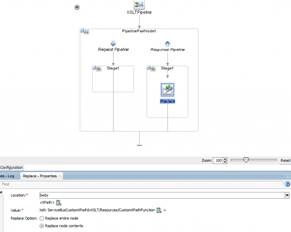
As a simple scenario, I am using base-64 encoding and decoding to be implemented as custom XPath functions (code is shared through GitHub). In order to test the custom XPath function, I have created some very simple proxies and pipelines that do not route to any other service but instead just call upon a transformation in order to test my custom functions:

Child elements

In the reply element I have three different child elements, the first contains the untransformed contents of the input string and the second contains the base64 encoded contents. The last element contains the value after invoking the decode operation on the encoded string, to verify that the inverse operation restores the original value. Read the complete article here.

SOA & BPM Partner Community

For regular information on Oracle SOA Suite become a member in the SOA & BPM Partner Community for registration please visit www.oracle.com/goto/emea/soa (OPN account required) If you need support with your account please contact the Oracle Partner Business Center.

Blog Twitter LinkedIn image[7][2][2][2] Facebook clip_image002[8][4][2][2][2] Wiki