AppAdvantage Benefits for Partners

clip_image001


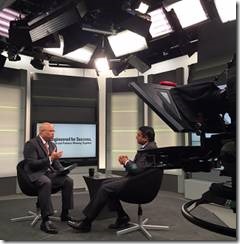
Thank you once again for a great PartnerCast on November 12! Individual show segments are now hosted on Oracle Media Network’s PartnerCast channel for replay.

Replay links:

§ PartnerCast: Oracle AppAdvantage and Benefit to Partners

§ PartnerCast: Oracle Mobility and Opportunities for Partners

§ PartnerCast: 3Di Systems and Oracle Mobility Projects

SOA & BPM Partner Community

For regular information on Oracle SOA Suite become a member in the SOA & BPM Partner Community for registration please visit www.oracle.com/goto/emea/soa (OPN account required) If you need support with your account please contact the Oracle Partner Business Center.

Blog Twitter LinkedIn image[7][2][2][2] Facebook clip_image002[8][4][2][2][2] Wiki

Patch SOA/BPM VM to WebCenter 11.1.1.8 by The Cattle Crew


clip_image002At OTN you can find the latest 11g SOA/BPM Virtual Machine (VM) which also contains Webcenter. Unfortunately, Webcenter has been added in version 11.1.1.7 to that VM; as there are major enhancements in Webcenter 11.1.1.8 it generally makes sense to upgrade the VM to that version.

At the Oracle website a documentation for upgrading from 11.1.1.7 to 11.1.1.8 can be found. In this post I want to describe which steps of the update guide I actually executed in order to upgrade my VM and which ones I skipped as they seem to be optional.

The particular steps are also described in full detail here.

Pre-Patching Tasks

I skipped all pre-patching tasks, as we’re starting with a VM that does not contain any data so far and which already contains an up to date Weblogic installation. Read the complete article here.

SOA & BPM Partner Community

For regular information on Oracle SOA Suite become a member in the SOA & BPM Partner Community for registration please visit www.oracle.com/goto/emea/soa (OPN account required) If you need support with your account please contact the Oracle Partner Business Center.

Blog Twitter LinkedIn image[7][2][2][2] Facebook clip_image002[8][4][2][2][2] Wiki

SOA 12c hands-on Bootcamp May 20-21st 2015 Düsseldorf Germany

SOA Suite 12c Bootcamp only for Oracle Partners – free of charge!

image As our customers start looking at new trends such as Cloud and Mobile, Integration becomes increasingly important for their businesses and continues to be at the heart of our Fusion Middleware solution. Time and again, Application Integration has proven to make businesses more agile, save costs and provide a robust, future-proof architecture for complex enterprise systems.

SOA 12c brings exciting new features around the key themes of Developer Productivity and Industrial SOA. These new features (including a brand new product addition!) demonstrate why SOA is important to include in customer conversations and solutions around Cloud, Mobile, Fast Data and, of course, Application Integration.

Topics to be covered during the workshop include Developer Productivity, Industrial SOA, Application Integration, Cloud Integration, Mobile Enablement, Managed File Transfer, B2B and Fast Data.

May 20th – 21st 2015 Düsseldorf Germany

For details please visit our registration page here.

For additional training please visit our Community Training Calendar here (membership required)

SOA & BPM Partner Community

For regular information on Oracle SOA Suite become a member in the SOA & BPM Partner Community for registration please visit www.oracle.com/goto/emea/soa (OPN account required) If you need support with your account please contact the Oracle Partner Business Center.

Blog Twitter LinkedIn image[7][2][2][2] Facebook clip_image002[8][4][2][2][2] Wiki

Creating Custom BPM Work List for Human Tasks based in ADF by Mark Peterson


clip_image002

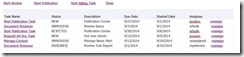
If you ever need a custom work list and need to open the human task from this list, then this blog can help you. All you really need to do is find the list of tasks and create the URL that opens the task from the custom work list. This is not as straightforward as it seems since the URL contains some dynamic fields that you will need to derive from information about the tasks.

The need for a custom work list usually involves some sort of relationship between instances in a process, or between tasks in different processes such that the OOTB functionality of the BPM workspace is not sufficient. The user wants to see a logical grouping of tasks or between parent and child tasks. These tasks should be shown grouped together. These tasks can be shown in a table or tree format and each task should have a link to click on to open the task directly from the form. This is an example of such a list and grouping. Read the complete article here.

SOA & BPM Partner Community

For regular information on Oracle SOA Suite become a member in the SOA & BPM Partner Community for registration please visit www.oracle.com/goto/emea/soa (OPN account required) If you need support with your account please contact the Oracle Partner Business Center.

Blog Twitter LinkedIn image[7][2][2][2] Facebook clip_image002[8][4][2][2][2] Wiki


Screenflows with BPM and ADF 12c by Marcel Maas


clip_image002BPM 12c came with a slew of features that were scrapped when Oracle truly integrated the acquired BEA’s BPM implementation. One of those features is “screenflows”. I guess some of you, if not all of you have ever come across the situation where you needed to retrieve some information from a user using a human task, then do some logic and immediately provide the same user with a new screen for processing this data without having to go back to the tasklist.

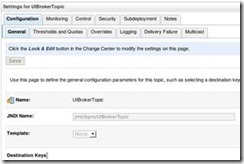
In 11g there was no (out-of-the-box) way to do so, other than using the human workflow api or simply doing a service call from the existing task flow and not really going back to the process. Well now you can! And we are going to demonstrate it in this post. Now this feature is easily configured. We first need to make sure the server is configured correctly. Because this feature uses JMS messaging to function we need to a new topic as well as a new connection factory.

In WLS console in BpmModule create a new topic:

Name: UIBrokerTopic
JNDI Name: jms/bpm/UIBrokerTopic
Type: Topic (or Distributed unified Topic if clustered)

Read the complete article here.

SOA & BPM Partner Community

For regular information on Oracle SOA Suite become a member in the SOA & BPM Partner Community for registration please visit www.oracle.com/goto/emea/soa (OPN account required) If you need support with your account please contact the Oracle Partner Business Center.

Blog Twitter LinkedIn image[7][2][2][2] Facebook clip_image002[8][4][2][2][2] Wiki

BPM Authentication On Behalf Business User from ADF by Andrejus Baranovskis


clip_image002This is the next post in the series of ADF/BPM integration, check previous post available here – Dynamic ADF Buttons Solution for Oracle BPM Outcomes. Here I’m going to describe how you could authenticate with BPM from ADF through a proxy user, on top you could apply only business user name, password will not be required.
There is API method available – authenticateOnBehalf(context, userName), you must have a valid connection context created and with authenticateOnBehalf method you could set to use any valid user name, instead of proxy user. Here is the example for Workflow Context: Read the complete article here.

SOA & BPM Partner Community

For regular information on Oracle SOA Suite become a member in the SOA & BPM Partner Community for registration please visit www.oracle.com/goto/emea/soa (OPN account required) If you need support with your account please contact the Oracle Partner Business Center.

Blog Twitter LinkedIn image[7][2][2][2] Facebook clip_image002[8][4][2][2][2] Wiki

Now Under Development in AVIO’s Skunkworks Labs: Customized Workspace for Oracle BPM by Mark Peterson

clip_image002

Using best in class UI technologies, AVIO is developing a custom workspace that will manage your work the way you want. It starts with a initial layout that is similar to Oracle’s BPM workspace, but it can use a layout that is best for you. It works in most browsers and media types; cell phones, tablets or PCs.

AVIO’s workspace uses open source technologies, Angular JS (angularjs.org) and Bootstrap CSS (getbootstrap.com). Angular JS provides best in class MVC architecture to render the UI fast and rich in features. Bootstrap CSS is used for a "Design for Mobile First" approach. Where Angular is rapidly becoming the technology of choice for the front-end, Bootstrap will give your designs the responsiveness it needs for cell phones, tablets or PCs.  As opposed to Oracle’s workspace, Angular enables your workspace to be customized from its own and AVIO’s pre-built libraries. These libraries leverage AVIO’s REST services for BPM CRUD operations with the server. Bootstrap CSS can layer on top of any open source tools to give your UIs the "wow" factor you want. These cool features will include modal menus, dynamic widgets and pages, and Kanban style task boards for an intuitive user experience.

Before we look at the workspace on a mobile device, take a close look at the top and left menu bar on a full-size display. The top menu bar contains a search box to filter the list or locate a particular work item. It also contains tabs for applications (to start new tasks), dashboards  (for grapical representation of your work) and a settings tab; for configuring your workspace. The menu on the left contains a list of views to group your work by task or case; initiated or administrative; tasks due within some time-frame; or by some metadata like region, department, or status.

The main panel (on the right) contains a work list represented by cards. These cards can be customized to contain important text and date fields,  images, links and other meta-data to identify them. These cards can represent different work items like a task or a case. With cards, there’s no need to switch between task and case view when using Oracle’s Adaptive Case Management (ACM) features. If mixing them together in a single list is not desired, it is easy to create views with only one or the other.

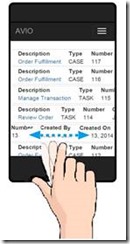
To get a feel for how this works, we will look at the UI rendered in a hand-held device as seen below. Notice that the left menu bar has been hidden and the top menu collapsed to an expandable menu icon. The work item list of cards makes it easier to design responsive layouts over a static table with rows. Different card types may need different meta-data, images and fields. Likewise the details behind the cards can adapt according to the card type. This provides more uniformity for handling tasks and cases for an intuitive and friendly look and feel.

One reason cards are used as opposed to a static table is the way the concept handles different work item types. The other reason is to allow Kanban style drag and drop.  Each card type can contain its own set of text fields, dates, images and links according to the card type. It can be dragged around (in Kanban style), sorted moved from view to view, or whatever the case may be. Cards provide more flexibility over tables. However if a table suits the need better, that is possible too. It’s easier to turn off features than add them back in later on. Read the complete article here.

SOA & BPM Partner Community

For regular information on Oracle SOA Suite become a member in the SOA & BPM Partner Community for registration please visit www.oracle.com/goto/emea/soa (OPN account required) If you need support with your account please contact the Oracle Partner Business Center.

Blog Twitter LinkedIn image[7][2][2][2] Facebook clip_image002[8][4][2][2][2] Wiki

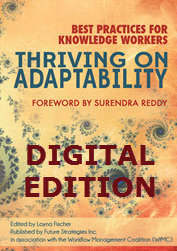
Thriving On Adaptability (Digital Edition) 80% Discount

image

Best Practices for Knowledge Workers

  • Digital Edition: Retail $34.95: Download the complete digital edition ( PDF) book immediately; enjoy live URLs, searchable text, graphics and charts in color. No shipping charges

Download ALL our Digital Editions at HUGE 80% discount.
Be quick, 80% discount ends on Friday March 27, no extensions

This is a once-in-a-blue moon chance to download unlimited books on Business Process Management, Process Modelling, BPMN and Adaptive Case Management.

Please join us in celebrating our new shopping cart and website at http://bpm-books.com/

  • Stunning 80% discount on ALL our Digital Edition books.
  • Download as many as you want, no limit.
  • Discount applies to already-reduced prices.
  • Complete books
  • Includes our newest titles released this year.

Digital BENEFITS:

  • Enjoy immediate download, live URLs, searchable text, graphics and charts in color.
  • No shipping charges.
  • Delivered in PDF format
  • Mobile device-friendly.

Click on the tab: Download Digital Books    

Use discount code: DIGITAL

For additional books please visit our BPM Books wiki here.

SOA & BPM Partner Community

For regular information on Oracle SOA Suite become a member in the SOA & BPM Partner Community for registration please visit www.oracle.com/goto/emea/soa (OPN account required) If you need support with your account please contact the Oracle Partner Business Center.

Blog Twitter LinkedIn image[7][2][2][2] Facebook clip_image002[8][4][2][2][2] Wiki

Oracle OpenWorld 2015 call for papers open – submit your middleware partners success!

We want that you present your Fusion Middleware Partner success at Oracle OpenWorld 2015! Make sure you submit your papers:

Call-for-Papers Oracle OpenWorld 2915image

We recommend to submit best practice session of leading edge products like BPM-Suite 12c, SOA Suite 12c with focus on cloud and mobile integration. Also highly welcome are joint presentations with your customers. Let us know if you like to get a nice quote from Oracle. For additional call for papers visit our wiki.

See you in San Francisco

Jürgen Kress

SOA & BPM Partner Community

For regular information on Oracle SOA Suite become a member in the SOA & BPM Partner Community for registration please visit www.oracle.com/goto/emea/soa (OPN account required) If you need support with your account please contact the Oracle Partner Business Center.

Blog Twitter LinkedIn image[7][2][2][2] Facebook clip_image002[8][4][2][2][2] Wiki

BPM Suite 12c: Getting started with BPM Studio (JDeveloper) and Process Composer using Process Asset Manager (PAM) by Lucas Jellema


clip_image002We see a clear trend with Oracle BPM Suite that the Process Composer – the browser based modeling IDE – is getting richer in functionality. Before too long, virtually all modeling/design and many implementation activities will be supported by Process Composer. With the upcoming Process Cloud Service where the process is created in its entirety through browser based tooling, this is of course necessary.

It will be a common practice to work on business processes both in Process Composer and in BPM Studio (JDeveloper). Exchanging the process definition between these two environments is essential for smooth collaboration. In this article, I provide some pointers to get going with Process Composer in BPM Suite 12c (12.1.3) and the interaction with BPM Studio – based on the Process Asset Manager (PAM) as well as ‘plain’ export/import.

Getting started with BPM Process Composer

Process Composer is available at http://host:port/bpm/composer.

On the home page, there are several areas that you can step into: business architecture and BPM processes are the main ones. To create a new BPM project, click on the plus icon in the BPM Project title area. Provide the name and description of the project and select an existing or new space. Read the complete article here.

SOA & BPM Partner Community

For regular information on Oracle SOA Suite become a member in the SOA & BPM Partner Community for registration please visit www.oracle.com/goto/emea/soa (OPN account required) If you need support with your account please contact the Oracle Partner Business Center.

Blog Twitter LinkedIn image[7][2][2][2] Facebook clip_image002[8][4][2][2][2] Wiki