Introducing the Oracle IoT Cloud by Attila Németh


clip_image002Oracle released its newest cloud product, the Oracle Internet of Things (IoT) Cloud Service, a couple of days ago. We have shared our experience with the product at the DOAG 2015 conference where we have also shown a showcase demonstrating the capabilities of the IoT Cloud Service. With this article we are starting a series of posts showing some key aspects of the product.

First of all, a brief introduction: what is IoT and what does the Oracle IoT Cloud Service provide?

More than a year has passed since we have built our first IoT demo. The article gives a good overview about what the Internet of Things is, how the architecture can be set up, etc. The retrospective at the end of our pilot project back then shows the key aspects for a successful adoption.

The high level view of the Oracle IoT Cloud Service is shown in the picture below.

Data from “things” – devices somewhere around the world – is sent to the Oracle IoT Cloud Service. This can be a direct connection if the device supports it or an indirect one in which case the device communicates with a gateway (possibly even over a proprietary protocol) and the gateway forwards the data to the IoT Cloud Service.

All these devices and their connections are managed by the product. Metadata attributes like device category or location can be added to devices to help find devices quickly (for example to locate a faulty device).

Data sent to the cloud can be either forwarded directly to backend systems (which can be either in the cloud or on premise) or it can be analysed in the cloud and the result of the analysis can be forwarded to other systems – for example to a BI System for producing more detailed reports or to an ERP system to keep track of the assets. Read part I here, part II here, part III here, part IV here and part V here.

SOA & BPM Partner Community

For regular information on Oracle SOA Suite become a member in the SOA & BPM Partner Community for registration please visit www.oracle.com/goto/emea/soa (OPN account required) If you need support with your account please contact the Oracle Partner Business Center.

Blog Twitter LinkedIn image[7][2][2][2] Facebook clip_image002[8][4][2][2][2] Wiki

PaaS & Middleware Partner YouTube Update August 2016

The August edition of the PaaS & Middleware Partner Update contains three key topics:

  • PaaS Sales Kits
  • Internet of Things Cloud Service free trial
  • SOA & BPM Partner Community Webcasts August 30th 2016

For regular updates please subscribe to our YouTube channel here. For the latest SOA & BPM Partner Community information please visit our Community update wiki here (Community membership required)

SOA & BPM Partner Community

For regular information on Oracle SOA Suite become a member in the SOA & BPM Partner Community for registration please visit www.oracle.com/goto/emea/soa (OPN account required) If you need support with your account please contact the Oracle Partner Business Center.

Blog Twitter LinkedIn image[7][2][2][2] Facebook clip_image002[8][4][2][2][2] Wiki

SOA Suite 12c Administrator’s Guide Released


clip_image002Your blogger, for the past few years have piled up more things that he can chew.  As a result the blog posts have dried up a little as blogging involves both time and novelty and I have been a little short on the first lately. Of that may activities that consumed me, none was more time taking, challenging and difficult as writing the Oracle SOA Suite 12c Administrator’s Guide . The book was announced a month ago and is finally out and available. Here is a sneak peak a the cover.

Oracle SOA Suite 12c is the most comprehensive and integrated infrastructure on the market today that is used for building applications based on service-oriented architecture. With the vast number of features and capabilities that Oracle SOA Suite 12c has to offer comes numerous complexities and challenges for administration. Oracle SOA Suite 12c Administrator’s Guide covers all the core areas of administration needed for you to effectively manage and monitor the Oracle SOA Suite environment and its transactions, from deployments, to monitoring, to performance tuning, and much, much more.

Manage, monitor, and troubleshoot SOA composites and OSB services from a single product set. Understand core administrative activities such as deployments, purging, startup and shutdown, configuration, backup, and recovery. Also learn about new features such as Oracle Enterprise Scheduler, lazy loading, work manager groups, high availability, and more. Get the SOA Administrator’s Guide here. For additional SOA books visit our wiki here.

SOA & BPM Partner Community

For regular information on Oracle SOA Suite become a member in the SOA & BPM Partner Community for registration please visit www.oracle.com/goto/emea/soa (OPN account required) If you need support with your account please contact the Oracle Partner Business Center.

Blog Twitter LinkedIn image[7][2][2][2] Facebook clip_image002[8][4][2][2][2] Wiki

SOA 12c QuickTip: Enable Servicebus message tracing in DefaultDomain by Sven Bernhardt


clip_image001Messsage or execution tracing in Servicebus (SB) allows insight into the message exchange between Servicebus and it’s communication partners (Client applications and Service providers) as well as the message processing within  a pipeline. Informations about incoming and outgoing messages, the corresponding headers, the course of variable manipulations and other things are written to the diagnostic logs and can be inspected there, when the tracing is active. By default the message and execution tracing are disabled, due to performance reasons and so it should only be enabled in development environments for debugging purposes.

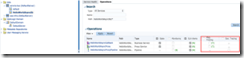
Enablement of message tracing for proxy or business service or execution tracing on the pipeline level, can be done using Fusion Middleware Control (Enterprise Manager).Under a specific SB project, the corresponding services and pipelines can be found. Enabling the tracing can be simply done by checking the options for message tracing respectively execution tracing in the Operations tab. Read the complete article here.

SOA & BPM Partner Community

For regular information on Oracle SOA Suite become a member in the SOA & BPM Partner Community for registration please visit www.oracle.com/goto/emea/soa (OPN account required) If you need support with your account please contact the Oracle Partner Business Center.

Blog Twitter LinkedIn image[7][2][2][2] Facebook clip_image002[8][4][2][2][2] Wiki

How to terminate an instance after transaction rollback and return response to caller by Rajeev Misra

clip_image002We have seen in several customer scenarios where a Parent BPEL process calls a child BPEL process asynchronously.  If child process runs into any kind of business or system fault,  fault handler sends callback to parent process with failure information.   Please note, since parent had invoked child process asynchronously,  child can’t throw fault back to parent.  Callback is only mechanism to inform parent about the failure in child process execution during asynchronous interaction.   This pattern works fine if transaction of child process is not getting rolled back.   If child process encounters some error where underlying JTA transaction is marked for rollback,  callback may not reach parent process if parent and child are collocated.   This is because,  callback invoke from child to parent will use the child’s JTA transaction to save callback in dehydration store, but since child’s transaction is in rollback state,  callback message information would be rolled back from dehydration store after JTA transaction rolls back.

Second issue is while trying to terminate an instance after it has encountered error which results into transaction rollback.  Since terminate state update of instance in dehydration store will be rolled back with transaction, any attempt to execute terminate in fault handler will be futile.

We are recommending a pattern that could help resolve both of above problems. Please look at the flow: Read the complete article here.

SOA & BPM Partner Community

For regular information on Oracle SOA Suite become a member in the SOA & BPM Partner Community for registration please visit www.oracle.com/goto/emea/soa (OPN account required) If you need support with your account please contact the Oracle Partner Business Center.

Blog Twitter LinkedIn image[7][2][2][2] Facebook clip_image002[8][4][2][2][2] Wiki

Consume JSON based OData Service using SOA 12c by Krishna Hanumantharao

clip_image002

Please refer Consume OData using SOA 11g post for SOA 11g version.

As part of this post, we will see how to consume JSON based OData Service using SOA 12c.

OData

OData (Open Data Protocol), promoted by Microsoft, now an OASIS Standard,  helps service providers to expose their data using RESTful APIs. OData supports, exposing of data in two Formats, Atom and JSON. Please refer OData WebSite for information about OData.

Public OData Services

One of the publicly available OData Service can be accessed at Public OData Service

URI Notations

Let us create a SOA 12c composite to  consume the service for the following scenarios.

Following are the URI notations for

  • List All Categories in JSON Format

http://services.odata.org/V3/OData/OData.svc/Categories?$format=json

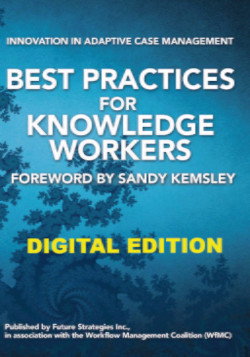
Adaptive Case Management Methodology published in Best Practices for Knowledge Workers (digital edition)

image

Working on an Adaptive Case Management (ACM) opportunity? Read the ACM Methodology published in the Best Practices for Knowledge Workers (Digital edition) book.

BPM-based solutions have brought major advances to work organization and automation. However, given BPM’s strong basis on formal workflow definition, oftentimes BPM solutions are not well suited for work scenarios where a precise workflow cannot be strictly defined. Work in such scenarios is highly dependent on knowledge-based decisions about activities and outcomes, leading to multiple work paths and business rules that can become quite complex or even unfeasible to model and completely automate. In these cases, a different technology support approach is required. The focus is not to isolate and automate decisions and rules, but rather to deliver opportunistic information support to the knowledge worker to accomplish them. Adaptive Case Management (ACM) rises as a successful design pattern for this. Get the eBook here.

SOA & BPM Partner Community

For regular information on Oracle SOA Suite become a member in the SOA & BPM Partner Community for registration please visit www.oracle.com/goto/emea/soa (OPN account required) If you need support with your account please contact the Oracle Partner Business Center.

Blog Twitter LinkedIn image[7][2][2][2] Facebook clip_image002[8][4][2][2][2] Wiki

Integration Workload Statistics (IWS) on untyped JSON and JavaScript in Composites by Maarten Smeets


clip_image001SOA Suite 12.2.1 introduces Integration Workload Statistics. This is a powerful new feature which can be used to do performance measures. Oracle SOA Suite 12.2.1 also introduces untyped JSON support and JavaScript support in composites and Service Bus. What better way to take a good look at both features by doing some performance measures using IWS on composites using untyped JSON and JavaScript!

I created 4 HelloWorld BPEL processes. Two of them are SOAP services and two of them are JSON services (not REST since they do not conform to REST architecture style). Two of these processes contain an assign activity using a JavaScript expression and one of them uses XPATH. I used SOAPUI to fire lots of messages on all services and measured responses. At the same time I had IWS activated to collect data on my processes. The results are quite interesting!

IWS + SOAPUI vs untyped JSON and JavaScript support in SOA Suite 12.2.1

Integration Workload Statistics

Introduction

Integration Workload Statistics provides valuable performance related information on your SOA Suite environment. This ranges from JVM memory usage to duration of BPEL activities. It even provides insight in the functioning of the SOA Suite by providing information on the transfer of messages over composite wires. You can not use it on the integrated WebLogic server provided with the quickstart of JDeveloper though.

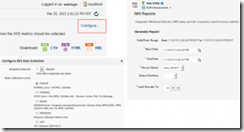
Using IWS is simple. First you have to activate it (it’s off by default) by right-clicking the soa-infra application, Monitoring, IWS Reports. Here you can click configure and set the level of detail. After you have applied this setting, you can run reports on the collected data. Report formats supported are CVS, XML and HTML. HTML provides a readable format which also contains some explanation on specific results. Read the complete article here.

SOA & BPM Partner Community

For regular information on Oracle SOA Suite become a member in the SOA & BPM Partner Community for registration please visit www.oracle.com/goto/emea/soa (OPN account required) If you need support with your account please contact the Oracle Partner Business Center.

Blog Twitter LinkedIn image[7][2][2][2] Facebook clip_image002[8][4][2][2][2] Wiki

New SOA Diagnostics Tool – IWS Reports – Overview by Malkit


clip_image002Introduction

Among many new features added for 12.2.1 version of Oracle Fusion Middleware (announcement link) and demoed at this year’s recently concluded Oracle Open World, I’m particularly excited about brand new diagnostics feature of Oracle SOA Suite called IWS Reports – being the lead designer and implementer of this project.

IWS stands for Integration Workload Statistics and is intended to provide Oracle DB AWR like diagnostics for SOA applications. At high level, IWS can help user with two common challenges faced in SOA:

1 – Scaling Issue

2 – Performance Bottlenecks

Diagnosing performance and scalability issues in SOA can be hard. Performance of a system depends on number of factors. SOA Systems pose particular challenge since large installations typically involves interactions between partners and services – internal and external, stateful and stateless components, synchronous and asynchronous communications, deployment over multi-domain clusters etc.

Main causes for performance/scalability issues:

  1. Insufficient resources – CPU/Memory/network bandwidth
  2. Improper configurations – thread pools/data-sources etc.
  3. Slow partners
  4. Slow database (back-end)
  5. Lower stack (such as application server or operating system) performance issues

The above causes can manifest in following:

  • Lower overall throughput
  • Large increase in response time
  • Backups in global queues
  • System stuck in extreme cases
  • Random errors/non-deterministic behavior (extreme low memory situations)

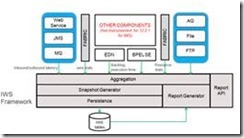
IWS Reports provide variety of statistics such as system resource usage, message flows at key points in the system, backlogs at various components and activity execution times which can diagnose performance/scaling issues.

IWS in nutshell

  • Helps in identifying bottlenecks and/or backups in the system
  • Useful for tuning for scaling or performance improvement
  • Snapshot based (configurable)/Automatic 
  • Central – collects stats from components and bindings/adapters in single output
  • Lends top-down/outside-in or direct analysis
  • Statistics maps to user application/project environment
  • Single point filtering based on Application/Composite/Component
  • Adds very little memory/processing overhead. Can be left always-on in production systems (off by default)
  • Snapshots persisted – for historical analysis/bench-marking/baseline and snapshot comparison

Note that there are two patents pending around concepts of diagnostics and backlog calculations as used in IWS Reports.  Read the complete article here & part 2 here & part 3 here & part 4 here & part 5 here

SOA & BPM Partner Community

For regular information on Oracle SOA Suite become a member in the SOA & BPM Partner Community for registration please visit www.oracle.com/goto/emea/soa (OPN account required) If you need support with your account please contact the Oracle Partner Business Center.

Blog Twitter LinkedIn image[7][2][2][2] Facebook clip_image002[8][4][2][2][2] Wiki

12c XSLT Editor – XSLT View Overview


clip_image002XSLT View is one of two graphical views provided by the new 12c XSLT Editor. 

(For a quick introduction to the graphical views in the 12c XSLT Editor see here.)

XSLT View provides the ability to edit any XSLT file graphically. It is intended for XSLT developers who have a general understanding of XSLT and have written XSLT source code in a text editor.

XSLT View is effectively a graphical source view. It has many advantages over editing XSLT source in a text editor.  Many of these are listed in the XSLT Editor Overview at the link above.  I think the best way to show these advantages is through specific examples.  In this post I will use an identity template to create a complex XSLT map.

For our example we will work with a PurchaseOrder to PurchaseOrder map.

Our goal for this map is to copy the source tree to the target tree, and while we are doing the copy, we want to copy the ShipTo CustomerName value into the BillTo Address, so that when we are done, the ShipTo and BillTo elements will both use the same CustomerName.

We could do this by explicitly mapping each node, however, we can also use an identity template to copy the source.  Identity templates are often used to copy an input document to the output document, but make some modification while the copy is being done. If the source input at runtime is small compared to the number of elements defined in the source schema, it can be significantly faster to copy the tree using an identity template, compared to creating explicit XSLT statements for every node in the schema. Read the complete article here.

SOA & BPM Partner Community

For regular information on Oracle SOA Suite become a member in the SOA & BPM Partner Community for registration please visit www.oracle.com/goto/emea/soa (OPN account required) If you need support with your account please contact the Oracle Partner Business Center.

Blog Twitter LinkedIn image[7][2][2][2] Facebook clip_image002[8][4][2][2][2] Wiki