Using Event Handling Framework for Outbound Integration of Oracle Sales Cloud using Integration Cloud Service by Naveen Nahata

clip_image001


Introduction:

Oracle’s iPaaS solution is the most comprehensive cloud based integration platform in the market today.  Integration Cloud Service (ICS) gives customers an elevated user experience that makescomplex integration simple to implement.

Oracle Sales Cloud (OSC) is a SaaS application and is a part of the comprehensive CX suite of applications. Since OSC is usually the customer master and is the center for all Sales related activities, integration with OSC is often a requirement in most use cases

Although OSC provides useful tools for outbound as well as inbound integration, it is a common practice to use ICS as a tool to integrate OSC and other SaaS as well as on-premises applications. In this article, I will explore this topic in detail and also demonstrate the use of Event Handling Framework (EHF) in OSC to achieve the same.

Main Article:

Within ICS you can leverage the OSC adapter to create an integration flow. OSC can act both as source (inbound)  or as target (outbound) for integration with other SaaS or on-premises applications; with ICS in the middle acting as the integration agent. While the inbound integration flow is triggered by the source application, invoking the outbound flow is the responsibility of OSC.

In this article, I will discuss the outbound flow, where OSC acts as the source and other applications serve as the target. There are essentially 2 ways of triggering this integration:

  • Invoking the ICS integration every time the object which needs to be integrated is created or updated. This can be achieved by writing groovy code inside create/update triggers of the object and invoking the flow web service by passing in the payload.
  • Using the Event Handling Framework (EHF) to generate an update or create event on the object and notify the subscribers. In this case, ICS registers itself with OSC and gets notified when the event gets fired along with the payload

OSC supports events for most important business objects such as Contact, Opportunities, Partners etc. More objects are being enabled with EHF support on a continuous basis.

In this article, I will demonstrate how to use EHF to achieve an outbound integration. We will create a flow in ICS which subscribes to the “Contact Created” event and on being notified of the event, updates the newly created contact object. While this integration is quite basic, it demonstrates the concept. While we use Update Contact as a target for our integration, you can use another SaaS application (for example Siebel or Service Cloud) as the target and create a Contact there. Read the complete article here.

SOA & BPM Partner Community

For regular information on Oracle SOA Suite become a member in the SOA & BPM Partner Community for registration please visit www.oracle.com/goto/emea/soa (OPN account required) If you need support with your account please contact the Oracle Partner Business Center.

Blog Twitter LinkedIn image[7][2][2][2] Facebook clip_image002[8][4][2][2][2] Wiki

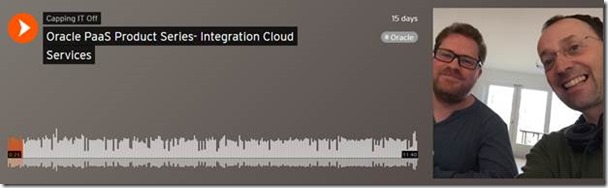
PaaS Product Series- Integration Cloud Services by Leon Smiers


In this series we will walk through different cloud products and how SaaS and PaaS can be combined together and their use in different projects.

In this podcast we discuss the Oracle Integration Cloud (ICS), part of Oracle PaaS Cloud and focused on delivering integration in Cloud. We emphasis on one specific discussion, with the move to the Cloud, and inclusion of SaaS applications, where do we place the center of gravity for integration, in the Cloud, on-premise or a combination of the two. Listen to the podcast here.

clip_image002

SOA & BPM Partner Community

For regular information on Oracle SOA Suite become a member in the SOA & BPM Partner Community for registration please visit www.oracle.com/goto/emea/soa (OPN account required) If you need support with your account please contact the Oracle Partner Business Center.

Blog Twitter LinkedIn image[7][2][2][2] Facebook clip_image002[8][4][2][2][2] Wiki

Additional new content SOA & BPM Partner Community


clip_image002

· New Features in Oracle SOA Suite 12.2.1 Written by SOA architect and Oracle ACE Associate Sandra Flores, this article presents an overview of key new features in Oracle SOA Suite 12.2.1. Read the article.

· Where is SOA Going? Oracle ACE Director Luis Weir and ACEs Rolando Carrasco and Arturo Viveros, the authors of Oracle API Management 12c Implementation (Packt Publishing) share their insight on the evolution of service oriented architecture in this article from Oracle Magazine. Read the article.

· Oracle Managed File Transfer 12.2.1 Nashorn JavaScript Integration When you upgrade to Oracle MFT 12.2.1, which uses Java JDK 1.8, you have yet another leaner, meaner option to use the RunJS callout to use JavaScript to invoke all MFT, SOA, and all WSL Java API’s natively. Dave Berry explains it all in this concise post. Read the post.

· SOA and Integration On-Prem and in the Cloud Vikas Anand (Senior Director, Product Management, SOA Suite/Integration Cloud Service, Oracle) and Ram Menon (Product Manager, Oracle Integration Cloud Service) discuss meeting SOA and integration challenges on-prem and in the cloud in this OTN TechCast interview. Watch the video.

SOA & BPM Partner Community

For regular information on Oracle SOA Suite become a member in the SOA & BPM Partner Community for registration please visit www.oracle.com/goto/emea/soa (OPN account required) If you need support with your account please contact the Oracle Partner Business Center.

Blog Twitter LinkedIn image[7][2][2][2] Facebook clip_image002[8][4][2][2][2] Wiki

Technorati Tags: SOA Community,Oracle SOA,Oracle BPM,OPN,Jürgen Kress

Loading Data into Oracle Cloud ERP R10 using the new LoadAndImportData operation by Angelo Santagata

clip_image001


Introduction

As part of Oracle ERP cloud release 10 a new SOAP function has been made available to our customers which greatly simplifies the loading of ERP data using the batch oriented SOAP Services.

This article aims to give the reader, details of this new SOAP Service and how it helps in loading data files into Oracle ERP cloud.

Assuming the input file has been already produced, loading the data into Oracle ERP cloud service is traditionally a multi-step process.

The typical “happy” path is :

  1. 1. Load the file into Oracle Fusion ERP UCM service
  2. 2. Execute the first ESS Job which transfers the file from UCM to the Oracle ERP interface tables
  3. 3. Using a polling technique check to see when the ESS job has finished transferring the file into the interface tables
  4. 4. Execute a second ESS job, which transfers the file from Oracle ERP interface tables to the Oracle ERP data object tables
  5. 5. Use a polling technique to check to see when the file has been processed
    6. Finally execute a call to the downloadESSJobExecutionDetails() operation to download a log file so you can check for success,or any errors, which need dealing with.

Whilst this approach appears attractive, as it allows the developer a great deal of control of the process, in truth this internal processing should be something that the SaaS application [Oracle ERP Cloud] should manage and provide feedback to the developer when things finish

New SOAP method in R10

As of Oracle ERP cloud Release 10 there is a new API called “loadAndImportData“, which is held within the ERPintegrationService, ( https://(FinancialDomain,Financial Common)/publicFinancialCommonErpIntegration/ErpIntegrationService?WSDL). This service has been specifically created to simplify the loading of data into Oracle ERP Cloud service by allowing you the ability to submit a file which is then automatically taken through the various stages of processing within Oracle ERP Cloud, without the user needing to execute each step of the process manually. Read the complete article here.

SOA & BPM Partner Community

For regular information on Oracle SOA Suite become a member in the SOA & BPM Partner Community for registration please visit www.oracle.com/goto/emea/soa (OPN account required) If you need support with your account please contact the Oracle Partner Business Center.

Blog Twitter LinkedIn image[7][2][2][2] Facebook clip_image002[8][4][2][2][2] Wiki

The Oracle Applications User Experience (OAUX) team has loads of new content that we’re eager to share

clip_image002The Oracle Applications User Experience (OAUX) team has loads of new content that we’re eager to share. Beginning with Oracle Voice, Oracle’s platform on Forbes.com, Group Vice President Jeremy Ashley describes in a recent post how Oracle is addressing specific HCM trends and issues in our cloud application services while keeping that “suite” perspective. What else did we write about in the past month?

LOOKING TO THE ENTERPRISE FUTURE: The OAUX team reports on wearables and IoT devices as well as Oracle’s investment in the challenges of bringing them to the enterprise in a new post on the Voice of User Experience (VoX) blog. Wearables lie at the center of many IoT discussions, and the possibilities they create when they work in tandem are endless. The OAUX team has been keeping an eye on both areas for several years and is investing heavily in research and development behind the challenges of interweaving the capabilities of both types of devices and bringing them to the enterprise.

UX STRATEGY: We know you’re craving the latest in Oracle’s UX strategy, and we must deliver. Learn more in a new VoX post with a bird’s-eye view on our new strategy ebook, or dive right into the (free!) download.

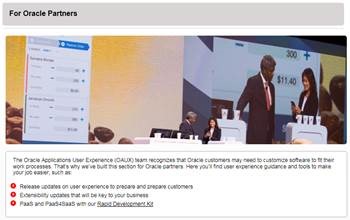
NEW TO DO AND SEE: If you’re an Oracle partner, we’ve got some updates just for you. Check the recently refreshed For Partners page featuring Release 10 content. Want to come to one of our partner events? We’ve got you covered on our Events page. Finally, we’re also bringing you a new Cloud User Experience Specialist Role, freshened up for Release 10. Find out more here.

RDK: We recently announced updates to the Cloud UX Rapid Development Kit (RDK) on the Usable Apps website, and we’re so excited by it that we’re still talking about it. Check out the following posts:

  • Get a tour of the Cloud UX Rapid Development Kit for Release 10 in Overview of the PaaS4SaaS User Experience RDK, including the new Microsoft PowerPoint-based wireframing tools and the software templates and components that are available for developers on OTN and GitHub.
  • In Integrating Google Maps, IFTTT, and OpenWeatherMap APIs into the Oracle Cloud UX Rapid Development Kit , Lancy Silveira writes about APIs used in the Release 10 Cloud UX Rapid Development Kit and how they are integrated into the RDK simplified UI pages, encouraging partners and developers to explore more possibilities that will enrich the Cloud UX for customers in simple, fast ways.
  • Silveira also talks to Customer Connect’s Frank Cowell about the Cloud UX Rapid Development Kit. If you’re a member of Customer Connect, access is easy through the website. HCM Talk Radio, a regular podcast where experts and guests share the latest in HCM Cloud best practices and knowledge, is also available directly. If you haven’t tuned in yet for these informative podcasts, go to Oracle’s Podcast Center or to iTunes and sign up for the feeds to receive and listen to the talk shows regularly.

SOA & BPM Partner Community

For regular information on Oracle SOA Suite become a member in the SOA & BPM Partner Community for registration please visit www.oracle.com/goto/emea/soa (OPN account required) If you need support with your account please contact the Oracle Partner Business Center.

Blog Twitter LinkedIn image[7][2][2][2] Facebook clip_image002[8][4][2][2][2] Wiki

Top tweets SOA Partner Community – December 2016

imageDecember 2016 top tweets by soaCommunity

Send your tweets @soacommunity #soaCommunity and follow us at http://twitter.com/soacommunity. Make sure you share your content with the community!

SOA & BPM Partner Community

For regular information on Oracle SOA Suite become a member in the SOA & BPM Partner Community for registration please visit www.oracle.com/goto/emea/soa (OPN account required) If you need support with your account please contact the Oracle Partner Business Center.

Blog Twitter LinkedIn image[7][2][2][2] Facebook clip_image002[8][4][2][2][2] Wiki

Technorati Tags: twitter,SOA Community,Oracle SOA,Oracle BPM,OPN,Jürgen Kress,SOA Community twitter

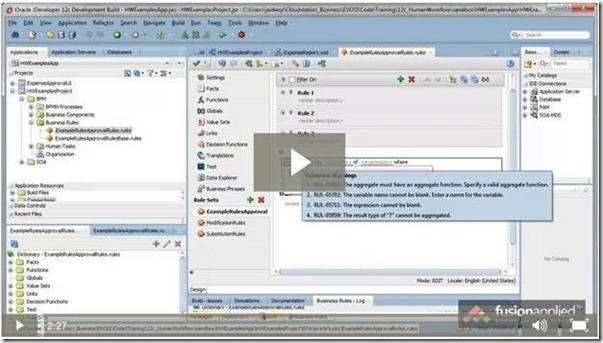
Business Rules: Sums and Averages in Test Conditions by Jaideep


Sometimes in test conditions in rules, there may be a need to test for sums or averages of a collection of values, and these kinds of aggregated values may not be directly available as input facts. For example, in an expense report, you may want to test if the total expenses are above a certain value and then take some action. This is easy if the total value is available directly in the expense report header. What if the total value is not available in the expense report directly and you have to do a sum of all the expense lines in the rule…before you can test for the total value?  How do you do aggregation of fact values in the rule? Watch this quick tip video to see how to do this. Aggregation in Oracle Business Rules in Two Minutes Watch the video here

clip_image002

SOA & BPM Partner Community

For regular information on Oracle SOA Suite become a member in the SOA & BPM Partner Community for registration please visit www.oracle.com/goto/emea/soa (OPN account required) If you need support with your account please contact the Oracle Partner Business Center.

Blog Twitter LinkedIn image[7][2][2][2] Facebook clip_image002[8][4][2][2][2] Wiki

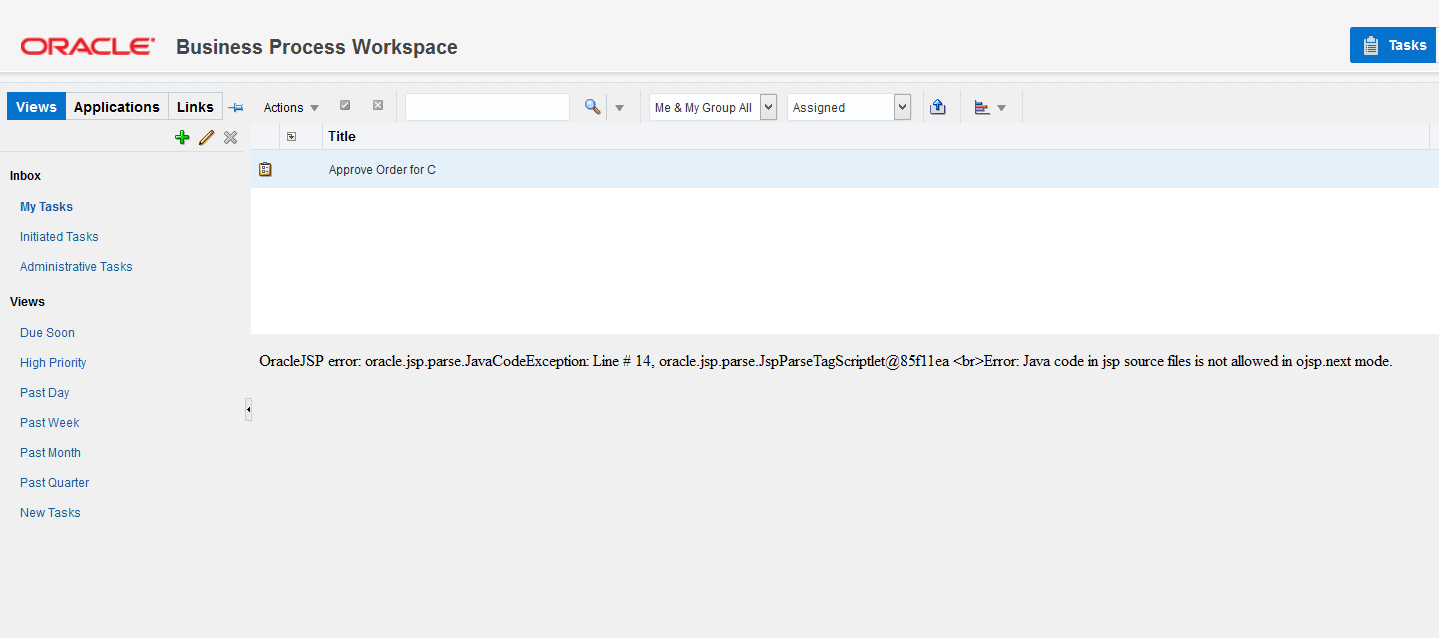
BPM/SOA Human Task: Java code in jsp source files is not allowed in ojsp.next mode by Antonis Antoniou

clip_image002Today I came across an exception while trying to load one of my task details (v12.2.1).

Error: OracleJSP error: oracle.jsp.parse.JavaCodeException: Line # 14, oracle.jsp.parse.JspParseTagScriptlet@66e50889
Error: Java code in jsp source files is not allowed in ojsp.next mode

What was really strange to me was that I did not do anything different from what I used to do with previous versions.
After some research I found out that this was a known issue for 12.2.1. There are two possible causes for getting this error.
a) Either you are not using the fully qualified host name  (including domain name) for the forms to render properly. Read the complete article here.

SOA & BPM Partner Community

For regular information on Oracle SOA Suite become a member in the SOA & BPM Partner Community for registration please visit www.oracle.com/goto/emea/soa (OPN account required) If you need support with your account please contact the Oracle Partner Business Center.

Blog Twitter LinkedIn image[7][2][2][2] Facebook clip_image002[8][4][2][2][2] Wiki

Best practice for calling web services from Oracle Process Cloud Service by Lykle Thijssen

clip_image002


More often than not, you will want your processes to interact with other services or processes inside or outside your enterprise. Since integration options are rather typical in Oracle Process Cloud Service, this article will help you to apply best practices for creating and managing your connections in a sustainable fashion.

Process Cloud integration points

Let’s say you have modelled a process in Oracle Process Cloud Service (PCS) for a private home loan application. Chances are quite high that this process will need some extra information to make the right decisions, like a credit check or a risk assessment and you will want to store the result of the application somewhere, for example in a database.
This requires several integration points in your PCS application. Now if you would directly import the WSDLs of those web services that you need to integrate with, it’s most likely not going to work. For example, Oracle Policy Automation, which you can use for risk assessment, has a highly generic interface and without XSLT support in PCS, you can’t make a proper request. Other services might require WS-Addressing or other technical aspects that PCS doesn’t support, so you need to put something in between. For this something, you can use various SOA and Service Bus products or Oracle’s Integration Cloud Service, once it has matured some more to deal with web services properly.

Creating the interface – challenges

So, you have decided to put one or more layers of services between PCS and the web services that you need to invoke. Regardless of your architecture, you need to keep some considerations in mind: Read the complete article here.

SOA & BPM Partner Community

For regular information on Oracle SOA Suite become a member in the SOA & BPM Partner Community for registration please visit www.oracle.com/goto/emea/soa (OPN account required) If you need support with your account please contact the Oracle Partner Business Center.

Blog Twitter LinkedIn image[7][2][2][2] Facebook clip_image002[8][4][2][2][2] Wiki

Custom xpath functions in service bus by Milco Numan

clip_image002

How can you create  custom XPath functions in Oracle Service Bus 12c? And how can you use these in both  XSLT and XQuery? Let’s find it out. I like to show you how they’re different in behaviour.

The context of my post comes from one of my projects, where we were migrating quite some (stateless) services from the SOA (BPEL) platform to Service Bus. Since our clients were already ‘virtualized’ to our clients (i.e. clients invoked them through the Service Bus), we could easily change the implementation platform without changing the service contracts.

For the transformation, we were reusing the existing XSL transformations, so a couple of the custom XPath functions had to be made available in Service Bus. Additionally, we were also introducing the DVM (Domain Value Maps) as a replacement for a custom coded lookup-implementation, created when DVMs did not yet exist. For this purpose, we had to create a custom XPath wrapper function, in order to implement some custom logging that the customer did not want to lose.

Test XPath function

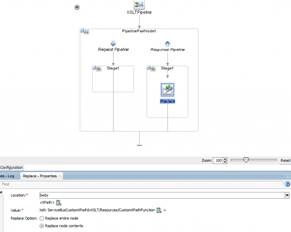
As a simple scenario, I am using base-64 encoding and decoding to be implemented as custom XPath functions (code is shared through GitHub). In order to test the custom XPath function, I have created some very simple proxies and pipelines that do not route to any other service but instead just call upon a transformation in order to test my custom functions:

Child elements

In the reply element I have three different child elements, the first contains the untransformed contents of the input string and the second contains the base64 encoded contents. The last element contains the value after invoking the decode operation on the encoded string, to verify that the inverse operation restores the original value. Read the complete article here.

SOA & BPM Partner Community

For regular information on Oracle SOA Suite become a member in the SOA & BPM Partner Community for registration please visit www.oracle.com/goto/emea/soa (OPN account required) If you need support with your account please contact the Oracle Partner Business Center.

Blog Twitter LinkedIn image[7][2][2][2] Facebook clip_image002[8][4][2][2][2] Wiki